43
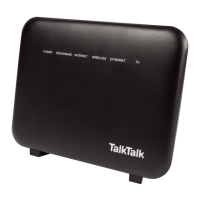
Check your Super Router lights
POWER: this should appear solid green, so if the light is
off or red...
Has the power supply been plugged in and switched on at the wall?
Have you tried a different power socket?
Is the button on the side of the Super Router switched to ON?
Have you used the power supply provided with your Super Router?
Try rebooting your Super Router by pressing the reset button.
Please note that any changes you have made to the settings on
your router will be lost.
BROADBAND: this should be solid green when you’re
connected to broadband, so if it’s flashing or off...
Has the grey ADSL broadband cable been plugged in correctly
to the Super Router and the microfilter?
Do you have a microfilter in all of your sockets that have a phone
or other device plugged in?
INTERNET: this should appear solid or flickering green
when connected to broadband, so if it’s red...
The connection may have timed out due to inactivity. Try
accessing the internet again, or rebooting your Super Router.
We might be upgrading your Super Router. Please wait 5 minutes
before retrying.


 To Next Page