5
General Information
Features
Built-in Dolby Digital decoder, supporting Dolby Pro Logic and Virtual
Surround
5.1Channel audio out
Progressive Scan
DV-IN
TV tuner receiver
Conforming DVD+/-R, DVD+/-RW, SVCD,VCD1.1,VCD2.0,MP3,
MPEG4,CDR,CDRW discs
DVD navigation and SVCD,VCD2.0 PBC controlling functions
VFD front panel display and OSD menu display
Full function remote control
Standby By pass
DVD region code
DVD players and discs are designed with region numbers which dictate
the region (printed on the rear panel). If the region number does not
match the region number in your DVD player, you will not be able to
play the disc. If you try to play the DVD, the message “ WRONG REGION
NUMBER” will appear on OSD.
The region number for this DVD player is 2
Disc can be played back
DVDs
Disc are general recorded with multi-titles.
Titles may be subdivided into chapters.
Video CD (version 2.0, 1.1,) / SVCD
Disc are general divided into tracks.
Audio CDs / MP3 / Kodak picture CD
Disc are divided into tracks.
Note
You cannot play CD-G, CD-EXTRA, , CD-ROM and DVD-ROM discs.
You cannot play illegally produced discs.
You cannot play scratched discs.
You cannot play disc that are dusty, soiled or marked with
fingerprints.
DISC can be recorded
DVD +/-R (Digital Versatile Disc +/- recordable)
DVD +/-RW (Digital Versatile Disc +/- rewriteable)
Glossary of disc terms
Title (DVD)
The longest sections of a picture or a music piece on a DVD; a
movie, etc., for a picture piece on a video software; or an album,
etc., for a music piece on and audio software. Each title is assigned
a title number enabling you to locate the title you want.
Chapter (DVD)
Sections of a picture or a music piece that are smaller than titles.
A title is composed of several chapters. Each chapter is assigned
a chapter number enabling you to locate the chapter you want.
Depending on the disc, no chapters may be recorded.
Track (Video or audio CD)
Sections of a picture or a music piece on a VIDEO or a CD. Each
track is assigned a track number enabling you to locate the track
you want.
Supplied Accessories
Check that you have the following items:
RF antenna cable
RCA cable(RCA x 1 pair)
Remote control
AA batteries
Owner’s manual
Scart Cable
Test DVD Burosch
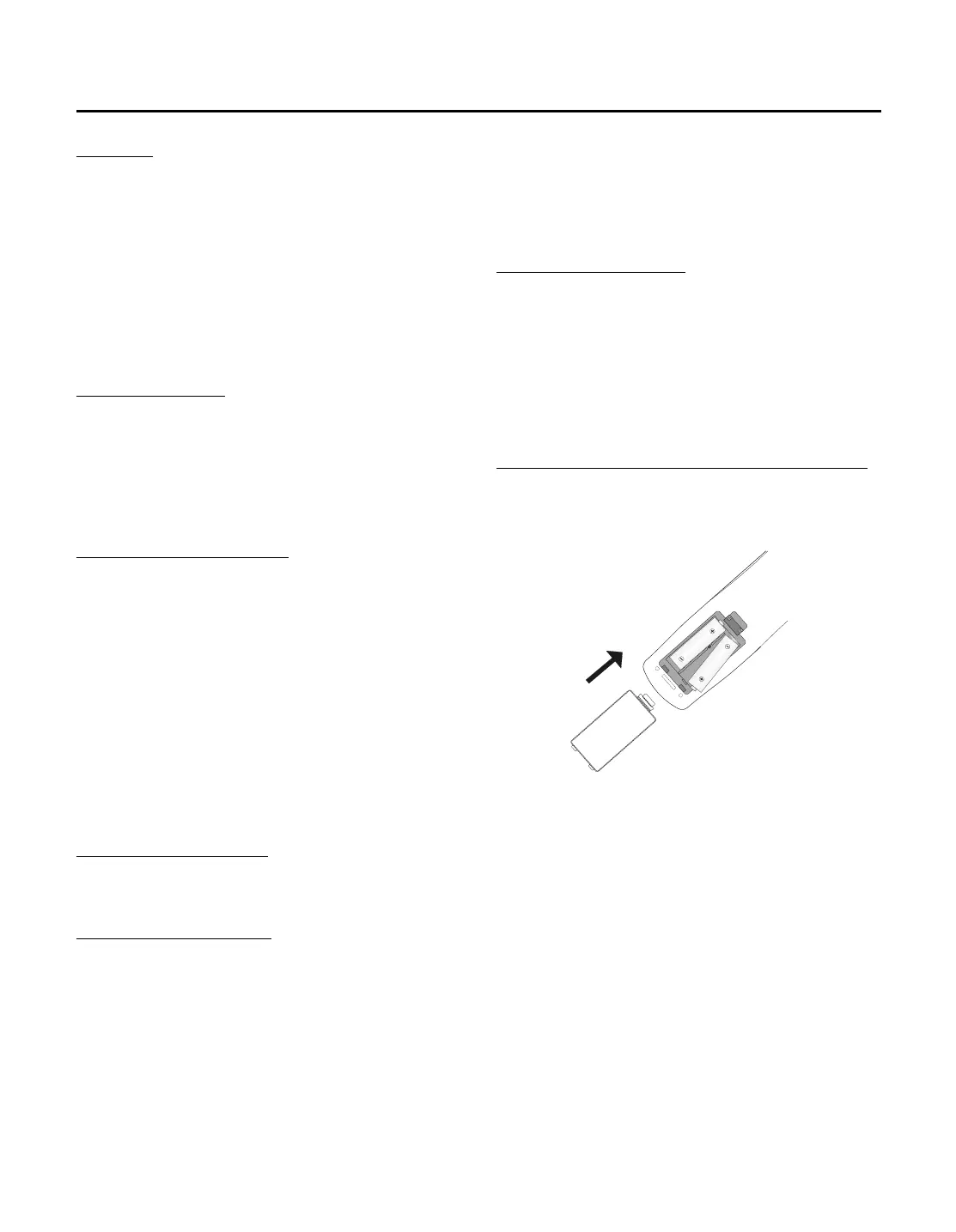
Inserting Batteries into the Remote Control
You can control the system using the supplied remote. Insert two
batteries by matching the + and - on the batteries. When using the
remote, point it at the remote sensor on the front panel of this system.
Note
Do not leave the remote in an extremely hot or humid place.
Do not use a new battery with an old one.
Do not drop any foreign object into the remote casing. particularly
when replacing the batteries.
Do not expose the remote sensor to direct sunlight or lighting
apparatuses. Doing so many cause a malfunction.
If you will not use the remote for an extended period of time,
remove the batteries to avoid possible damage from battery leakage
and corrosion.
Attention! Dispose worn-out batteries not with your domestic waste.
Please contact your local government for disposal practices in
your area.



 To Next Page