Targa Visionary LT 2210 Getting Started
English - 9
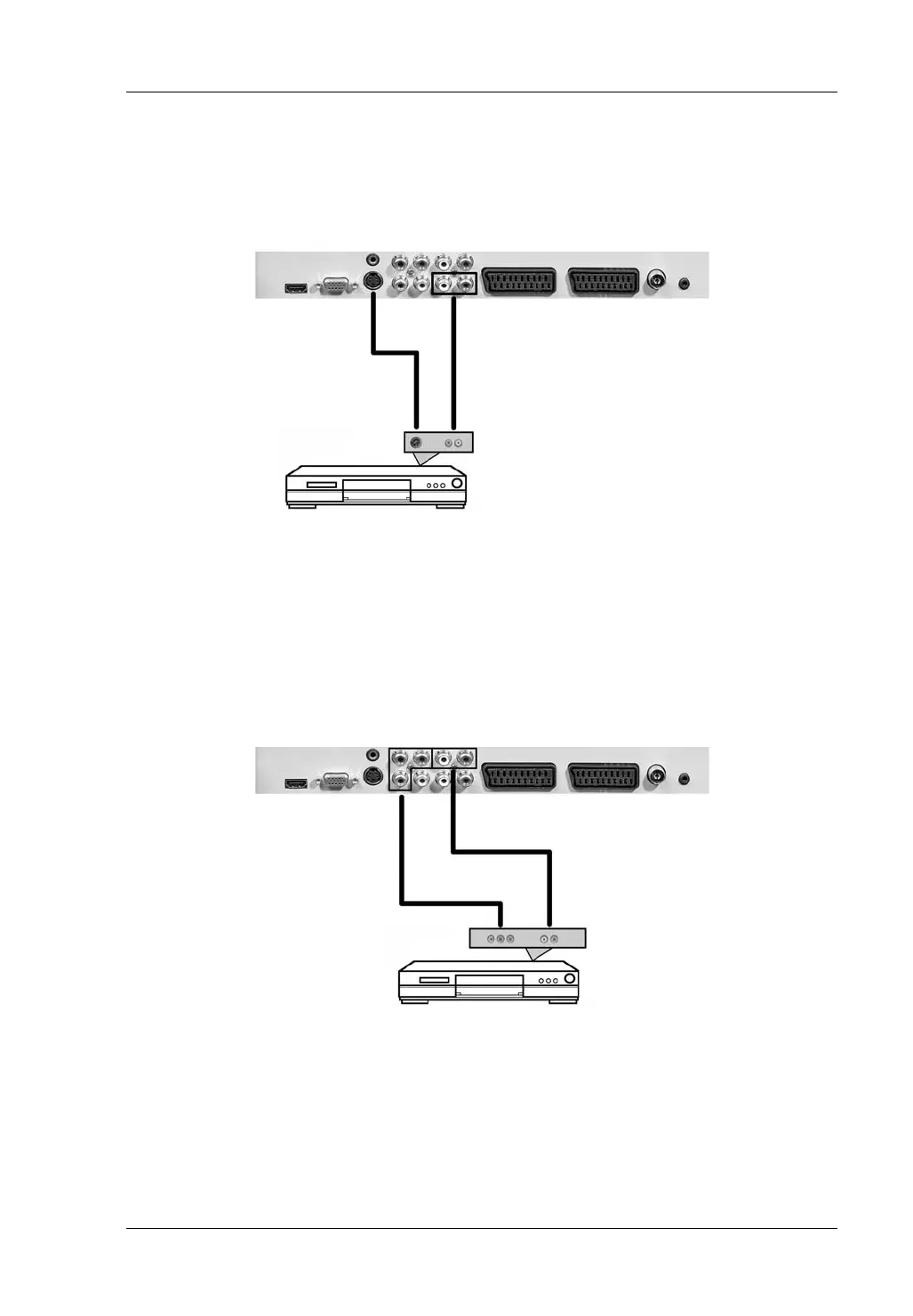
S-Video
Selected source: SVIDEO
To transmit video signals to other devices. Please note that the audio signal must
be transmitted to the separate Audio connector (10).
Audio cable
S-Video cable
Component connector
Selected source: YPBPR
Use a triple-Cinch cable (not included) to connect this input to a high-end video
source. Connect the green, blue and red cables to the corresponding receptacles
of your playback device and the LT 2210. Please note that the audio signal must
be transmitted to the separate Audio connector (7).
Audio cable
Triple-Cinch cable
(green, blue, red)



 To Next Page