Targa Visionary LT 2210 Receiving TV Programmes
English - 19
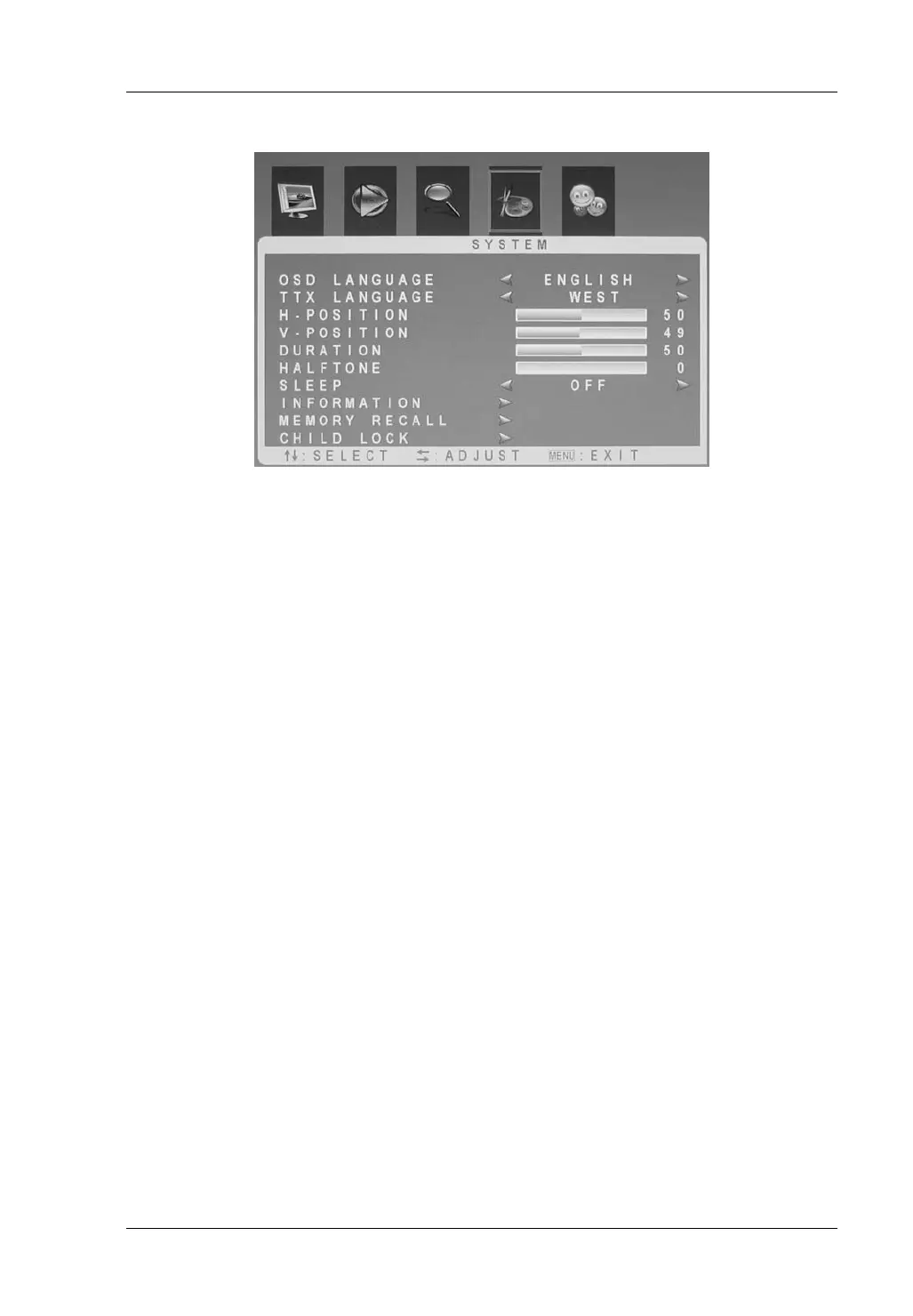
System
OSD Language Here you select the menus’ display language.
Ttx Language Optimises the character set for Western or Eastern
European, russian, arabic or farsi Teletext.
H-Position Moves the horizontal position of the OSD menu.
V-Position Moves the vertical position of the OSD menu.
Duration Select the display time for the OSD menu between 5s
and 100 s.
Transparency Select the transparency for the OSD menu between
0% and 100%.
Sleep Allows programming the auto power-off after 15, 30,
45 or 60 minutes. Select “Off” to disable the auto-off
function.
Information Shows information about the current software of the
device.
Memory Recall Resets the factory-default settings of the TV menu.
Attention! All custom settings except the child lock
password will be erased.
Child lock The child lock lets you protect the device against being
powered-on. It will only be possible to operate the
device after entering the correct password.
By default, the factory-default password is “3308“. If
required, you can enter a custom password by typing it
into the fields “New Password” and “Reconfirm”.


 To Next Page