Receiving TV Programmes Targa Visionary LT 2210
16 - English
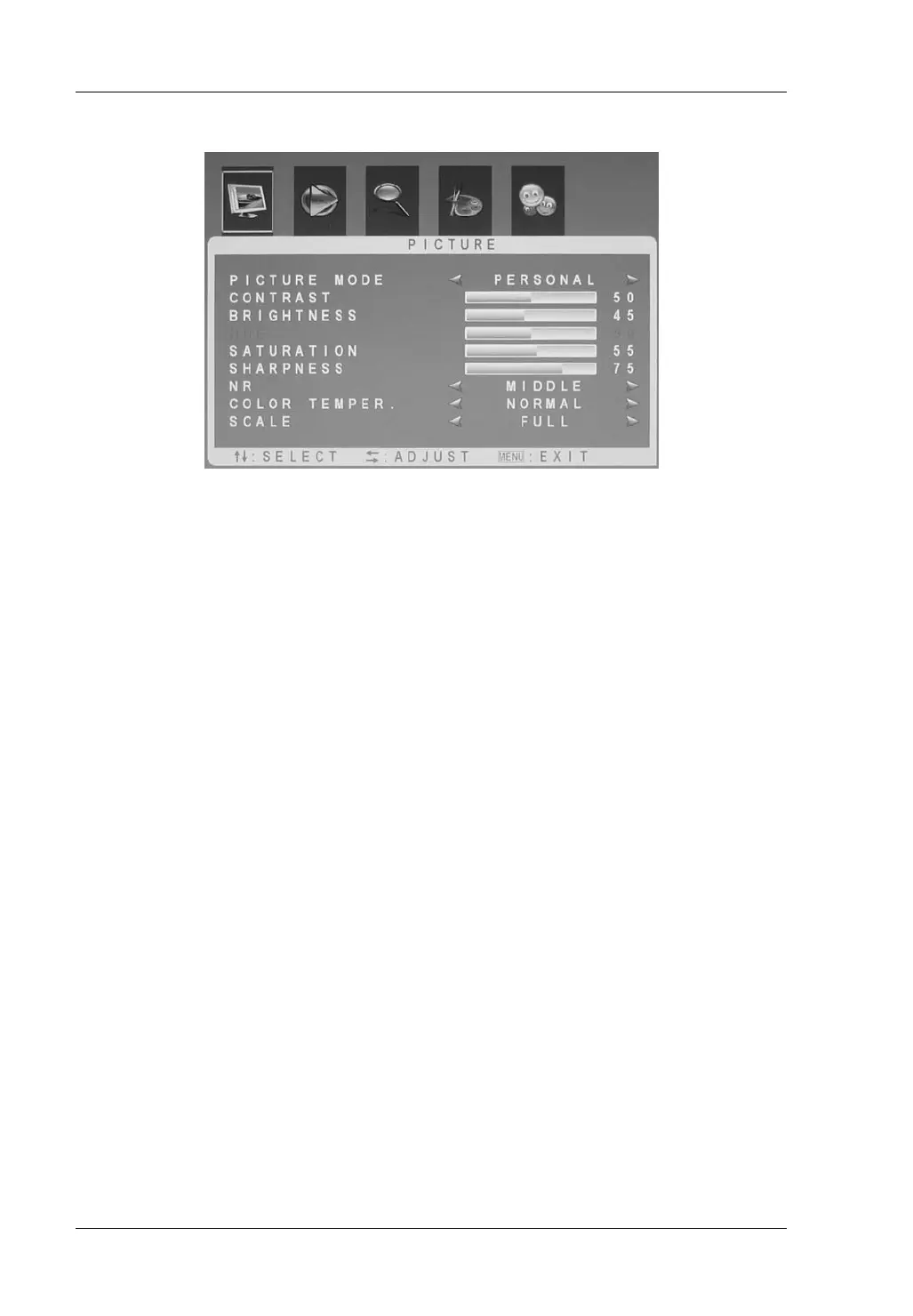
Picture
Picture Mode Select one of the picture settings Standard, Dynamic
or Soft. Select “Personal” to customize your settings.
Contrast * To adjust the contrast.
Brightness * To adjust the brightness.
Hue * To adjust the colour hue/tint (available only for the
SECAM TV system).
Saturation * To adjust the saturation.
Sharpness * To adjust the picture sharpness.
NR (Noise Reduction) Select a noise reduction level between Weak, Middle
or Strong, or select Off to disable the Noise Reduction
feature.
Color Temperature Choose either Warm (more red), Cold (more blue) or
Normal (balanced colours) according to your
preferences.
Scale Select an aspect ratio from Zoom1, Zoom2, Subtitle,
Full and Normal. Or select “Auto” to have the device
adjust the aspect ratio automatically depending on the
received programme.
* This options are only available after choosing the “Personal” picture mode.


 To Next Page