Receiving TV Programmes Targa Visionary LT 2210
20 - English
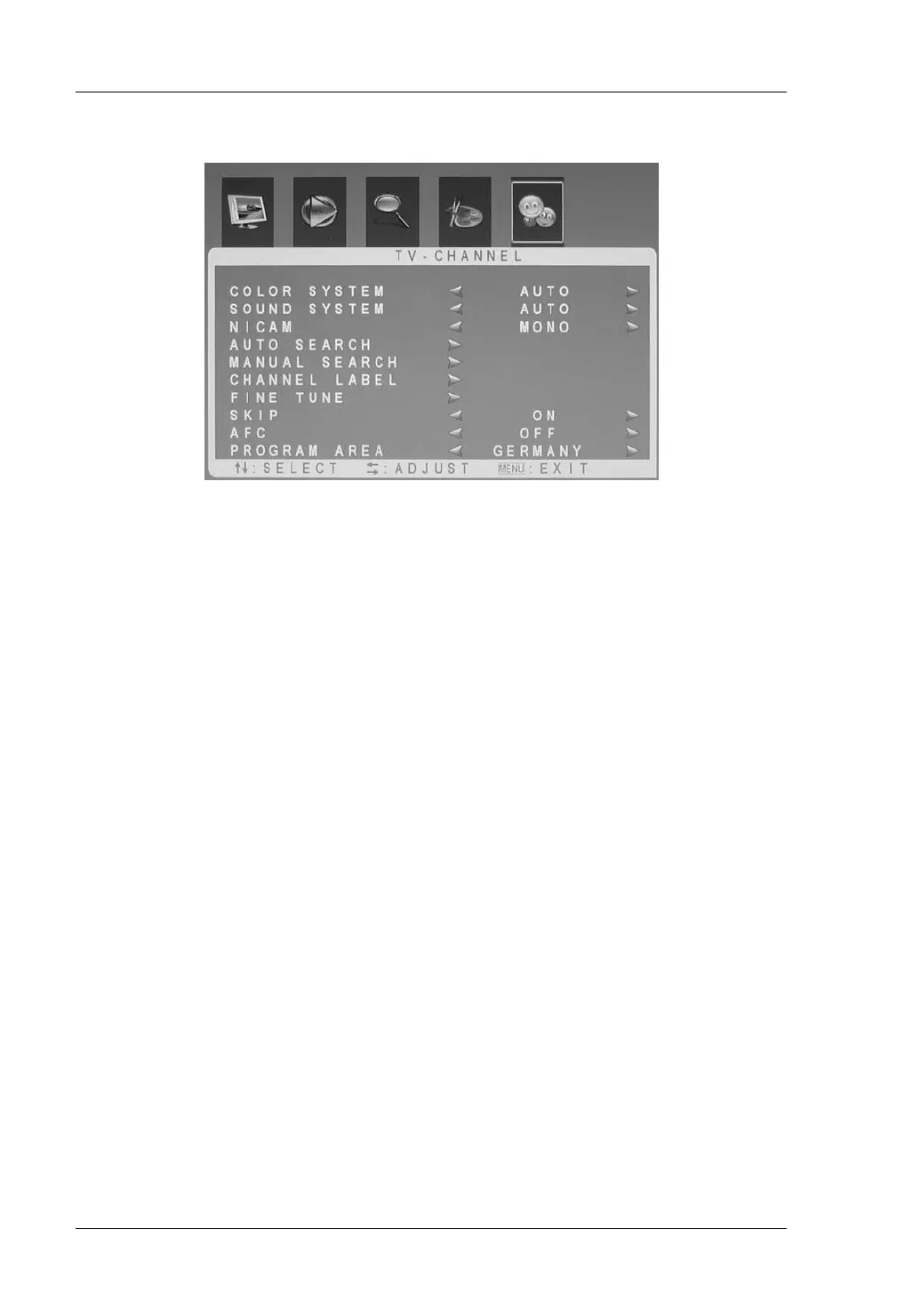
TV-Channel
Color System Select from the TV systems PAL or Secam according
to the country you are located in. If you are not sure,
please leave the Automatic setting. However, make
sure that the country selected under “Program Area” is
correct
Sound System Select the sound system manually or keep the
Automatic setting. However, make sure that the
country selected under “Program Area” is correct.
Nicam Here you can select a second audio channel
(availability depending on the broadcasting station).
Auto Search Starts the automatic channel search.
Manual Search This item allows you to program a station manually.
First select a channel preset and then launch a search
in the current frequency band. Optionally you can
enter the exact frequency with the remote control’s
numeric keypad.
Channel Label Here you can assign an individual name to the station
and set the order of the stations to suit your
requirements (see next page).
Fine Tune Here you fine-tune the stations in 60kHz steps.


 To Next Page