12 TASCAM MP-BT1
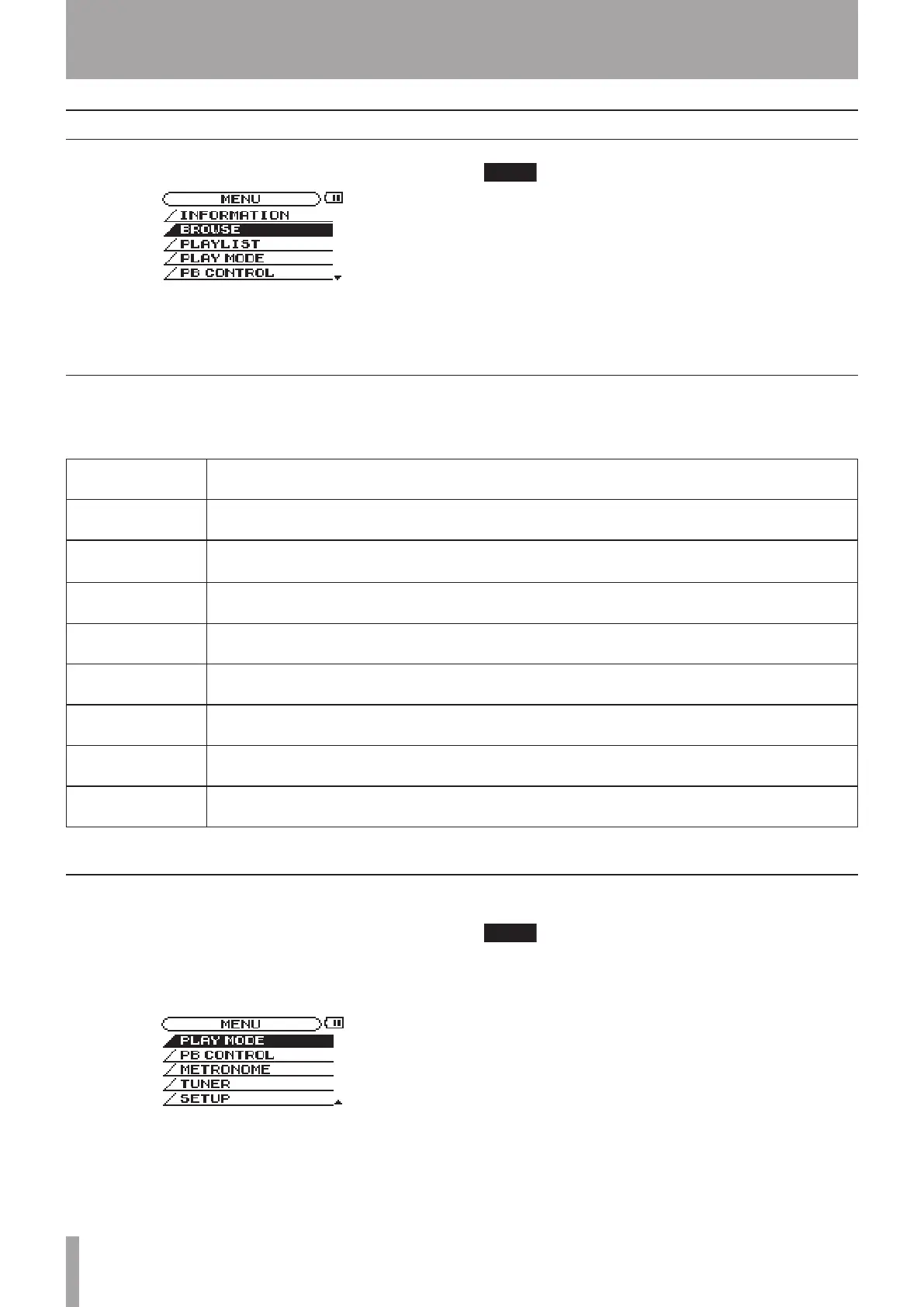
Press the MENU key to open the menu and access most
of the MP-BT1 functions and settings.
The effect settings screen is accessed by using the FX
key rather than the MENU key.
Menu item Function
INFORMATION
Show summaries of current file information, memory usage and system settings
BROWSE
Show music files/folders inside the MUSIC folder and allows tracks to be selected for direct
playback and adding to the playlist
PLAYLIST
Show and edit the playlist (move and erase playlist tracks)
PLAY MODE
Set the playback area and repeat mode
PB CONTROL
Set tempo, key, and BEE (Bass Enhance Effect)
METRONOME
Set and use the metronome
TUNER
Set and use the bass tuner and the oscillator
SETUP
Make various global settings and initialize and format the unit
Menu items
Menu overview
The MP-BT1 Menu has the following items.
Use the MENU and ENTER keys and the wheel for most
menu operations. (See “Top Panel” on page 5.)
The currently selected item appears as light letters on a
dark background.
You can use the menus and effects while a track is
playing.
Using the Menus
4 – Menus & Settings



 To Next Page