18 TASCAM MP-BT1
Not only can you use the MP-BT1 to change the tempo
of track playback, you can do this without changing the
pitch. You can also change the playback pitch of a track
without changing the tempo.
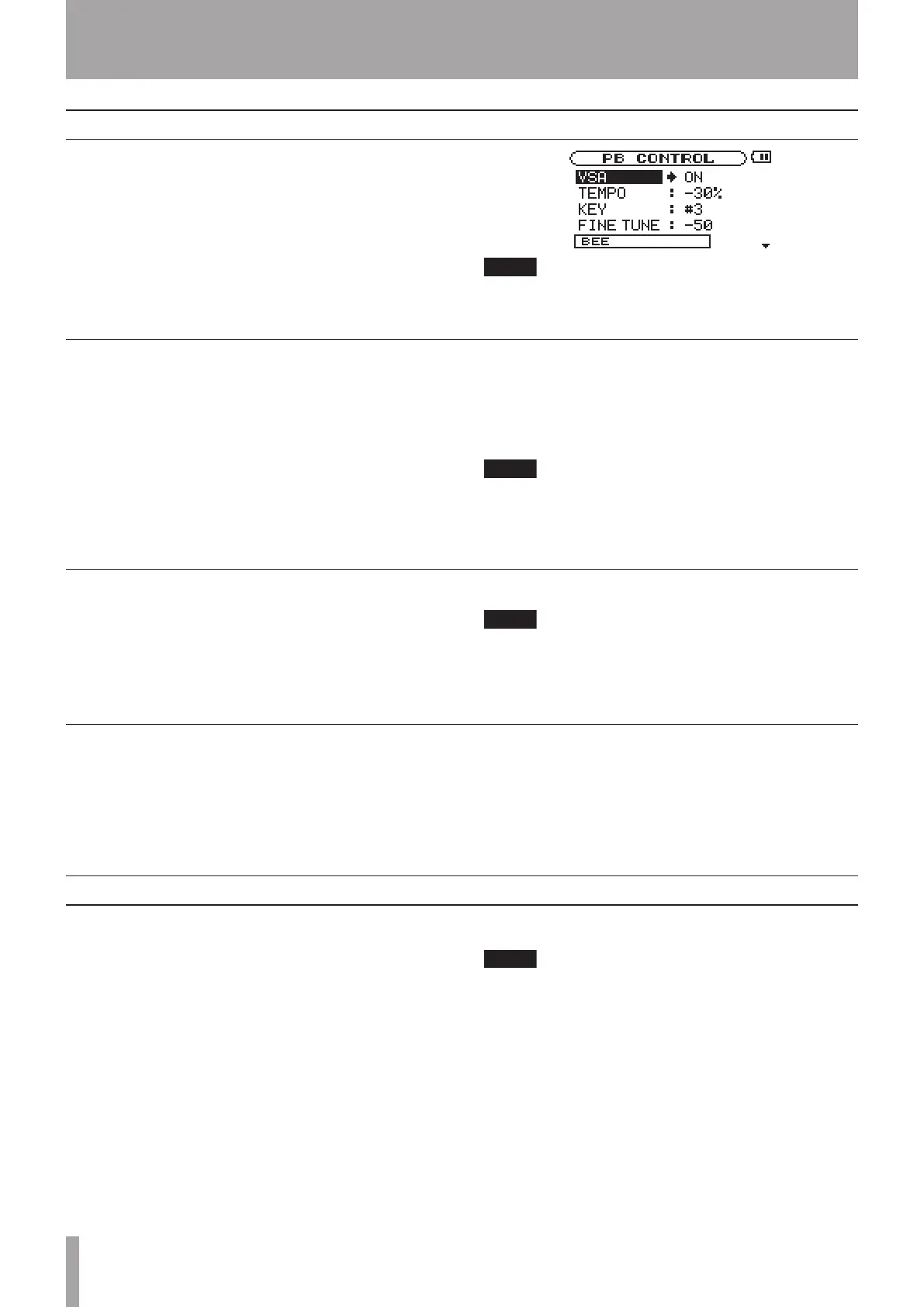
These changes can be made on the PB CONTROL screen.
When the Home screen is open, press the ENTER key to
open the PB CONTROL screen.
You can also access this menu from the MENU screen
by selecting and opening PB CONTROL.
Changing playback pitch and tempo
Use the TEMPO item to change the track tempo, including
reducing it up to 50%.
Playback speed is altered according to the tempo value
setting. The number shown is a percentage change.
On the Home screen the TMP indicator appears as light
letters on a dark background.
The available tempo change values depend on whether
the VSA function is ON or OFF.
VSA: ON Choose one of the following values (%):
–50, –32, –16, –12, –8, –4, 0, +4, +8, +12, +16
VSA: OFF Choose any value between –50 and +16 (%)
If you set the tempo adjustment value when VSA is
OFF and then turn VSA ON, the nearest tempo value is
selected automatically
Changing the tempo (TEMPO)
BEE is a new algorithm for the MP-BT1 developed by
TASCAM to let you hear the bass rhythms more clearly
for practicing.
Use the BEE function to control the sounds of bass in
tracks being played back. Use the three BEE items on
the PB CONTROL screen to adjust the bass enhance effect.
EFFECT
Use this item to turn the BEE function ON and OFF.
When ON, the BEE indicator appears on the Home screen
in light letters on a dark background.
TYPE
Use this item to select a BEE type:
BOOST Boosts the bass sounds
ENHANCE Enhances the edge of the bass sounds
The CUT item can be selected to reduce the bass sounds.
The effectiveness of this function varies between
tracks. If using the BOOST or ENHANCE types does
not vary the bass sounds being played back as you
want, try adjusting the following parameters for
better results.
LEVEL/FREQ
Depending on the BEE type, these items appear below
the TYPE item. The selectable value is shown as 1, 2, or 3.
The LEVEL item is used to adjust the boost level. The
largest boost level is 3.
The FREQ item is used to adjust the frequency range. The
highest frequency range is 3.
Controlling bass sounds with Bass Enhance Effect (BEE)
Turn the Variable Speed Audition (VSA) function ON to
keep the pitch the same when changing the tempo. Use
the VSA item to turn the VSA function ON and OFF.
When ON, the VSA indicator appears on the Home screen
as light letters on a dark background.
During use of pitch control functions, playback may
sometimes sound uneven. This is the result of special
processing and is not a malfunction.
Change tempo without changing pitch (VSA)
Use the KEY item to change the pitch in semitones
without changing the tempo.
Use the KEY item to adjust the pitch up or down by 1–6
semitones (Ã6–â6).
When KEY is ON (changed from 0), the KEY indicator
appears as light letters on a dark background on the
Home screen.
Use the FINE TUNE item to adjust the pitch in cents
(100 cents = 1 semitone).
Change key without changing tempo (KEY)
6 – Practice Functions



 To Next Page