TASCAM MP-BT1 19
6 – Practice Functions
Follow these procedures to repeat playback of a selected
part of a track (loop playback).
1 Press the I/O key when a track is playing or
paused at the point where you want to set the IN
point (loop starting point).
2 Press the I/O key again at the point when you
want to set the OUT point and start loop playback
between the IN and OUT points.
Loop playback automatically turns OFF any active
PLAY MODE repeat mode.
Below the playback position bar on the Home screen,
the “I” indicator appears at the IN point, and the
“O” indicator appears at the OUT point. During loop
playback, appears on the LCD.
To stop loop playback press either the LOOP key or
the I/O key.
If you press the LOOP key, the loop IN and OUT
points are kept, so you can play the same loop if you
press the LOOP key again.
If you press the I/O key, the loop IN and OUT points
are cleared.
•
•
•
Repeat playback of a selected loop
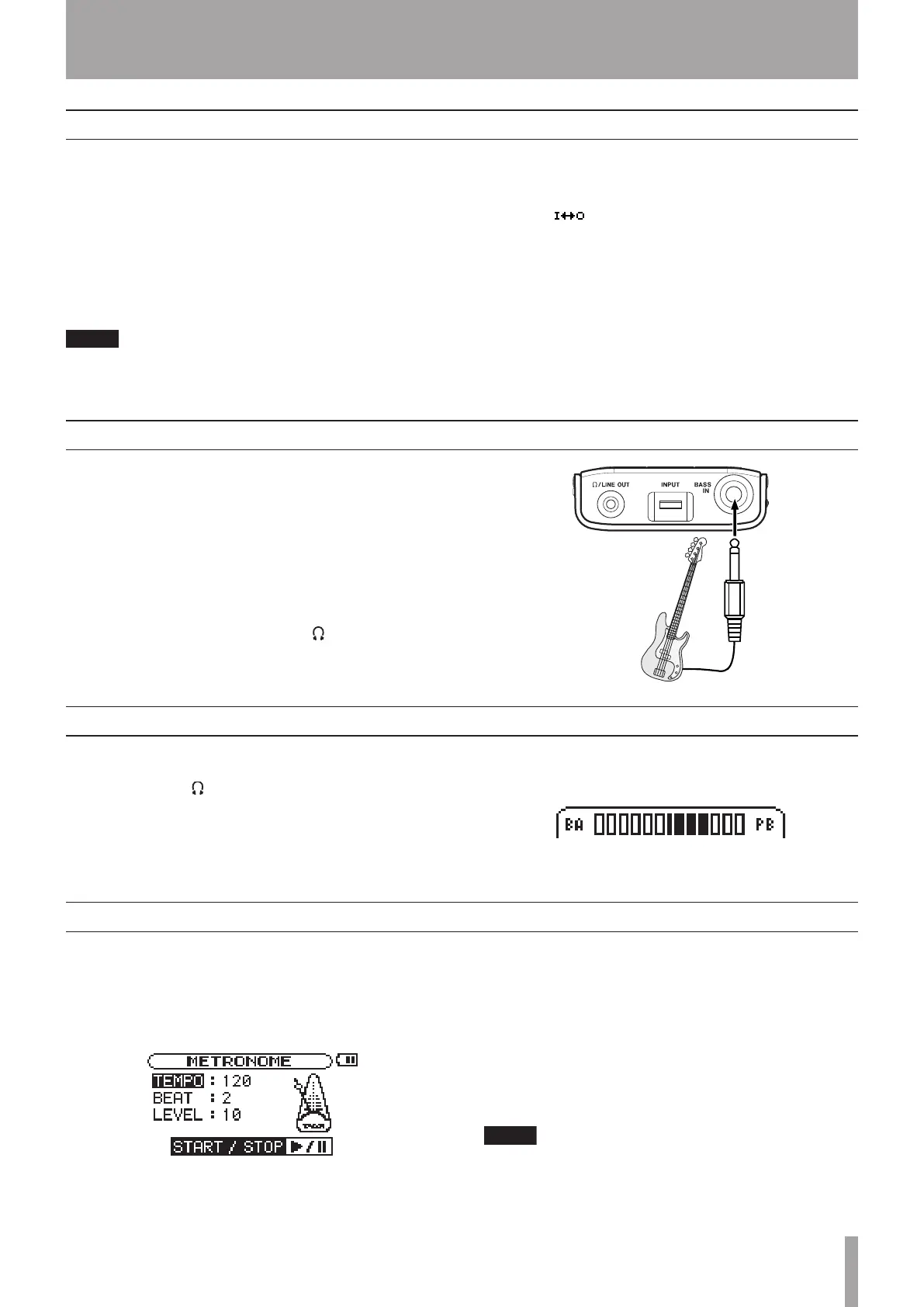
If you play bass while a track is playing back, you can
hear the combined signals of the bass and the track
output through the /LINE OUT jack.
Use the MIX BALANCE keys to adjust the volume
level balance between the track being played back
(PLAYBACK) and the bass (BASS) signals.
As you adjust the balance, a status bar appears at the
bottom of the display.
Practicing with tracks as they play
Use the MP-BT1’s built-in metronome during practice to
improve your timing.
To use the metronome, press the MENU key to open the
MENU screen and select and open the METRONOME item.
TEMPO
Use to set the tempo between 20 and 250.
BEAT
Set the accent between 0 and 9. There is no accent when
set to 0.
LEVEL
Use to set the metronome volume.
Turning the metronome ON and OFF
Press the ¥/π key to start and stop the metronome.
When the metronome is ON, you can use other
settings, but instead of returning to the usual Home
screen, you return to the METRONOME screen. Stop
the metronome if you want to return to the Home
screen.
Using the metronome (METRONOME)
You can connect a guitar and mix your guitar playing
with the track you are playing back.
You can also use the built-in guitar effects to craft
your bass tone for even more effective practice and
performance.
1 Connect a bass to the BASS IN jack.
2 Adjust the bass volume with the INPUT dial.
The bass sound is output through the /LINE OUT
jack. (See “Connecting a Bass” on page 10 for more
information.)
Connecting a guitar to practice



 To Next Page