20 TASCAM MP-BT1
The MP-BT1 has built-in bass effects.
Press the FX key to open the EFFECT screen.
As with other screens, use the wheel to select items
and adjust setting values and press the ENTER key to
confirm selections. Use the MENU key to return to
previous items or screens.
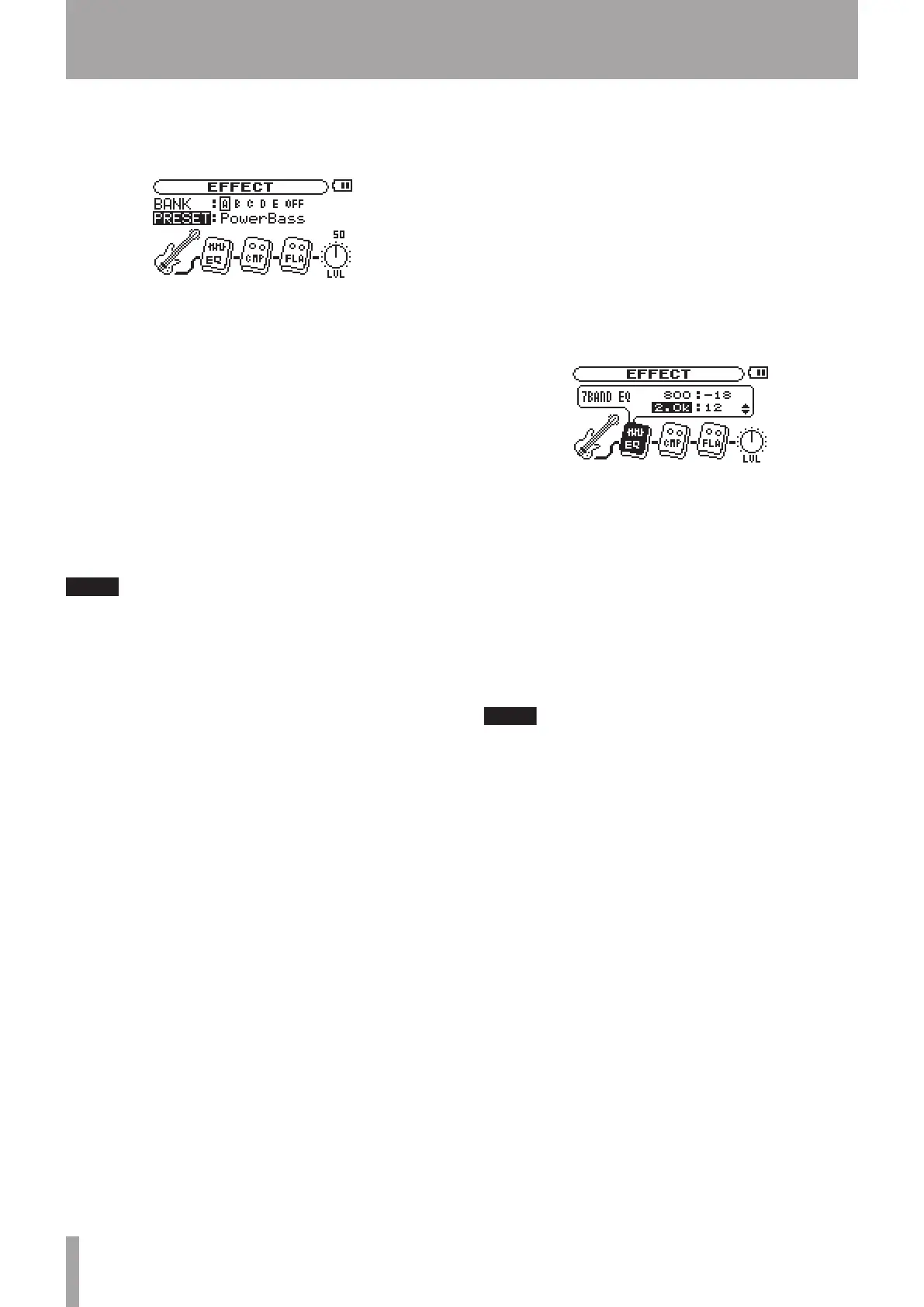
As the figure above shows, on the EFFECT screen, in
addition to BANK and PRESET items, there is a bass, up to 3
effect modules, and a knob labeled LVL. The bass is there
just to show you where the signal starts, but you can
adjust all the other items. Turn the wheel when the EFFECT
screen is open to select the effect modules and the LVL
knob. These items appear darker when selected just like
menu items.
Each preset has a different set of effect modules. See
the Effect presets list on page 25 for which modules
are included with each preset.
BANK
Choose effects from 5 banks (A to E). When one of the
banks is selected, the FX indicator is shown in light
letters on a dark background at the bottom right of the
Home screen.
Each bank can be loaded with a preset. Load a favorite
preset to the banks so that you can quickly switch
effects between the five banks.
OFF can be selected to bypass the effects.
PRESET
Choose from 82 presets with a different selection of
effects. The module icon(s) shown on the screen changes
as a preset selected. (See the “Effect presets list” on
page 25 for details.)
Effect modules
Select a module and press the ENTER key to open its
settings window. Each module has different types and
numbers of parameters that vary according to the effect
type. See the “Effect module parameters list” on page
26 for details.
LVL knob
Use this to adjust the effect output level. Select it and
press the ENTER key. When the number above the knob
appears light on a dark background, you can adjust it
using the wheel to a value between 0 (no sound from the
effect) and 100.
Press the FX key again to close the EFFECT screen and
return to the Home screen.
You can also return to the Home screen by pressing
the MENU key.
7 – Using Effects



 To Next Page