Mac OS X and iTunes
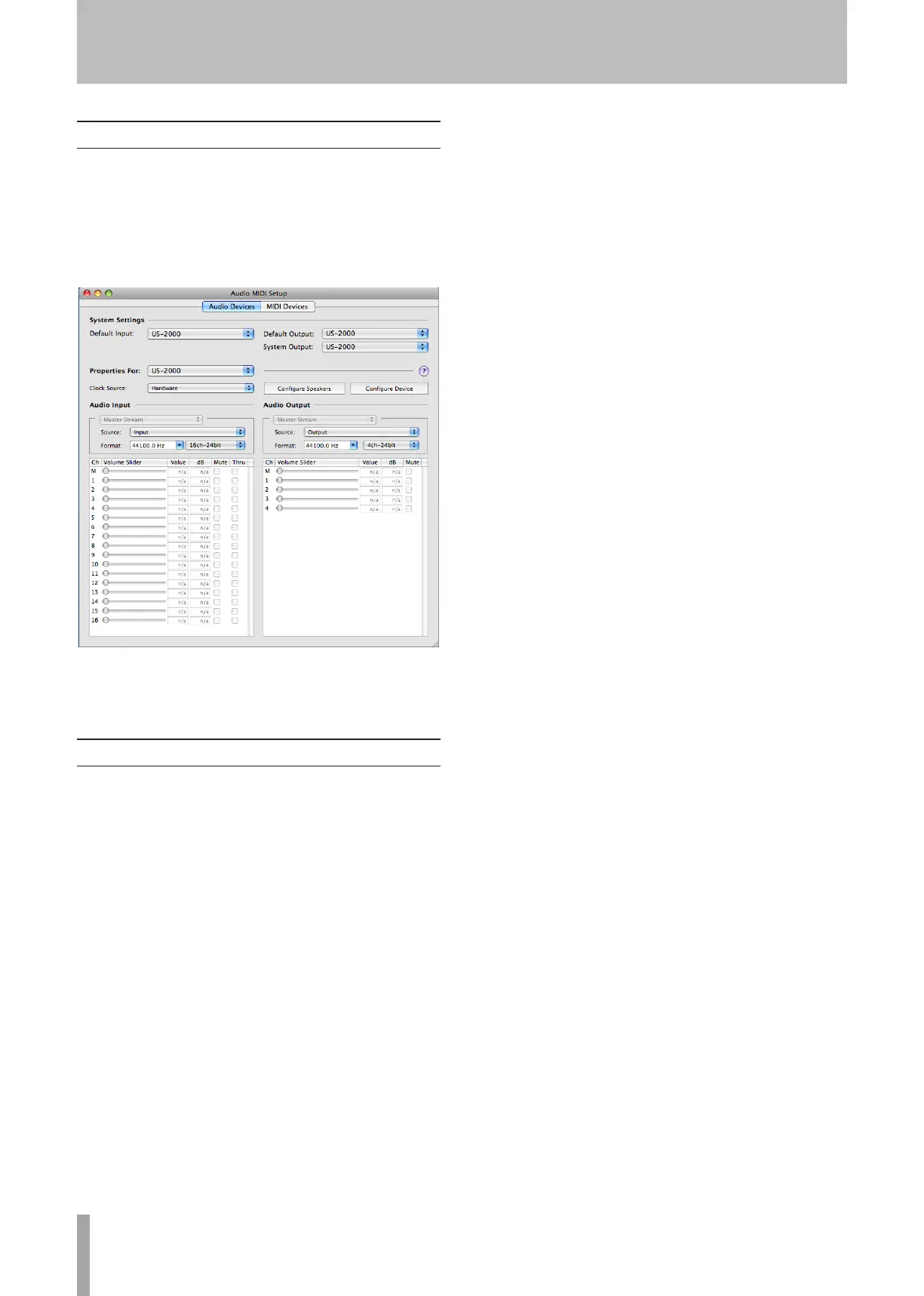
Open the “Utilities” folder, which is inside the
1
“Applications” folder, and double-click “Audio MIDI
Setup” to launch it.
Click the “Audio Devices” tab.
2
Set “Default Input,” “Properties for,” “Default
Output” and “System Output” to “US-2000.”
Launch iTunes, select an audio file and start
3
playback.
Cubase LE4
For details see the provided Cubase LE4 Quick Start Guide.
6 – Application Guide


 To Next Page