PREMIER SX USER MANUAL, MAINTENANCE GUIDE & LOG BOOK
Approved Document No: GLT.MAN-102T
PAGE 9
Issue: 1.1 Authorised: GH Date: 06/11/02
32:(5
*(1),5(
*(1)$8/7
6833/< ) /7
6<67(0 )/7
*(16&
'(/
*(1=21( 7(67
*(1 ' ,6$%/ (0(17
),5( =2 1(6
=21$/ )$8/7 ',6$%/(0(17 7(67
(1*,1((5
672367$57 6,/(1&( 5(6(7 6&52//
/(' 7(67
)/7 721(
'(/$<
29(55,'(
)/7
32:(5
*(1),5(
*(1)$8/7
6833/< ) /7
6<67(0 )/7
*(16&
'(/
*(1=21( 7(67
*(1 ' ,6$%/ (0(17
),5( =2 1(6
=21$/ )$8/7 ',6$%/(0(17 7(67
(1*,1((5
672367$57 6,/(1&( 5(6(7 6&52//
/(' 7(67
)/7 721(
'(/$<
29(55,'(
)/7
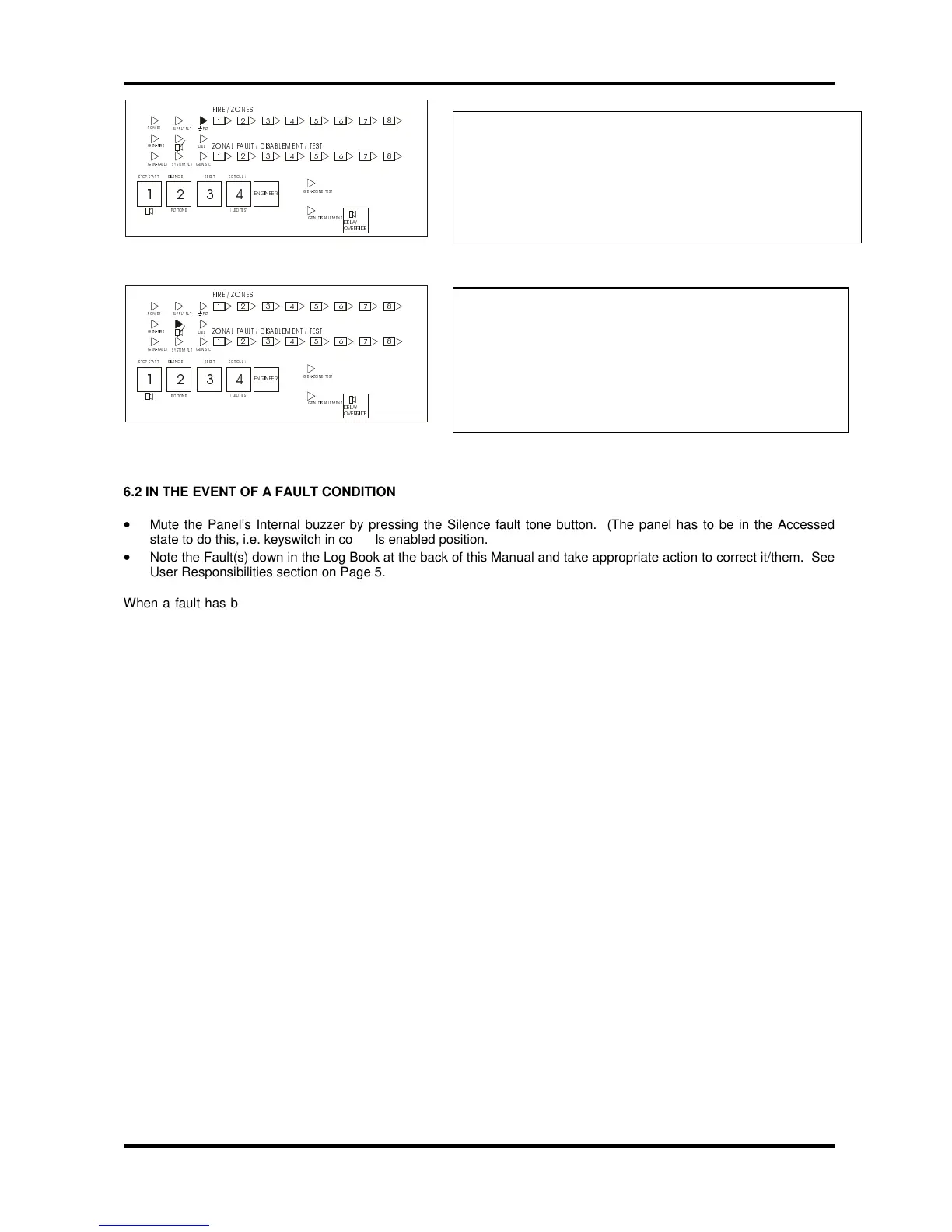
6.2 IN THE EVENT OF A FAULT CONDITION
•
Mute the Panel’s Internal buzzer by pressing the Silence fault tone button. (The panel has to be in the Accessed
state to do this, i.e. keyswitch in controls enabled position.
•
Note the Fault(s) down in the Log Book at the back of this Manual and take appropriate action to correct it/them. See
User Responsibilities section on Page 5.
When a fault has been rectified the indicator light for that Fault is automatically turned off. If all Faults are cleared, the
General Fault light will go out and the Panel’s Internal Sounder will be silent (if not already muted).



 To Next Page