18
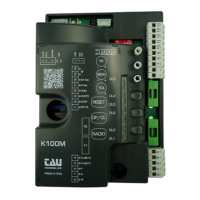
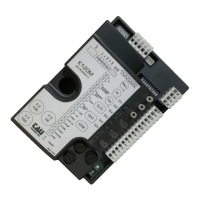
K892M
5
PRE-
FLASHING
On
preashing enabled, each time the gate is operated the light starts ash-
ing 3 seconds before the gate begins to move.
Off when the gate is started, it will move immediately.
6
SETUP
2
nd
RADIO CH
On
monostable function of the CH2 control relay (terminals 9 and 10) ena-
bled.
Off
bistable (or STEP-BY-STEP) function of the CH2 control relay (terminals
9 and 10) enabled.
7
On
with dip-switch 6 ON (monostable function), the N.O. contact remains
closed for 180 secs. (xed invariable delay for the timed control of the
lights).
Off
with dip-switch 6 ON (monostable function), the N.O. contact remains
closed for 2 secs. (xed invariable delay for commanding a second au-
tomatic system).
with software version 3.10 onwards:
n°6 Off and n°7 Off:
Gate open contact: the contact activates on gate opening, remains active during the opening time,
during the TCA and during closure again. It is deactivated once the gate has completed closure.
8 ENCODER
with software version 1.04 and previous versions
not used.
with software version 1.05 ÷ 3.00:
On encoder enabled (see table 1)
Off encoder disabled.
with software version 3.10 onwards:
On encoder enabled (see table 2)
Off encoder disabled.
9
PRESSURE-SEN-
SITIVE EDGE
On pressure-sensitive edge on.
Off pressure-sensitive edge off.
10
INTERNAL
PUSH-BUTTON
On
internal push-button panel off. The OPEN/CLOSE and STOP buttons on
the lid of the automation are off. Therefore it is not necessary to short
circuit the terminals.
Off
internal push-button panel on. The OPEN/CLOSE and STOP buttons on
the lid of the automation are on.
IMPORTANT:
Each pair of terminals attached to an NC contact that is not in use must be short-circuited in order to
ensure the proper operation of the board.
The input related to the pressure-sensitive edge must not be short circuited. The device is turned off
by setting dip 9 to OFF.
The door’s earthing system must comply with current standards. The manufacturer will accept no li-
ability for any damage deriving from failure to comply with this requirement.
SOFTWARE Version 1.05 ÷ 3.00 - Table 1
Software version 1.05 includes the option to set the duration of deceleration and sensitivity of the
“obstacle detection” function, made possible by means of an encoder (optional). These functions can
be enabled by means of dipswitches 4 and 8 and are settable by means of the trimmers on the board,
as shown in table 1.
DIP 4 DIP 8 Set mode TM1 TM2 TM3
OFF OFF
No deceleration
No ENCODER
Optional LS (limit switches)
Automatic
closure
time
Work time Not used
ON OFF
Fixed time deceleration
(1/3 of TL)
No ENCODER
Optional LS (limit switches)
Automatic
closure
time
Work time Not used
ON ON
Adjustable time deceleration (TL
set at 48 sec)
ENCODER required
LS (limit switches) required
Automatic
closure
time
Deceleration
time
Encoder
sensitivity
ENGLISH


 To Next Page