23
4.4 Programs
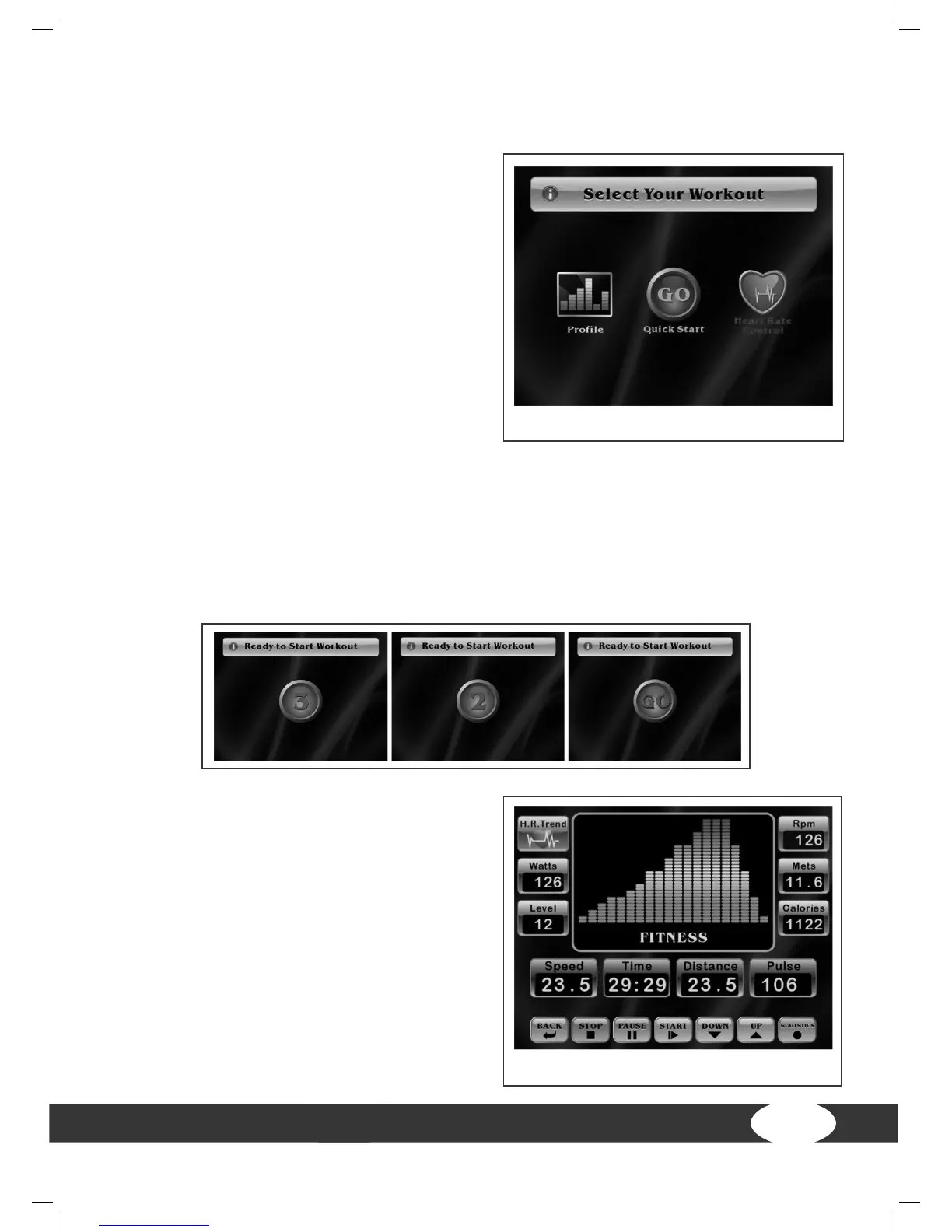
You have three options on the start screen:
1. Quick Start. Select Quick Start if you
would like to start directly in the manual
program without settings.
2. Prole: Here you can choose between
Basic proles and Advanced proles.
3. Heart rate controlled training (H.R.C.)
(60%, 65%, 70%, 75%, 80%, 85%)
4.4.1 Quick Start
Press Quick Start on the start screen.
Once you have selected Quick Start, you will see the following displays (count-down)
one after the other.
Start screen
Training screen


 To Next Page