22
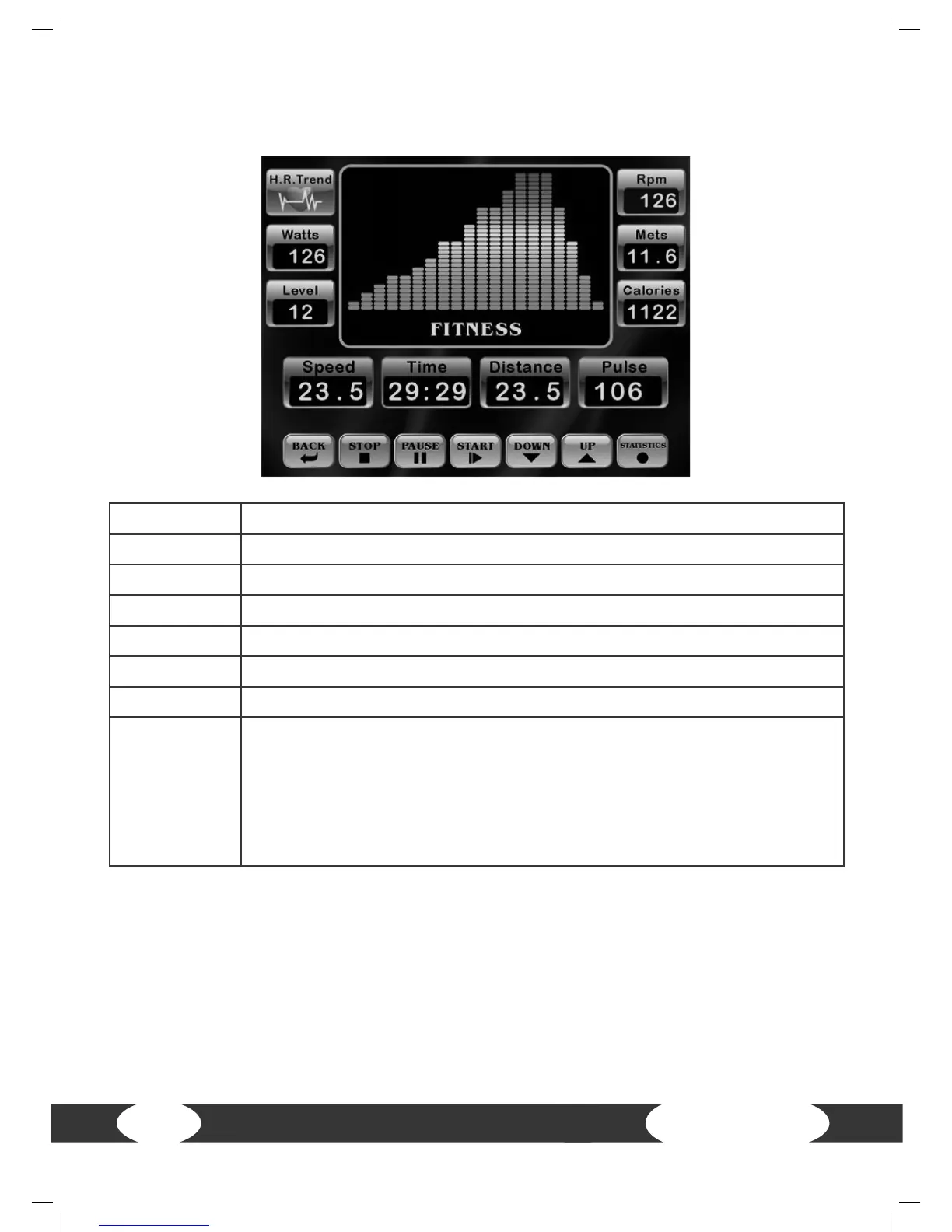
4.2 Button functions
START Press START to start the training.
PAUSE Press PAUSE to pause the training.
STOP Press STOP to end the training. All values are reset to zero.
UP Press UP to increase resistance during training.
DOWN Press DOWN to lower the resistance during training.
BACK Press BACK to return to the previous screen.
STATISTICS Press STATISTICS to display your training values.
H.R. Trend
Press H.R. Trend to display your heart rate diagram.
If the console receives your heart rate, it will be recorded automatically
every 60 seconds.
Note: Make sure that you wear a chest strap or hold the pulse sensors
with both hands so that the console can receive your heart rate.
Press H.R. Trend again to return to the training program.
4.3 Turning on and setting the equipment
Turn on: The console turns on automatically if you pedal with more than 25 RPM.
Turn o: The console will turn o automatically after 60 seconds of inactivity.
Note: The console contains rechargeable batteries. The console turns o if the batte-
ries are empty. The batteries are charged with rotations of more than 35 RPM.


 To Next Page