24
4.4.2 Proles
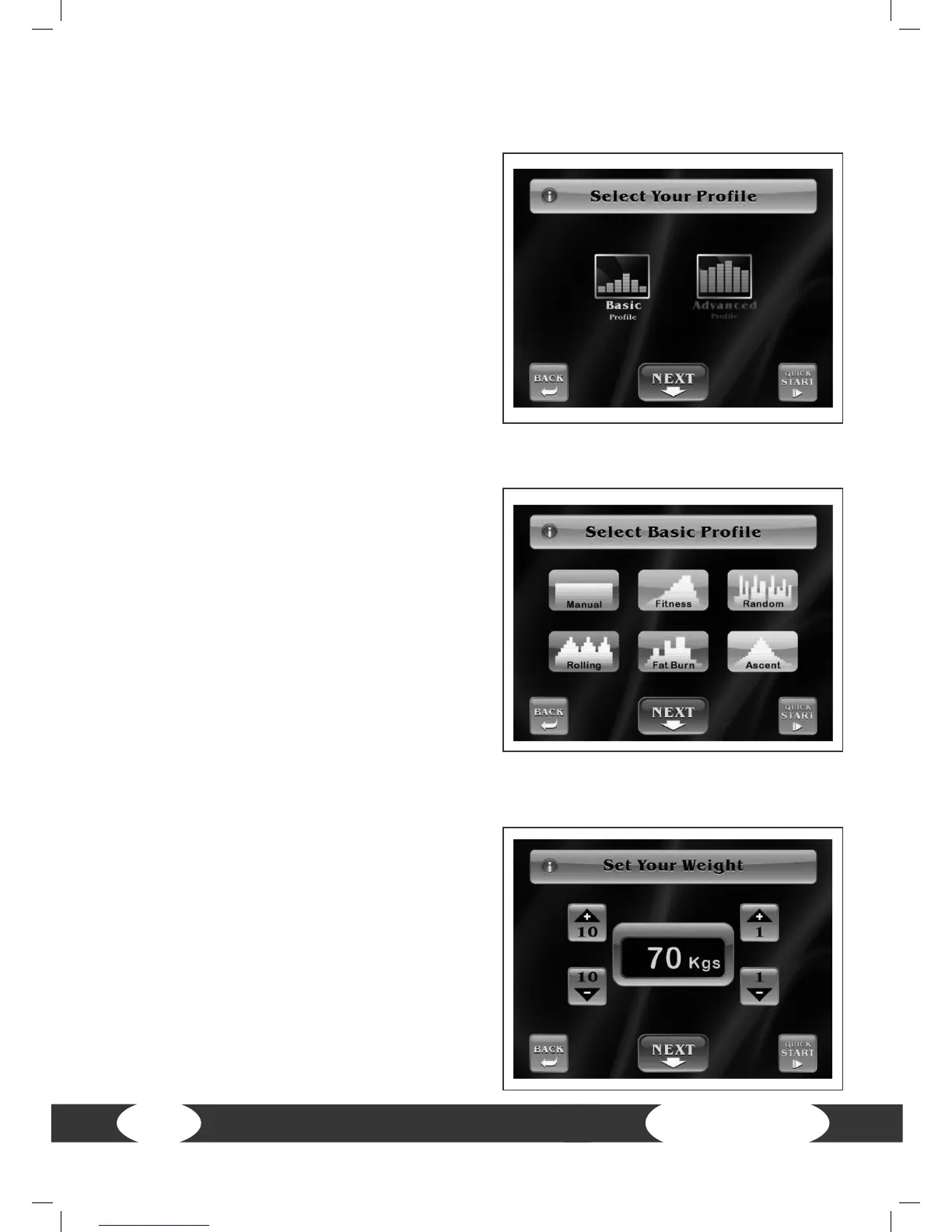
Press Prole on the start screen.
Then select between Basic and Advanced.
Basic Prole: You can choose between six
basic programs.
Advanced Prole: You can choose between
six advanced programs.
4.4.2.1 Basic proles
Select Basic Prole.
Now you can select from the following six
programs:
Manual, Fitness, Random, Rolling, Fat Burn,
Ascent.
Press Back to return to the previous screen.
Press Next to continue with the weight
setting.
Press Quick Start to immediately begin the
training.
Now you can set your weight between 30 -
181 kg (66 - 399 lbs).
Press Back to return to the previous screen.
Press Next to continue with the time setting.
Press Quick Start to immediately begin the
training.


 To Next Page