17
Settings
Youcansetthe
toeither
Auto (5G/4G)
or
4G only.
Ensurethatyouclick
Apply
aermakinganychanges.
7.3 WiFi
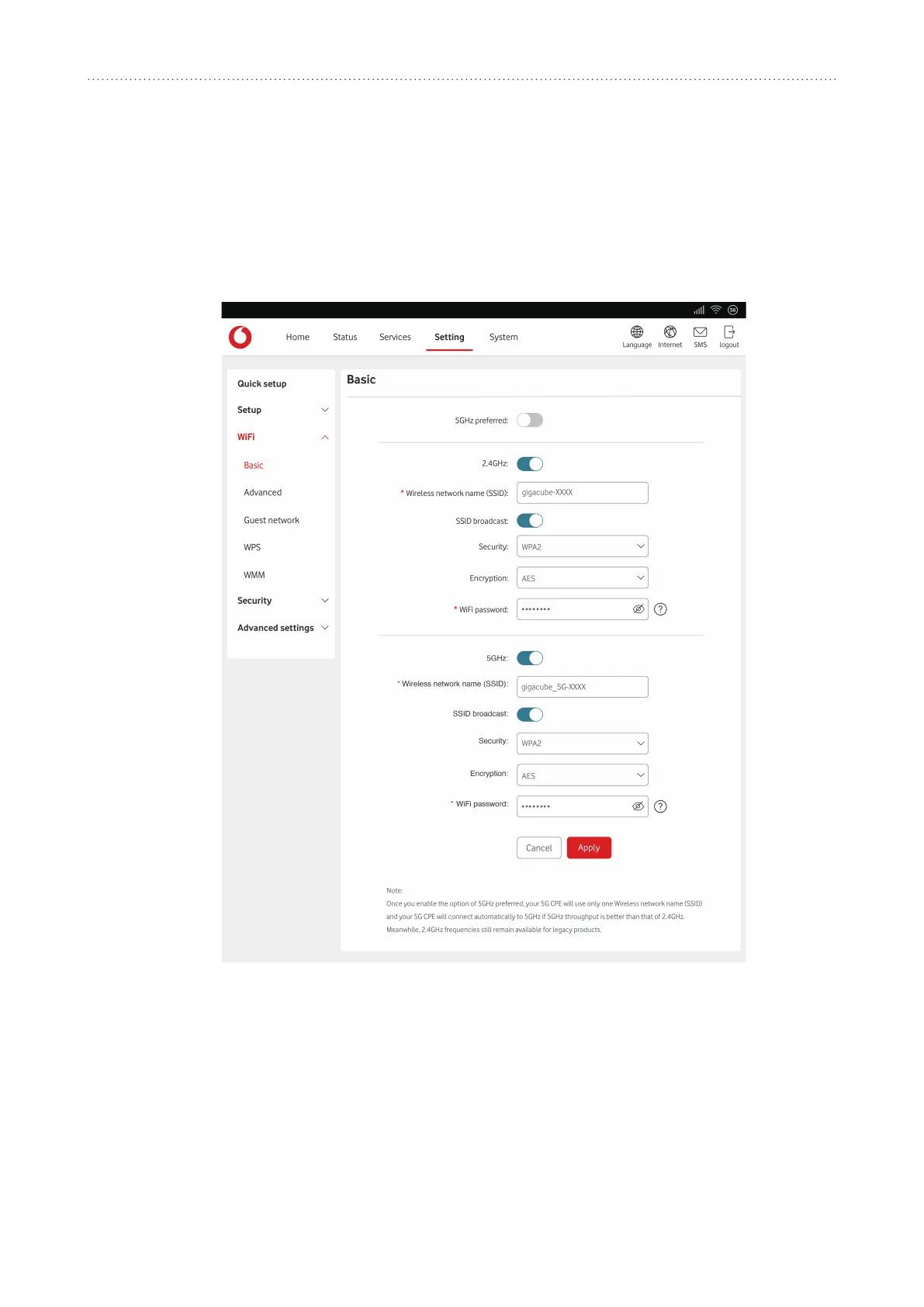
7.3.1 Basic
y
Thisisthenameofthewirelessnetworkandisusedtoidenfy
yourwirelessnetwork.TheSSIDcanbebetween1and32characterslong.
y
Thisisenabledbydefault.
Ifyoudochoosetodisablethis,theSSIDwillnolongerbedisplayedandwillneedtobe
enteredmanually.
y
Youcanchoosethesecuritymode,availableoponsare
WPA2
,
WPA/WPA2
,
WPA2/
WPA3
,
WPA3
or
Disabled
.
y
Thisissetto
AES
bydefault,andtheavailableoponsareAESorAuto.
IfsecuritymodeissettoWPA3orWPA2/WPA3,encryponmodecanbesetto
AES
only.


 To Next Page
 Loading...