2
Contents
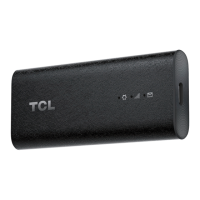
1. Meet your TCL LINKPORT IK511 .......................................................... 4
1.1 Product introduction .............................................................................................4
1.2 Product LED, Interface, & Reset Button ................................................................ 4
2. Get started with your TCL LINKPORT IK511 ....................................... 6
2.1 Insert a nano SIM card .........................................................................................6
2.2 Plug the TCL LINKPORT IK511 into your host device ...........................................7
2.3 Plug and Play for host devices .............................................................................. 7
3. Access the Web UI ................................................................................. 8
3.1 Log in to the Web UI ............................................................................................. 8
3.2 Explore Web UI features .......................................................................................9
4. CongureyourTCLLINKPORTIK511 ................................................ 10
4.1 Home ................................................................................................................. 10
4.2 Status .................................................................................................................10
4.3 Services ............................................................................................................. 11
4.4 Settings .............................................................................................................. 12
4.5 System ...............................................................................................................15
Important safety information ...................................................................... 17
Troubleshooting ........................................................................................... 20


 To Next Page