23
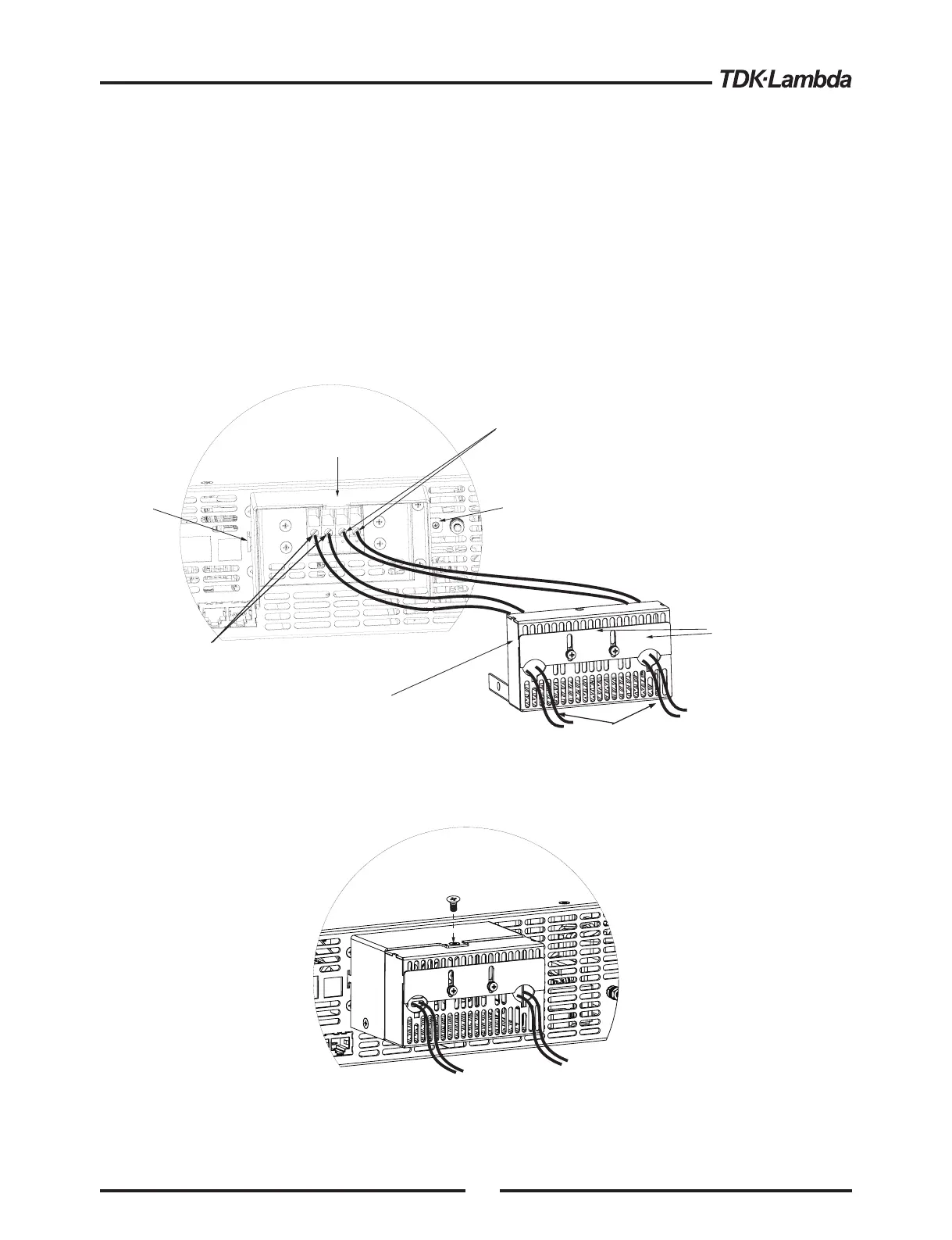
The 150V to 600V models haveafour terminal wire clamp output connector:
Phoenix Contact P/N: FRONT4-H-7.62/4
The two left terminals are the positive outputs and the other two right terminals are the negative
outputs.Max. 30A per terminal.
The connector requirements are as follows:
1. Wires: AWG18 to AWG10.
2. Tightening torque: 4.4-5.3Lb-inch. (0.5-0.6Nm).
Fig.3-9: Load wires connection to the output connector
6. Assemble the enclosure bottom cover to it’s place, as shownin Fig.3-10,using screws“C”,
3 places (tightening torque 4.8-5.3 Lb-inch).
7. Slide down the shutter to secure load wires in place, and tighten screws“B”.
Fig.3-10: Enclosure assembly
Load wires
Negative (-)
Output/Return
Positive output (+)
Shutters
Enclosure bottom cover
Enclosure top cover
B
A1
A2
B
B
C
C
B
Follow the below instructions for connection of the load wires to the power supply:
1. Strip approx.10mm at the end of each of the load wires.
2. Loosen the connector terminal screws.
3. Loosen screws “B” from enclosure bottom cover to release the shutter.
4. Insert stripped wires into enclosure bottom cover opening and then to the terminals,
tighten the terminals screws securely (see fig.3-9)
5. Assemble the enclosure top cover to the chassis as shown in Fig.3-9,using clamp “A1” and
screw “A2”,tighten screw “A2” (tightening torque:4.8 - 5.3 Lb-inch).













 To Next Page