EasyManua.ls Logo

TDK-Lambda GENESYS GEN 5kW Series - User Manual

TDK-Lambda GENESYS GEN 5kW Series
82 pages
Print Icon
To Next Page IconTo Next Page
Loading...
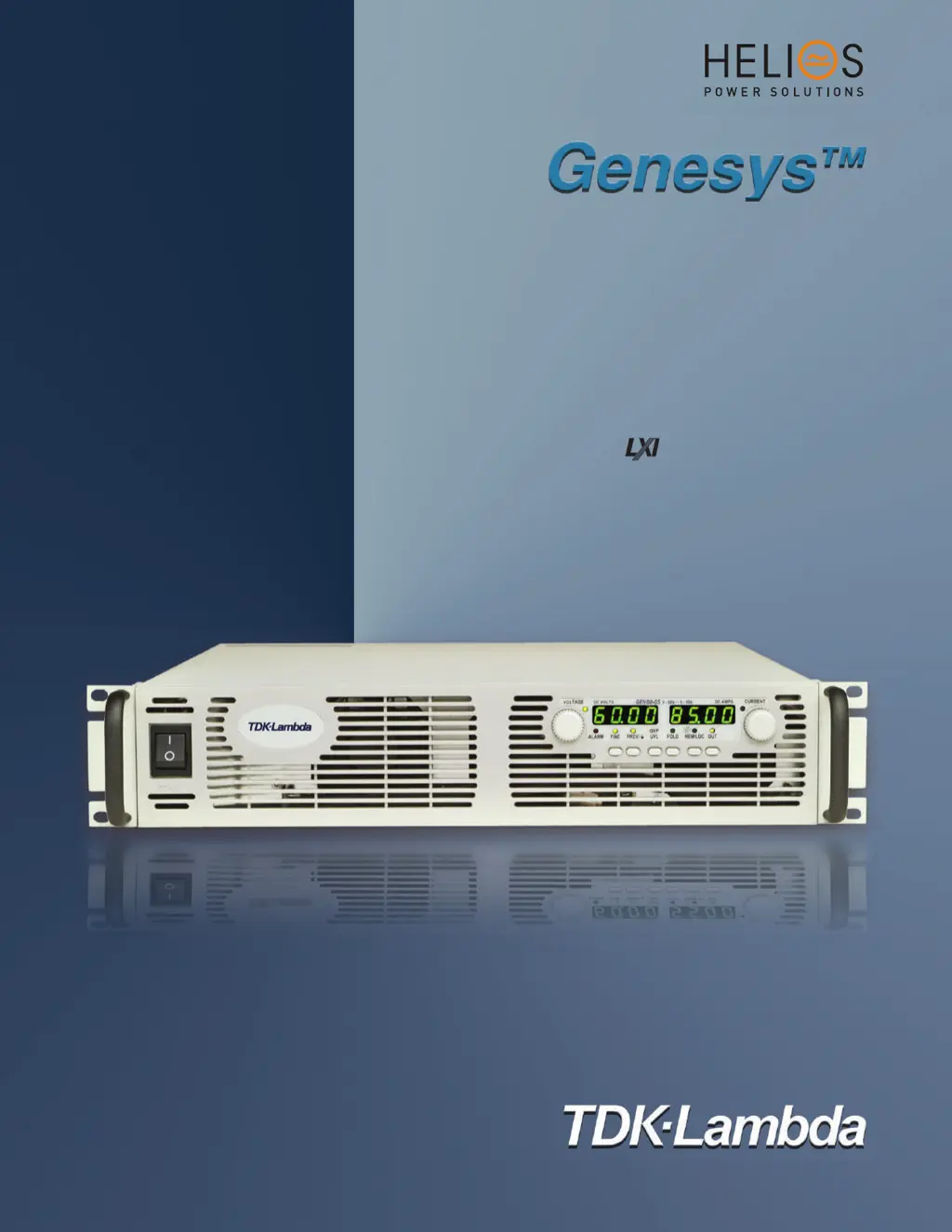
Programmable DC Power Supplies
5kW in 2U
Built in RS-232 & RS-485 Interface
Advanced Parallel Operation
Optional Interface:
NAL tnailpmoC
IEEE488.2 SCPI (GPIB) Multi-Drop
Isolated Analog Programming
www.heliosps.com

Table of Contents

Questions and Answers

Summary

Warranty Information

Limitation of Warranty

Details warranty exclusions for improper usage, unauthorized modifications, or exceeding environmental specifications.

Warranty Service Process

Outlines the procedure for returning the product for warranty service and shipping responsibilities.

Disclaimer of Liability

States that information is subject to change and limits liability for errors or consequential damages.

Trademark Information

Lists trademarks associated with the Genesys power supply and Microsoft.

Regulatory Notices and Approvals

FCC Notice

Specifies compliance with FCC Part 15 rules for Class A digital devices.

CE Notice (European Union)

Indicates compliance with EU EMC and Low Voltage Directives and relevant technical standards.

Safety Approvals

Lists safety approvals such as UL, C-UL, IEC, and CE marking.

Safety Instructions

Installation Category

Defines the evaluated installation category (II) for the Genesys power supply.

Grounding Requirements

Details the importance of chassis grounding for shock hazard minimization.

Fuse Replacement Guidelines

Specifies that fuses must be replaced by authorized personnel only.

Input Voltage and Frequency Ratings

Lists the acceptable input voltage and frequency ranges for the instrument.

Live Circuits Warning

Warns against removing covers and replacing components while power is connected.

Parts Substitution and Modifications

States that only authorized personnel can perform parts substitutions or modifications.

Environmental Conditions

Operating Environment Specifications

Specifies operating conditions including temperature, humidity, and altitude.

Safety Installation Instructions (German)

Operating Conditions

Describes the operating conditions and installation category for the Genesys power supply.

Grounding Concept

Explains the grounding concept for safety class 1 instruments.

Power Circuit Connection

Details requirements for connecting the unit to the power circuit.

Safety Instructions (German)

Environmental Conditions

Specifies environmental conditions for Genesys power supply series safety approval.

Safety and Warning Symbols

Explains the meaning of various safety and warning symbols used in the manual.

Machine Noise Information

Provides information on machine noise levels according to regulations.

Chapter 1 General Information

User Manual Content Overview

Details the scope and content covered in this user's manual.

Introduction to Genesys Power Supplies

Provides a general description of Genesys power supplies and their features.

Chapter 1 General Information (Continued)

Multiple Output Power System

Describes configuring multiple units into a programmable power system.

Control via Serial Communication Port

Lists parameters that can be programmed via the serial communication port.

Analog Voltage Programming and Monitoring

Explains analog inputs/outputs for programming and monitoring the power supply.

Parallel Operation

Details how Genesys power supplies can be paralleled for increased power.

Output Connections

Describes how to make output connections for different voltage ranges.

Chapter 1 General Information (Continued)

Cooling and Mechanical Construction

Explains the cooling system and mechanical design of the Genesys series.

Available Accessories

Lists accessories that can be delivered with or ordered separately.

Chapter 2 Specifications

Output Rating Specifications

Details output voltage, current, and power ratings for various models.

Input Characteristics

Provides specifications for input voltage, current, power factor, and efficiency.

Constant Voltage Mode Specifications

Lists specifications for constant voltage operation including regulation and ripple.

Constant Current Mode Specifications

Lists specifications for constant current operation including regulation and ripple.

Analog Programming and Monitoring

Details specifications for analog programming and monitoring functions.

Chapter 2 Specifications (Continued)

Programming and Readback Specifications

Covers accuracy and resolution for programming via RS232/485 and optional interfaces.

Protective Functions

Details protective functions like Foldback, OVP, and UVL.

Front Panel Controls and Indicators

Describes the controls and indicators present on the front panel.

Environmental Conditions

Lists operating and storage conditions for temperature and humidity.

Mechanical Specifications

Provides mechanical details such as cooling, weight, and dimensions.

Safety and EMC Compliance

Details applicable safety and EMC standards and interface classifications.

Chapter 2 Specifications (Continued)

Supplemental Characteristics

Provides typical, non-warranted performance characteristics for application assessment.

Chapter 2 Specifications (Continued)

Outline Drawings and Dimensions

Shows outline drawings and dimensions for the Genesys 5000W power supplies.

Chapter 3 Installation Procedures

General Installation Overview

Covers initial inspection, preparation, and repackaging instructions.

Preparation for Use

Details steps required before operating the power supply, including AC source connection.

Initial Inspection Procedure

Guides the user through inspecting the unit for damage upon unpacking.

Rack Mounting Guidelines

Explains how to install the power supply in a standard 19-inch equipment rack.

Chapter 3 Installation Procedures (Continued)

Location, Mounting, and Cooling Requirements

Specifies requirements for unit placement, mounting, and airflow.

AC Source Requirements

Details the acceptable AC input voltage and frequency ranges for the Genesys series.

AC Input Power Connection

Provides instructions and cautions for connecting the power supply to the AC source.

Chapter 3 Installation Procedures (Continued)

AC Input Connector Details

Describes the AC input connector and wire connection requirements.

AC Input Cord Information

Notes that the AC input cord is not provided with the power supply.

AC Input Wire Connection Procedure

Details the steps for connecting AC input wires to the connector.

3.8 Turn-On Checkout Procedure

General Checkout Procedure

Ensures the power supply is operational and serves as a basic incoming inspection check.

Pre-Operation Checks

Details initial setup and configuration before turning on the power supply.

3.8 Turn-On Checkout Procedure (Continued)

Constant Voltage Check

Verifies the output voltage adjustment and accuracy using the VOLTAGE encoder.

Constant Current Check

Verifies the output current limit adjustment and accuracy using the CURRENT encoder.

Over Voltage Protection (OVP) Check

Tests the OVP function by setting and verifying the trip level.

Under Voltage Limit (UVL) Check

Tests the UVL function by setting and verifying the limit level.

3.8 Turn-On Checkout Procedure (Continued)

Foldback Protection Check

Verifies the foldback protection function by simulating overload conditions.

Address Setting Procedure

Explains how to set the communication port address using the front panel controls.

Baud Rate Setting Procedure

Explains how to set the communication port baud rate using the front panel controls.

3.9 Connecting the Load

Load Wiring Considerations

Covers factors like wire capacity, length, and impedance for connecting loads.

Current Carrying Capacity

Provides guidance on selecting wire size based on current requirements.

3.9 Connecting the Load (Continued)

Wire Termination Best Practices

Emphasizes proper wire termination for secure load connections.

3.9 Connecting the Load (Continued)

Noise and Impedance Effects in Wiring

Discusses minimizing noise and impedance issues with load and sense wiring.

Handling Inductive Loads

Provides advice on protecting the supply from voltage spikes caused by inductive loads.

Making Load Connections Safely

Details safe practices for making load connections, including insulation and strain relief.

3.9 Connecting the Load (Continued)

Single Load Connections with Local Sensing

Illustrates recommended load and sensing connections for single loads.

Single Load Connections with Remote Sensing

Shows recommended remote sensing connections for load regulation.

Multiple Loads Connection (Radial Method)

Depicts connecting multiple loads to one supply using separate wire pairs.

3.9 Connecting the Load (Continued)

Multiple Load Connection with Distribution Terminals

Explains connecting to remote distribution terminals for multiple loads.

Grounding Output Terminals

Provides guidelines for grounding output terminals to minimize noise.

3.10 Local and Remote Sensing

Sense Wiring Guidelines

Details safety precautions and wiring for sense connectors.

Local Sensing Configuration

Explains local sensing setup and its suitability for less critical applications.

3.10 Local and Remote Sensing (Continued)

Remote Sensing Configuration

Guides on setting up remote sensing for critical load regulation.

J2 Sense Connector Technical Information

Provides technical details for the J2 sense connector type and specifications.

Repackaging for Shipment

Instructions for preparing the instrument for safe transportation.

Chapter 4 Front and Rear Panel Controls and Connectors

Introduction to Controls and Connectors

Introduces the controls and connectors on the power supply for setup and operation.

Front Panel Controls and Indicators

Details the functions of buttons, encoders, and displays on the front panel.

Chapter 4 Front and Rear Panel Controls and Connectors (Continued)

Rear Panel Overview

Provides an overview of the connections and controls located on the rear panel.

Chapter 4 Front and Rear Panel Controls and Connectors (Continued)

Rear Panel SW1 Setup Switch

Explains the 9-position DIP switch for configuring remote programming modes.

Chapter 4 Front and Rear Panel Controls and Connectors (Continued)

Rear Panel J1 Programming and Monitoring Connector

Details the J1 connector for programming and monitoring signals.

Chapter 4 Front and Rear Panel Controls and Connectors (Continued)

Rear Panel SW1 Setup Switch Configuration

Describes the functions of SW1 switch positions for various settings.

Chapter 4 Front and Rear Panel Controls and Connectors (Continued)

Rear Panel J1 Programming and Monitoring Connector

Details the J1 connector for programming and monitoring signals.

Chapter 4 Front and Rear Panel Controls and Connectors (Continued)

Rear Panel J1 Programming and Monitoring Connector Details

Provides detailed pinout and function descriptions for the J1 connector.

Chapter 5 Local Operation

Introduction to Local Operation

Describes operating modes not involving serial or analog programming.

Standard Operation Modes

Explains Constant Voltage and Constant Current modes of operation.

Chapter 5 Local Operation (Continued)

Over Voltage Protection (OVP) Function

Details the OVP function, its purpose, and how to set the OVP level.

Chapter 5 Local Operation (Continued)

Under Voltage Limit (UVL) Function

Explains the UVL function for creating protection windows and setting the UVL level.

Foldback Protection Function

Describes foldback protection for loads sensitive to over current.

Output On;Off Control

Explains how to enable or disable the power supply output from the front panel or J1 connector.

Output Shut-Off (SO) Control via J1 Connector

Details the SO control terminals on the J1 connector for disabling/enabling output.

Chapter 5 Local Operation (Continued)

Enable;Disable Control via J1 Connector

Explains the Enable/Disable terminals on J1 and their relation to SW1 settings.

CV;CC Signal Indicator

Describes the CV/CC signal indicating the operating mode (Constant Voltage/Current).

PS_OK Signal for Power Supply Status

Explains the PS_OK signal indicating power supply status and fault conditions.

Chapter 5 Local Operation (Continued)

Safe Start and Auto-Restart Modes

Details options for how the power supply starts up after AC power cycling.

Over Temperature Protection (OTP)

Describes the OTP circuit that shuts down the supply to prevent overheating.

Last Setting Memory Functionality

Explains the memory feature that stores power supply parameters at AC turn-off.

Series Operation Configuration

Details how to connect units in series to obtain increased output voltage.

Chapter 5 Local Operation (Continued)

Series Connection for Increased Output Voltage

Provides diagrams and notes for series connection of power supplies.

Chapter 5 Local Operation (Continued)

Series Connection for Positive and Negative Output Voltage

Details how to connect units in series for positive and negative output.

Chapter 5 Local Operation (Continued)

Parallel Operation Setup

Explains how to connect up to four units in parallel for increased current capability.

Basic Parallel Operation Method

Guides through basic parallel setup using J1 connections and SW1 switches.

Advanced Parallel Operation Method

Describes advanced parallel configuration for a single power supply system.

Chapter 5 Local Operation (Continued)

Parallel Operation Setup (Continued)

Details parallel operation setup, including master/slave configuration.

Daisy-Chain Connection for System Shutdown

Explains how to configure a system for shutdown upon a fault in one unit.

Front Panel Locking Mechanism

Describes how to lock/unlock front panel controls to prevent accidental changes.

Chapter 5 Local Operation (Continued)

Parallel Operation Setup (Continued)

Details parallel operation setup, including master/slave configuration.

Daisy-Chain Connection for System Shutdown

Explains how to configure a system for shutdown upon a fault in one unit.

Front Panel Locking Mechanism

Describes how to lock/unlock front panel controls to prevent accidental changes.

Chapter 6 Remote Analog Programming

Introduction to Remote Analog Programming

Introduces analog programming of output voltage and current limit via J1 connector.

Local;Remote Analog Control Selection

Explains how to select between local and remote analog programming using J1 and SW1.

Local;Remote Analog Indication

Describes the J1-21 output indicating the current programming mode.

Chapter 6 Remote Analog Programming (Continued)

Remote Voltage Programming

Details how to perform remote voltage programming using analog signals.

Chapter 6 Remote Analog Programming (Continued)

Resistive Programming of Output

Explains resistive programming of output voltage and current using external resistors.

Chapter 6 Remote Analog Programming (Continued)

Remote Monitoring of Output Voltage and Current

Describes how to monitor output voltage and current via analog signals on J1.

Chapter 7 RS232 & RS485 Remote Control

Introduction to Serial Communication

Introduces serial communication operation via RS232 or RS485 ports.

Configuration Settings

Details default settings and procedures for address, baud rate, and interface selection.

Chapter 7 RS232 & RS485 Remote Control (Continued)

Rear Panel RS232;485 Connector Pinout

Provides the pinout diagram for the RS232/485 IN/OUT connectors.

Chapter 7 RS232 & RS485 Remote Control (Continued)

Connecting Power Supplies to RS232 or RS485 Bus

Guides on connecting single and multiple power supplies to the bus.

Communication Interface Protocol

Details data format, addressing, commands, and error handling.

Chapter 7 RS232 & RS485 Remote Control (Continued)

Connecting Power Supplies to RS232 or RS485 Bus (Continued)

Explains multi-unit connection and daisy-chaining via RS485 bus.

Communication Interface Protocol Details

Covers protocol elements like data format, addressing, and error messages.

Chapter 7 RS232 & RS485 Remote Control (Continued)

Error Messages Reference

Lists and explains programming and command error codes.

Command Set Description Overview

Categorizes the command set into initialization, ID, output, and status controls.

Chapter 7 RS232 & RS485 Remote Control (Continued)

Command Set Description Details

Provides detailed descriptions of initialization, ID, and output control commands.

Chapter 7 RS232 & RS485 Remote Control (Continued)

Status, Error, and SRQ Registers

Describes the structure of status, error, and SRQ registers.

Serial Communication Test Setup

Provides instructions for setting up and testing serial communication.

Chapter 8 Isolated Analog Programming Option

Introduction to Isolated Analog Programming

Introduces the isolated analog programming option card.

Specifications for Isolated Analog Options

Details specifications for 0-5V/0-10V and 4-20mA isolated programming options.

Chapter 8 Isolated Analog Programming Option (Continued)

Isolated Programming & Monitoring Connector Details

Provides detailed description of the isolated programming connector and wiring.

Chapter 8 Isolated Analog Programming Option (Continued)

Setup and Operating Instructions for Isolated Analog

Guides on setting up the power supply for 0-5/0-10V and 4-20mA isolated programming.

Chapter 8 Isolated Analog Programming Option (Continued)

Parallel Operation with Isolated Analog Option

Details parallel operation setup with isolated analog option for master and slave units.

Chapter 9 Maintenance and Troubleshooting

Introduction to Maintenance

Provides information on maintenance, calibration, and troubleshooting procedures.

Units Under Warranty

Instructs users to return units under warranty to an authorized service facility.

Periodic Maintenance Guidelines

Recommends periodic cleaning using mild solutions and soft cloths.

Adjustments and Calibration Policy

States that no internal adjustments or calibration are required.

Parts Replacement and Repairs Policy

Directs users to contact sales or service facilities for repairs.

Troubleshooting Guide Introduction

Guides users on using the troubleshooting section to diagnose issues.

Chapter 9 Maintenance and Troubleshooting (Continued)

Troubleshooting Symptom Analysis

Provides a table linking symptoms to checks, actions, and reference sections for diagnosis.

Chapter 9 Maintenance and Troubleshooting (Continued)

Troubleshooting Guide (German)

Offers a troubleshooting guide in German for identifying and resolving issues.

Chapter 9 Maintenance and Troubleshooting (Continued)

Troubleshooting Symptom Analysis (Continued)

Continues the symptom analysis table for diagnosing power supply problems.

Chapter 9 Maintenance and Troubleshooting (Continued)

Fuse Values and Information

Lists the types and ratings of internal fuses and their replacement policy.

TDK-Lambda GENESYS GEN 5kW Series Specifications

General IconGeneral
Output Power5 kW
EfficiencyUp to 93%
CoolingForced air cooling
Safety StandardsUL61010-1, EN61010-1, IEC61010-1
Output Current Range0 to 50 A
Input Voltage380-480V AC, 3-phase
Operating Temperature0 to 50 °C
ProtectionsOvervoltage, Overcurrent, Overtemperature
Communication InterfaceRS-232, RS-485, USB, Ethernet

Related product manuals