EasyManua.ls Logo

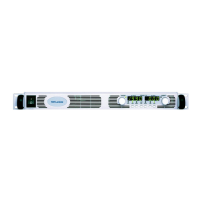
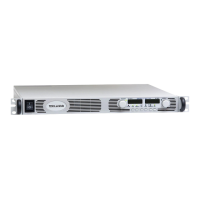
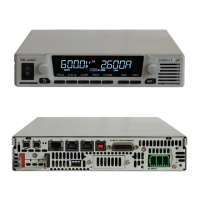
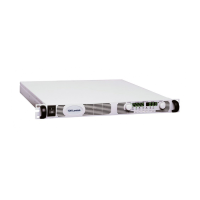
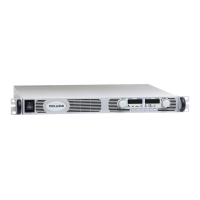
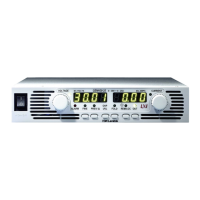
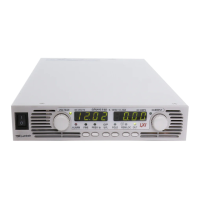
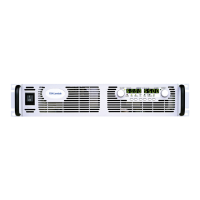
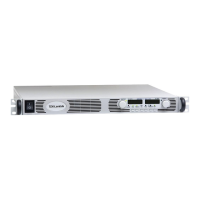
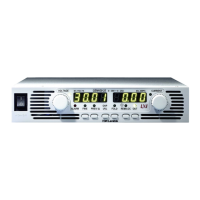
TDK-Lambda Genesys - User Manual

TDK-Lambda Genesys
113 pages
Print Icon
To Next Page IconTo Next Page
Loading...
USER MANUAL FOR
TM
Programmable DC Power Supplies
Document: 83532002 Rev C
TDK-Lambda Americas Inc.
High Power Division
405 Essex Road, Neptune, NJ 07753
Tel: (732) 922-9300
Fax: (732) 922-9334
www.us.TDK-Lambda.com/HP

Table of Contents

Other manuals for TDK-Lambda Genesys

Questions and Answers

  • G
    Greg AlvarezAug 17, 2025
    What to do if my TDK-Lambda Genesys has no output and displays “OUP”?
    • J
      Juan JonesAug 17, 2025
      If your TDK-Lambda Power Supply shows no output and the display indicates “OUP”, it means the Over Voltage Protection circuit has been activated. To resolve this, turn off the AC power switch, then check the load connections. If you are using analog programming, verify that the OVP is not set lower than the output.
  • E
    Elizabeth SheppardAug 19, 2025
    How to troubleshoot a TDK-Lambda Genesys with no output and blank displays?
    • S
      Sean FloresAug 19, 2025
      If your TDK-Lambda Power Supply has no output and all displays and indicators are blank, a possible cause is a defective AC power cord. Check the cord's continuity and replace it if necessary. Another potential cause is that the AC input voltage is not within the acceptable range. Ensure that the AC input voltage is correct and connect the power supply to an appropriate voltage source.
  • D
    Debra GreerAug 22, 2025
    Why are the front panel controls not working on my TDK-Lambda Genesys Power Supply?
    • C
      Cory DavidsonAug 22, 2025
      If the front panel controls on your TDK-Lambda Power Supply are nonfunctional, the unit might be in Local-Lockout mode. To unlock it, turn off the AC power and wait for the display to turn off completely. Then, turn the AC power back on and press the REM/LOC button on the front panel.
  • K
    Kristin GoodmanAug 26, 2025
    What to do if TDK-Lambda Power Supply output shuts off quickly and displays “AC”?
    • L
      Linda AndersonAug 26, 2025
      If your TDK-Lambda Power Supply output is present briefly but shuts off quickly, and the display shows “AC”, it may be due to voltage sag from the AC source when a load is applied. Check the AC input voltage and connect the power supply to an appropriate voltage source.
  • M
    Mary AndradeAug 28, 2025
    What to do if the TDK-Lambda Power Supply output shuts off quickly and displays “OUP”?
    • J
      James BanksAug 28, 2025
      If your TDK-Lambda Power Supply's output is present momentarily but then shuts off quickly, and the display indicates “OUP”, a possible cause is that the power supply is configured for Remote sense. Check if the positive or negative load wire is loose.
  • T
    terri07Aug 30, 2025
    Why is the ALARM LED blinking on my TDK-Lambda Genesys Power Supply?
    • T
      Timothy BakerAug 31, 2025
      If the TDK-Lambda Power Supply's front panel ALARM LED is blinking, and the display indicates “ENA”, check the rear panel J1 ENABLE connection. If the display indicates “SO”, check the rear panel J1 Output Shut-Off connection. If the display indicates “OTP”, verify that the air intake or exhaust are not blocked and that the unit is not near heat-generating equipment. If the display indicates “Fb”, check the Foldback setting and load current. Also, verify the Setup SW1 switch setting.
  • C
    Crystal SmithSep 2, 2025
    Why won't the output voltage adjust on my TDK-Lambda Genesys Power Supply when the CC LED is on?
    • K
      Kimberly ChambersSep 3, 2025
      If the output voltage of your TDK-Lambda Power Supply will not adjust and the front panel CC LED is on, the unit may be in constant current mode. Check the current limit setting and the load current.
  • P
    Pamela ElliottSep 5, 2025
    Why can't I adjust the output current on my TDK-Lambda Genesys when the CV LED is on?
    • M
      michael64Sep 5, 2025
      If the output current of your TDK-Lambda Power Supply will not adjust and the front panel CV LED is on, the unit may be in constant voltage mode. Check the current limit and voltage setting.
  • H
    hunteramandaSep 8, 2025
    Why won't the output voltage adjust on my TDK-Lambda Genesys when the CV LED is on?
    • B
      Bethany MaySep 8, 2025
      If the output voltage of your TDK-Lambda Power Supply will not adjust and the front panel CV LED is on, check if the output voltage is adjusted above the Over Voltage Protection (OVP) setting or below the Under Voltage Limit (UVL) setting. Set the OVP or UVL so that they do not limit the output.
  • G
    Gloria TorresSep 12, 2025
    Why is there large ripple present in the output of my TDK-Lambda Power Supply?
    • R
      reyesrichardSep 12, 2025
      If you observe large ripple in the output of your TDK-Lambda Power Supply, and the unit is in remote sense, the voltage drop on the load wire might be high. Check the load and sense wire connections for noise and impedance effects, and minimize the voltage drop on the load wires.

Summary

Safety, Warranty, and Compliance Information

General Safety Instructions

Covers essential safety precautions, installation guidelines, grounding, fuses, and warnings for safe operation and handling.

Specifications

Electrical and Performance Specs

Details output ratings, input characteristics, and static/dynamic performance parameters.

Installation

Preparation and Initial Setup

Guides through inspection, preparation, rack mounting, and AC source requirements.

Turn-On Procedures and Verification

Details step-by-step procedures for checking voltage, current, OVP, UVL, and Foldback.

Load Connection and Sensing Methods

Explains wiring, cable selection, termination, noise effects, and sensing methods for load connection.

Front and Rear Panel Controls

Local Operation

Operating Modes and Transitions

Explains Constant Voltage, Constant Current, and Automatic Crossover modes.

Protection Features and Startup Modes

Covers OVP, UVL, Foldback protections, ON/OFF control, and startup modes.

Series and Parallel Operation

Remote and Analog Programming

RS-232 & RS-485 Remote Control

Maintenance and Troubleshooting

Troubleshooting Guide and Problem Diagnosis

Offers a guide to diagnose and resolve common operational issues and symptoms.

TDK-Lambda Genesys Specifications

General IconGeneral
Operating Temperature0 to 50 °C
Remote InterfaceRS-232, RS-485, USB, Ethernet, GPIB
ProgrammingAnalog control
CoolingForced air
ProtectionsOver voltage, over current, over temperature
Input Frequency45 to 65 Hz
DimensionsVaries by model
WeightVaries by model
Output PowerUp to 15 kW
Output Voltage Range0-6V to 0-600V (model dependent)

Related product manuals