EasyManua.ls Logo

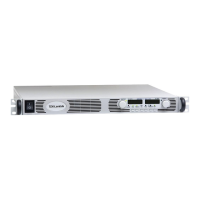
TDK-Lambda GENESYS 750W - User Manual

TDK-Lambda GENESYS 750W
101 pages
Print Icon
To Next Page IconTo Next Page
Loading...
USER MANUAL FOR
GENESYS
TM
750W/1500W
Programmable DC Power Supplies
Document: 83-507-013 Rev G
TDK-Lambda Americas Inc.
405 Essex Road, Neptune, NJ 07753
Tel: (732) 922-9300
Fax: (732) 922-9334
Web: www.us.tdk-lambda.com/hp

Table of Contents

Questions and Answers

  • C
    Cindy FernandezAug 17, 2025
    How to fix a TDK-Lambda Power Supply with no output and blank displays?
    • J
      John WatkinsAug 17, 2025
      If your TDK-Lambda Power Supply shows no output and all displays are blank, here's what you can check: * **AC Power Cord:** Verify the AC power cord isn't defective by checking its continuity. Replace it if necessary. * **AC Input Voltage:** Ensure the AC input voltage is within the specified range for your power supply. Connect it to an appropriate voltage source.
  • N
    Nancy BrownAug 19, 2025
    What to do if my TDK-Lambda Power Supply displays 'OUP' and has no output?
    • M
      Matthew HarrisAug 19, 2025
      If your TDK-Lambda Power Supply displays 'OUP' and has no output, it indicates the Overvoltage Protection circuit has tripped. To resolve this: 1. Turn off the AC power switch. 2. Check the load connections to ensure they are correct. 3. If you are using Analog Programming, verify that the OVP setting is not lower than the output voltage.
  • T
    Tyrone GutierrezAug 22, 2025
    Why does my TDK-Lambda GENESYS 750W shut off quickly and display 'AC'?
    • J
      Joseph TaylorAug 22, 2025
      If your TDK-Lambda Power Supply turns on briefly but then shuts off, displaying 'AC', the cause might be voltage sag. Check the AC input voltage. Connect the power supply to an appropriate voltage source that can handle the load.
  • A
    Anna WilliamsAug 25, 2025
    How to adjust output voltage on a TDK-Lambda GENESYS 750W Power Supply when the CC LED is on?
    • M
      Mrs. Natalie MartinAug 26, 2025
      If the output voltage on your TDK-Lambda Power Supply won't adjust and the front panel CC LED is illuminated, the unit is likely in constant current mode. Check the Output Current setting and the load current to resolve this.
  • A
    andrew81Aug 27, 2025
    What does it mean when the ALARM LED is blinking on my TDK-Lambda GENESYS 750W Power Supply?
    • D
      Daniel JonesAug 27, 2025
      A blinking ALARM LED on your TDK-Lambda Power Supply can indicate several issues. Here's what to check: * If the display indicates “ENA”, check the rear panel J1 ENABLE connection. * Check Setup switch SW1 setting and rear panel J1 ENABLE connection. * If the display indicates “SO”, check the rear panel J1 Output Shut-Off connection. * If the display indicates “OTP” (O7P), verify that the air intake or exhaust is not blocked and that the unit is not installed near heat-generating equipment. * If the display indicates “Fb”, check the Foldback setting and load current.
  • A
    Adrian GeorgeAug 30, 2025
    What to do if TDK-Lambda GENESYS 750W shuts off quickly and displays 'OUP'?
    • D
      David JacksonAug 30, 2025
      If your TDK-Lambda Power Supply turns on briefly but shuts off quickly, displaying 'OUP', the issue might be related to remote sensing. Check if the positive or negative load wire is loose.
  • E
    Eric DeanSep 2, 2025
    Why can't I adjust the output current on my TDK-Lambda Power Supply when the CV LED is on?
    • K
      Kevin FreemanSep 2, 2025
      If you cannot adjust the output current on your TDK-Lambda Power Supply and the front panel CV LED is on, the unit is likely in constant voltage mode. Check the Output Current and voltage setting.
  • B
    Bryce CarlsonSep 5, 2025
    Why are the front panel controls not working on my TDK-Lambda Power Supply?
    • J
      Jeffrey JohnsonSep 5, 2025
      If the front panel controls on your TDK-Lambda Power Supply are not working, the unit may be in Local-Lockout mode. To resolve this, turn off the AC power and wait until the display turns off. Then, turn the AC power back on and press the front panel REM/LOC button.
  • S
    Sara RichardsonSep 7, 2025
    What to do if TDK-Lambda GENESYS 750W output voltage will not adjust and CV Led is On?
    • G
      garciadavidSep 8, 2025
      If the output voltage on your TDK-Lambda Power Supply will not adjust and the front panel CV LED is on, check if the output voltage is adjusted above the OVP setting or below the UVL setting. Set the OVP or UVL so they do not limit the output.
  • M
    Mary MartinezSep 10, 2025
    Why is there large ripple in the output of my TDK-Lambda Power Supply?
    • P
      pmendezSep 12, 2025
      If you observe a large ripple in the output of your TDK-Lambda Power Supply, it could be due to remote sensing issues or high voltage drop on the load wire. Check the load and sense wire connections for noise and impedance effects. Minimize the voltage drop on the load wires.

Summary

DECLARATION OF CONFORMITY

PRODUCTS COVERED SHEET

Models Covered by this Manual

Lists all GenesysTM 750W and 1500W models covered in the manual.

GenesysTM Manual Supplement

Optional Interface Modules (IEMD, LAN, MD)

Details for IEMD, LAN, and MD options for GenesysTM power supplies.

WARRANTY AND COMPLIANCE NOTICES

Warranty Information and Service

Covers product warranty, limitations, service, and disclaimer.

FCC Compliance and Warnings

Information on FCC compliance, warnings, and user responsibilities.

SAFETY INSTRUCTIONS

General Safety Precautions and Warnings

Essential safety guidelines for operating, servicing, and repairing the equipment.

Installation, Grounding, and Input Ratings

Guidelines for installation categories, grounding, fuses, and input power.

Parts Substitution and Environmental Conditions

Guidelines for parts replacement and environmental operating conditions.

1 GENERAL INFORMATION

User Manual Content and Introduction

Outlines manual content, introduces GenesysTM power supplies and their features.

Models Covered and Features

Lists specific models and details key features and options of GenesysTM series.

System Configuration and Control

Covers multiple output systems, serial communication control, and analog programming.

Cooling, Mechanical, and Accessories

Details on cooling, mechanical construction, and included/optional accessories.

2 SPECIFICATIONS

Output Ratings and Input Characteristics

Details on output voltage/current ratings and input power specifications.

Operating Modes and Protection Functions

Covers Constant Voltage/Current modes, OVP, UVL, and Foldback protection.

Panel, Environment, Mechanical, and Safety Specs

Describes panel controls, environment, mechanics, safety, and EMC standards.

3 INSTALLATION

General Installation and Preparation

Covers initial inspection, preparation, and general installation guidelines.

Rack Mounting and AC Power Connection

Instructions for rack mounting and connecting to the AC power source.

Turn-On Checkout Procedure

Step-by-step guide to verify power supply operation after installation.

Connecting the Load and Sensing

Guidelines for load wiring, connections, grounding, and sensing configurations.

4 FRONT AND REAR PANEL CONTROLS AND CONNECTORS

Introduction to Controls and Connectors

Overview of the unit's controls and connectors for setup and operation.

Front Panel Controls and Indicators

Detailed description of all controls, indicators, and displays on the front panel.

Rear Panel Connections and Setup Switches

Explanation of rear panel connectors, switches, and interface options.

5 LOCAL OPERATION

Introduction and Standard Operation Modes

Overview of local operation, Constant Voltage/Current modes, and crossover.

Protection Functions (OVP, UVL, Foldback)

Setting and managing Over Voltage Protection (OVP), Under Voltage Limit (UVL), and Foldback.

Output and System Control Functions

Control of output ON/OFF, SO, Enable/Disable, CV/CC, PS_OK, and restart modes.

Series, Parallel, and Daisy-Chain Operation

Methods for connecting units in series, parallel, and daisy-chain configurations.

6 REMOTE ANALOG PROGRAMMING

Introduction and Local;Remote Selection

Overview of analog programming and selecting between local/remote modes.

Analog Programming Methods

Details on remote voltage and resistive programming techniques.

7 RS232 & RS485 REMOTE CONTROL

Introduction and Configuration

Overview of serial communication and basic configuration settings.

Serial Interface and Bus Connections

Details on RS232/RS485 connectors and connecting multiple power supplies.

Communication Protocol and Commands

Explains communication protocol, error messages, and command sets.

Status and Query Commands

Commands for reading status, errors, and performing fast queries.

8 ISOLATED ANALOG PROGRAMMING OPTION

Introduction and Specifications

Overview of the isolated analog programming option and its technical specs.

Connector and Setup Instructions

Details on the isolated programming connector and setup procedures.

9 MAINTENANCE

Introduction and Unit Warranty

Information on maintenance, calibration, and warranty repair procedures.

Troubleshooting and Fuse Ratings

Guide to diagnosing problems and information on internal fuse specifications.

TDK-Lambda GENESYS 750W Specifications

General IconGeneral
Output Power750 W
Input Frequency47-63Hz
Form Factor1U
Output Current Range0-12.5A
Efficiencyup to 92%
Input Voltage Range85-265VAC
Operating Temperature0 to 50 °C
ProtectionsOver voltage, over current, over temperature
Output Voltage Range0 to 60 V
CoolingFan cooled

Related product manuals