18
OPERATION (CONTINUED)
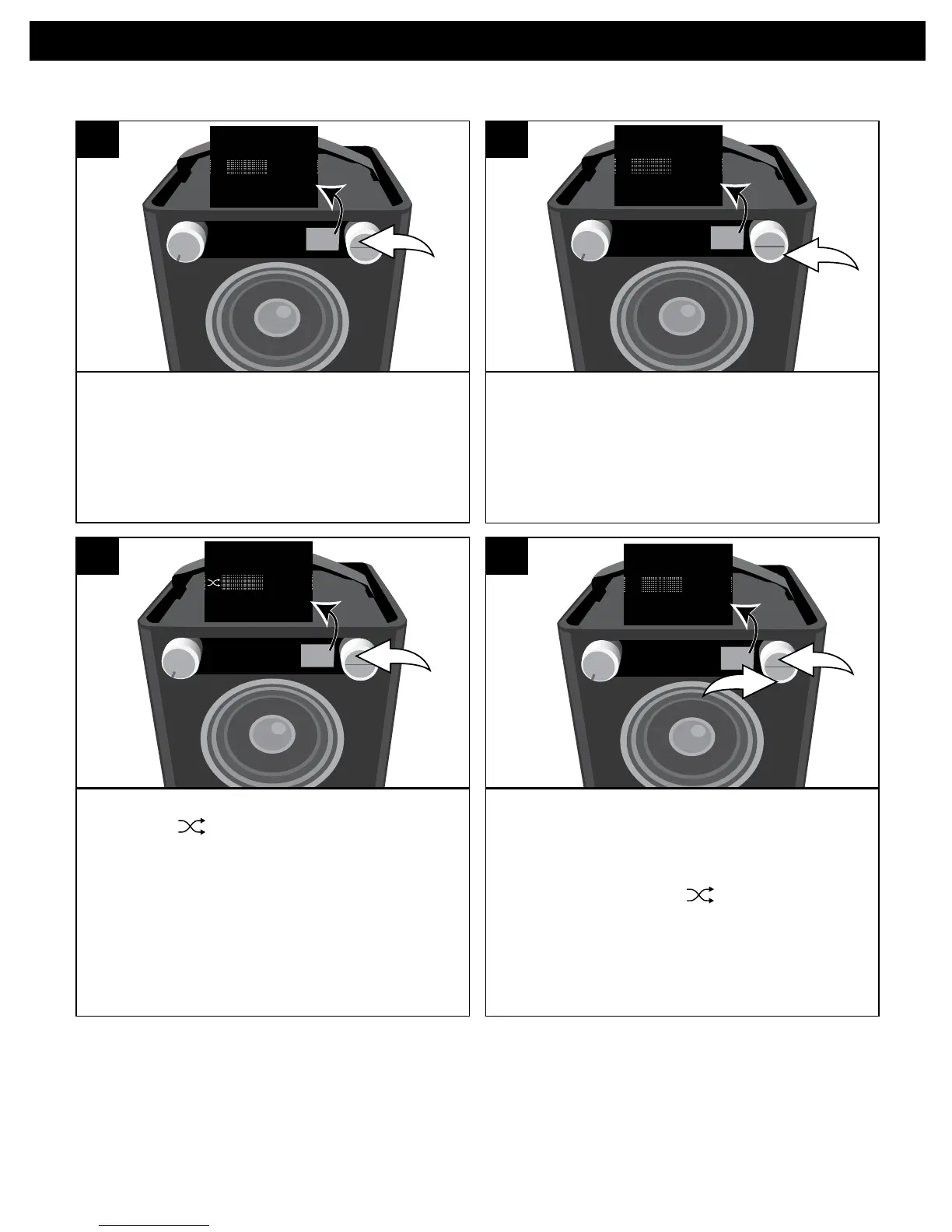
While in the Play or Paused USB mode
and with a USB device inserted, press
the OK button; Shuffle and Repeat will
appear in the display.
SOURCE EQ
O ®p n
Repeat
Shuffle
1
Select Shuffle using the Select control.
SOURCE EQ
O ®p n
Repeat
Shuffle
2
Press the OK button once; the Shuffle
indicator will light and appear on
the display. All songs in the selected
folder will randomly play and then stop.
SOURCE EQ
O ®p n
Repeat
Shuffle
3
To cancel Random playback, press the
OK button u tobringuptheShuffle/
Repeat menu. Select Shuffle using the
Select control v, and then press the
OK button u again; will disappear.
Press the OK button u to confirm the
setting or wait a few seconds to go
back to the previous menu.
SOURCE EQ
O ®p n
Repeat
Shuffl


 To Next Page