EasyManua.ls Logo

Teac A-3440 - Playback Performance Adj.; Playback Head Azimuth Adj.; Frequency Response - Playback; Signal-to-Noise Ratio - Playback

Teac A-3440
59 pages
Print Icon
To Next Page IconTo Next Page
To Previous Page IconTo Previous Page
Loading...
Tape
Speed
|
Frequency
Limits
|
Phase
Difference
7-1/2
ips.
|
400
Hz
6
kHz
NOTE:
Phase
difference
readings
are
made
between
ch
1
and
ch
3
and
between
ch
2
and
ch
4.
8.
After
adjustment,
secure
the
screw
with
a
drop
of
lock-
ing
paint.
9-2
OUTPUT
LEVEL
SETTING
9.
The
Specified
Output
Level
Setting
must
be
used.
See
Item
8-3
step
12
above.
10.
Connect
a
VTVM
to
the
DECODER
SEND
jack
1.
11.
Play
the
400
Hz
0
dB
tone
in
section
1
of
the
YTT-1003
Test
Tape.
12.
Adjust
PLAY
CAL
R143
for
—8
dB
(308
mV)
at
DE-
CODER
SEND
jack
1.
13.
Insert:
shorting
connector
between
DECODER
SEND
and
RCV
jacks.
14.
Check
for
—8
dB
(308
mV)
at
OUTPUT
jack.
(QUTPUT
Level
control
at
position
“8”’).
MAX.
OUTPUT
LEVEL
15.
Turn
the
OUTPUT
Level
control
fully
clockwise
(max.)
and
check
for
—2
dB
+2
dB
at
OUTPUT
jack
1.
16.
Reduce
OUTPUT
Level
Control
until
—8
dB
(308
mV)
is
obtained
on
the
VTVM.
NOTE:
This
is
the
Specified
Output
Level
Setting.
Do
not
disturb
this
setting
until
the
remaining
adjustments
have
been
completed.
Fig.
8-5
Specified
Output
Levet
Setting
9-3.
VU
METER
INDICATION
CHECK
17.
With
the
controls
set
as
described
above
check
that
the
VU
METER
reads
0
VU
+0.5
VU.
18
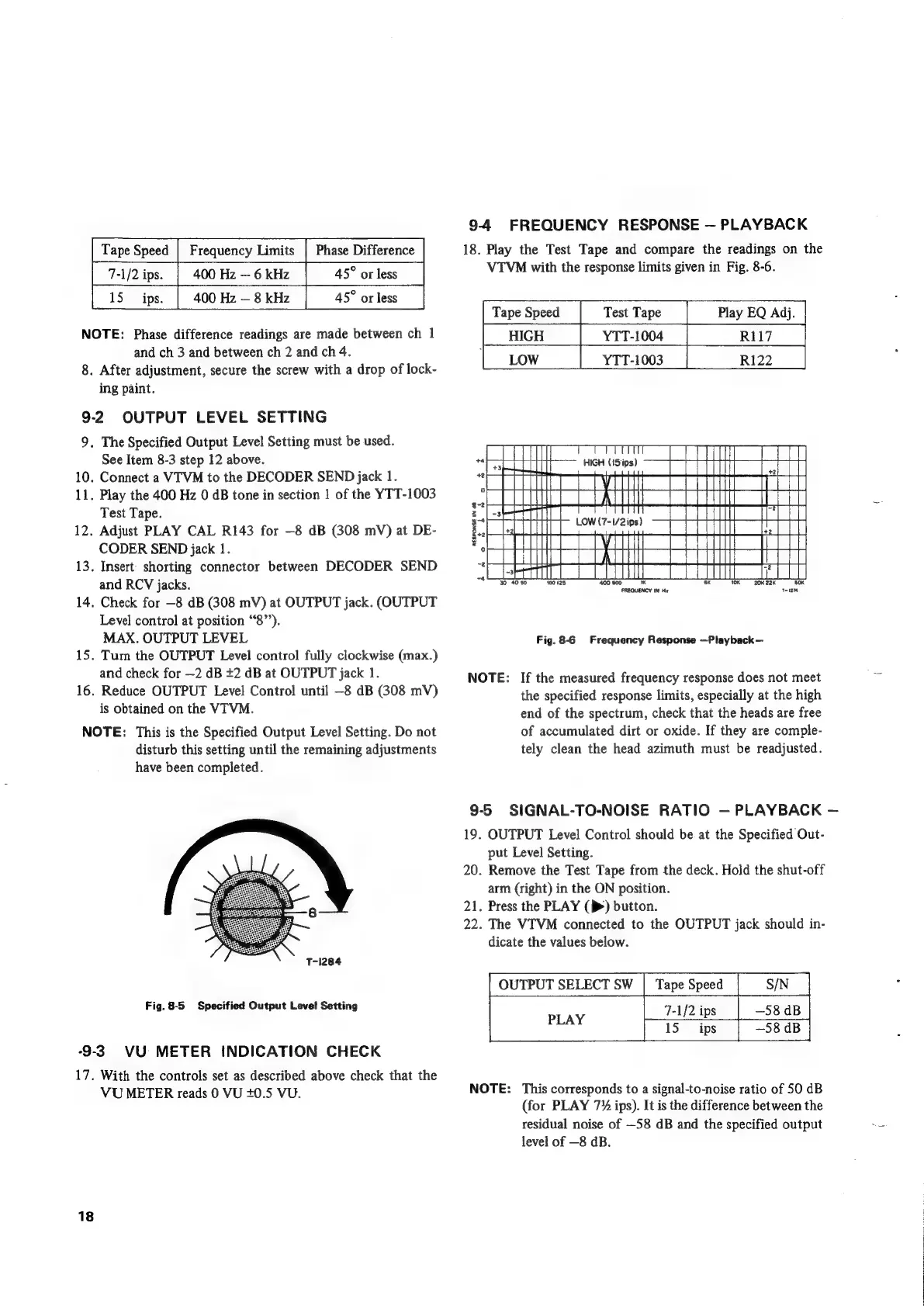
9-4
FREQUENCY
RESPONSE
PLAYBACK
18.
Play
the
Test
Tape
and
compare
the
readings
on
the
VTVM
with
the
response
limits
given
in
Fig.
8-6.
Tape
Speed
Play
EQ
Adj.
HIGH
LOW
Test
Tape
YTT-1004
YTT-1003
R117
R122
:
il
Moo
tT
AL
RESPONSE
IN
8
4
22K
5OK
FREQUENCY
IN
Hz
THi27e
Fig.
8-6
Frequency
Response
—Playback—
NOTE:
If
the
measured
frequency
response
does
not
meet
the
specified
response
limits,
especially
at
the
high
end
of
the
spectrum,
check
that
the
heads
are
free
of
accumulated
dirt
or
oxide.
If
they
are
comple-
tely
clean
the
head
azimuth
must
be
readjusted.
9-55
SIGNAL-TO-NOISE
RATIO
PLAYBACK
19.
OUTPUT
Level
Control
should
be
at
the
Specified
Out-
put
Level
Setting.
20.
Remove
the
Test
Tape
from
the
deck.
Hold
the
shut-off
arm
(right)
in
the
ON
position.
21.
Press
the
PLAY
(>>)
button.
22.
The
VTVM
connected
to
the
OUTPUT
jack
should
in-
dicate
the
values
below.
OUTPUT
SELECT
SW
|
Tape
Speed
S/N
7-1/2
i
ips
—58
dB
NOTE:
This
corresponds
to
a
signal-to-noise
ratio
of
50
dB
(for
PLAY
7%
ips).
It
is
the
difference
between
the
residual
noise
of
—58
dB
and
the
specified
output
level
of
—8
dB.

Other manuals for Teac A-3440

Related product manuals