EasyManua.ls Logo

Teac A-6300 - 13. MEASUREMENT AND ADJUSTMENT -ELECTRICAL- (A-6300); PLAYBACK HEAD, OUTPUT LEVEL, AND VU METER ADJUSTMENTS (A-6300)

Teac A-6300
112 pages
Print Icon
To Next Page IconTo Next Page
To Previous Page IconTo Previous Page
Loading...
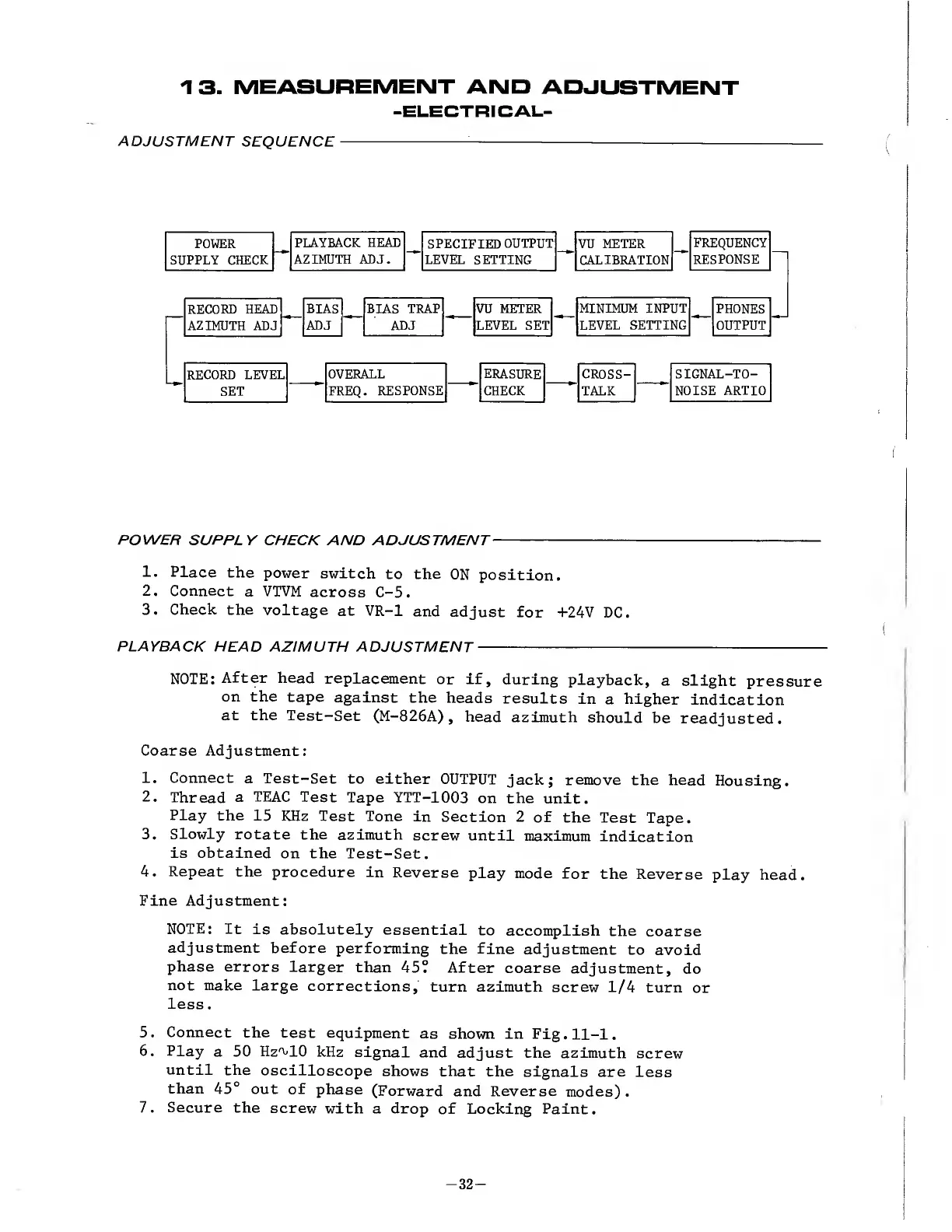
13.
MEASUREMENT
AND
ADJUSTMENT
-ELECTRIC
AL-
ADJUSTMENT
SEQUENCE
POWER
SUPPLY
CHECK
AND
ADJUSTMENT
-
1.
Place
the
power
switch
to
the
ON
position.
2.
Connect
a
VTVM
across
C-5.
3.
Check
the
voltage
at
VR-1
and
adjust
for
+24V
DC.
PLAYBACK
HEAD
AZIMUTH
ADJUSTMENT
-
NOTE:
After
head
replacement
or
if,
during
playback,
a
slight
pressure
on
the
tape
against
the
heads
results
in
a
higher
indication
at
the
Test-Set
(M-826A),
head
azimuth
should
be
readjusted.
Coarse
Adjustment:
1.
Connect
a
Test-Set
to
either
OUTPUT
jack;
remove
the
head
Housing.
2.
Thread
a
TEAC
Test
Tape
YTT-1003
on
the
unit.
Play
the
15
KHz
Test
Tone
in
Section
2
of
the
Test
Tape.
3.
Slowly
rotate
the
azimuth
screw
until
maximum
indication
is
obtained
on
the
Test-Set.
4.
Repeat
the
procedure
in
Reverse
play
mode
for
the
Reverse
play
head.
Fine
Adjustment:
NOTE:
It
is
absolutely
essential
to
accomplish
the
coarse
adjustment
before
performing
the
fine
adjustment
to
avoid
phase
errors
larger
than
45°
After
coarse
adjustment,
do
not
make
large
corrections,
turn
azimuth
screw
1/4
turn
or
less.
5.
Connect
the
test
equipment
as
shown
in
Fig.11-1.
6.
Play
a
50
Hzn/10
kHz
signal
and
adjust
the
azimuth
screw
until
the
oscilloscope
shows
that
the
signals
are
less
than
45°
out
of
phase
(Forward
and
Reverse
modes).
7.
Secure
the
screw
with
a
drop
of
Locking
Paint.
-
3
2
-

Other manuals for Teac A-6300

Related product manuals