4-2. How to update for Deck_MCU (Cassette) of AD-RW900
Target IC = SUB CPU_GL89L581A0 _ ( U401)
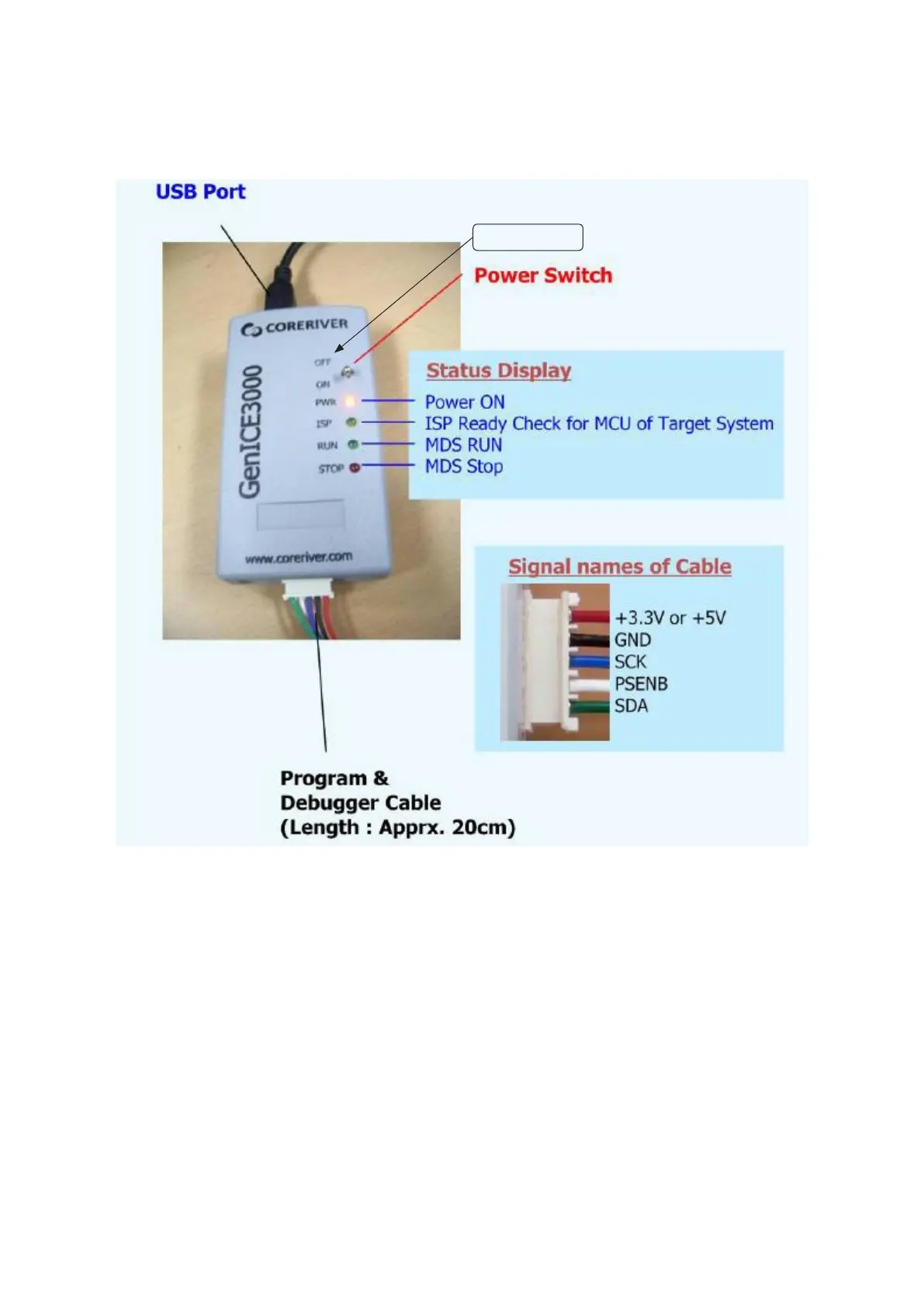
4-2-1. Prepare a writer (GenICE3000)
Kindly download Software from a follow Web site which is USB
PC DRIVER, GenICE_Manager Soft ware.
http://www.coreriver.com/product-lines/top_CORERIVERm-
cu.html
1) Install DRIVER (GENICE3000 USB PC DRIVER) to PC
i
Connect Writer and USB Cable, and an opposite of USB
Cable connect to PC.
i
As PC recognize Writer automatically, you carry out install
with directions of a personal computer.
(If can not recognize Writer automatically, should do install
DRIVER by manual from PC )
2) Install software for updata (GenICE Manager).
Install software to PC according to a procedure.
Finish for preparing of PC.
4-2.Deckマイコンファームウェアのアップデート
TargetIC=SUBCPU_GL89L581A0_(U401)
4-2-1.ライター(GenICE3000)の準備
USBPCDRIVER,GenICE_ManagerSoftware を 以 下 の
Websiteよりdownloadしてください。
http://www.coreriver.com/product-lines/top_
CORERIVERmcu.html
1)PCにドライバー(GENICE3000USBPCDRIVER)をイン
ストールします。
i
ライターとUSBケーブルを繋ぎ、PCにUSBケーブ
ルを接続してください。
i
自動認識されるので、PCの指示に従ってインストー
ルしてください。
(自動認識されない場合は、各PCからマニュアルイ
ンストールを行う。)
2)アップデートソフト(GenICEManager)をインストール
します。ソフトをインストール手順に従いPCにイン
ストールしてください。
これでPC側の準備は完了です。
GenICE 3000
- 6 -
TEAC AD-RW900/900E


 To Next Page