EasyManua.ls Logo

Teac AG-620 - Page 15

Teac AG-620
39 pages
Print Icon
To Next Page IconTo Next Page
To Previous Page IconTo Previous Page
Loading...
Ex.:
Channel
20
Press
twice,
then
Lo.
|.
Ex.:
Channel
30
Press
three
times.
Note:
It
is
not
necessary
to
press
the
"0"
key
to
input
the
unit's
digit.
4.
To
release
the
memory
function
while
the
MEMORY
indicator
appears
in
the
display,
press
the
MEMORY
button
again.
@
Recalling
Frequencies
Press
the
numeric
key(s)
corresponding
to
the
channel
number
to
tune
directly
to
a
broadcast.
mg
Using
the
Memory
Scan
function
When
the
MEMORY
SCAN
button
(@,
on
the
remote
control)
is
pressed,
the
preset
channels
in
which
frequencies
in
the
band
(AM
or
FM)
selected
have
been
stored
are
scanned
at
5-second
intervals.
When
you
hear
a
broadcast
you
want
to
listen
to,
release
the
Memory
Scan
function
by
pressing
the
MEMORY
SCAN
button
again.
@
Using
the
Memory
Skip
function
Every
time
the
MEMORY
SKIP
button
(®,
on
the
remote
control)
is
pressed,
tuning
skips
to
the
next
higher
channel
broadcasting
in
the
band
selected.
=,
|
Listening
to
Records,
compat
Discs
and
Sound
from
VCR/VDP
POWER
ON
[ooo
loco
tJ
(Es)
4!
CD
Player
or
VCR/VDP
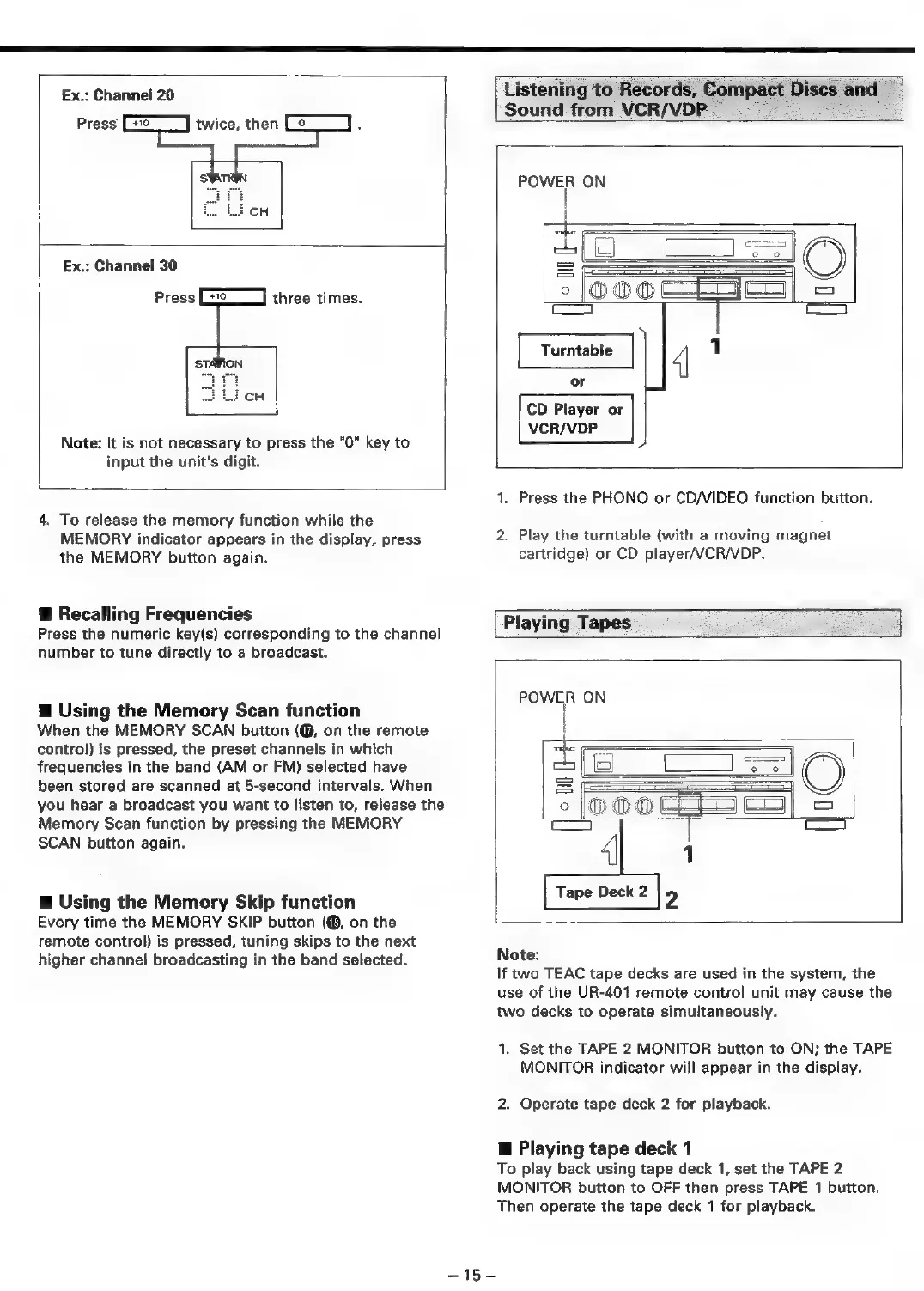
1.
Press
the
PHONO
or
CD/VIDEO
function
button.
2.
Play
the
turntable
(with
a
moving
magnet
cartridge)
or
CD
player/VCR/VDP.
Playing
Tapes
POWER
ON
Tape
Deck
2
2
Note:
If
two
TEAC
tape
decks
are
used
in
the
system,
the
use
of
the
UR-401
remote
control
unit
may
cause
the
two
decks
to
operate
simultaneously.
1.
Set the
TAPE
2
MONITOR
button
to
ON;
the
TAPE
MONITOR
indicator
will
appear
in
the
display.
2.
Operate
tape
deck
2
for
playback.
@
Playing
tape
deck
1
To
play
back
using
tape
deck
1,
set
the
TAPE
2
MONITOR
button
to
OFF
then
press
TAPE
1
button.
Then
operate
the
tape
deck
1
for
playback.

Related product manuals