24
Playing back music on a computer (2)
About the transmission mode
This unit connects using high-speed asynchronous mode.
Transmittable PCM sampling frequencies are 44.1 kHz, 48
kHz, 88.2 kHz, 96 kHz, 176.4 kHz and 192 kHz.
2.8 MHz and 5.6 MHz DSD are also supported.
When properly connected, you will be able to select
“TEAC USB AUDIO DEVICE” as an audio output from the
computer.
In asynchronous mode, the audio data sent from the com-
puter is processed using this unit's clock, reducing data
transmission jitter.
Downloading the TEAC HR Audio Player
application
If you need, you can download our free TEAC HR Audio
Player application, which supports DSD file playback, from
the TEAC Global Site (both Mac and Windows versions
available).
http://teac-global.com/
Playing back audio files from a computer
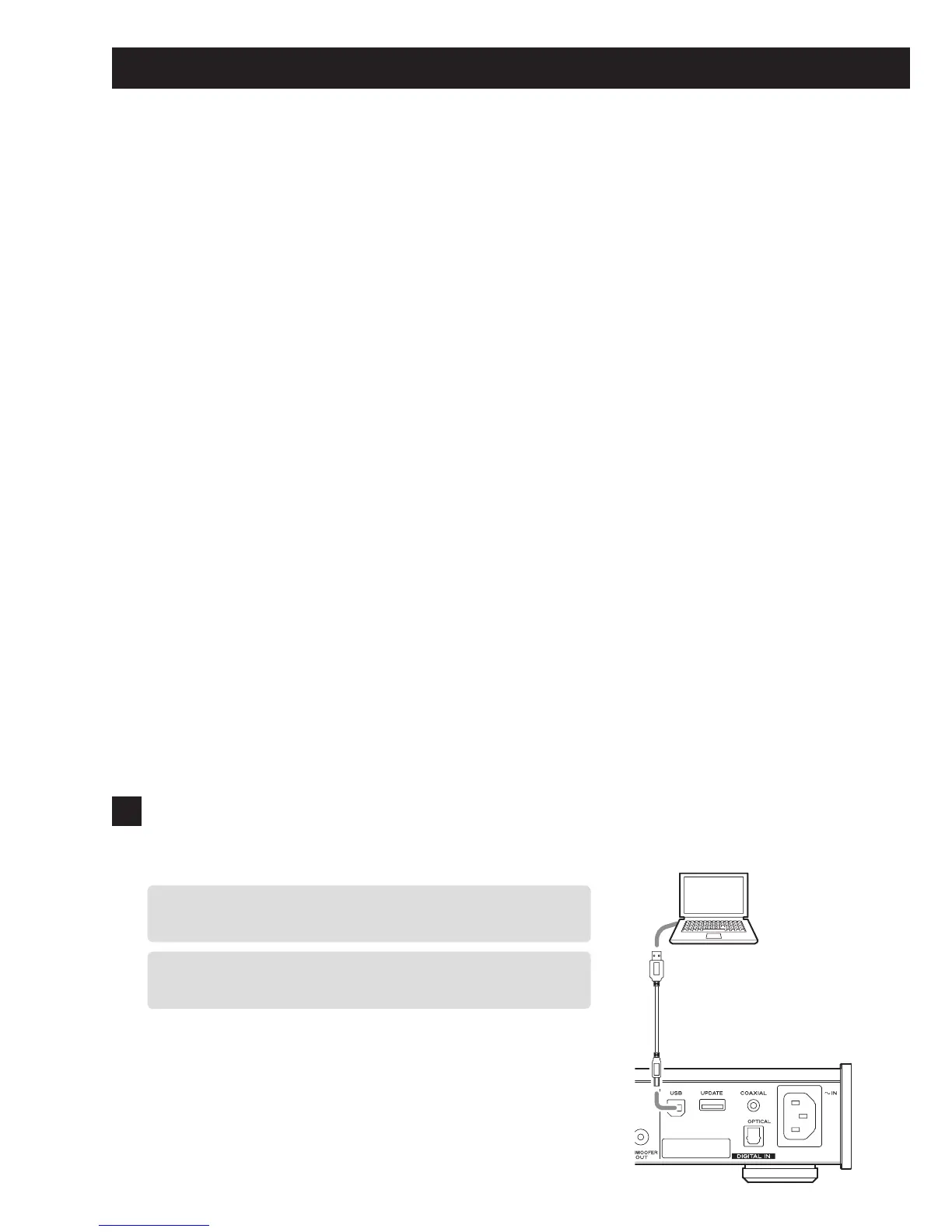
1 Connect this unit to the computer using a
USB cable.
o To use a Windows computer, you must install the ded-
icated driver beforehand (see page 23).
o Use a cable with a connector that matches that of this
unit.
USB cable



 To Next Page