11
ENGLISH
A
How to turn the unit on or standby
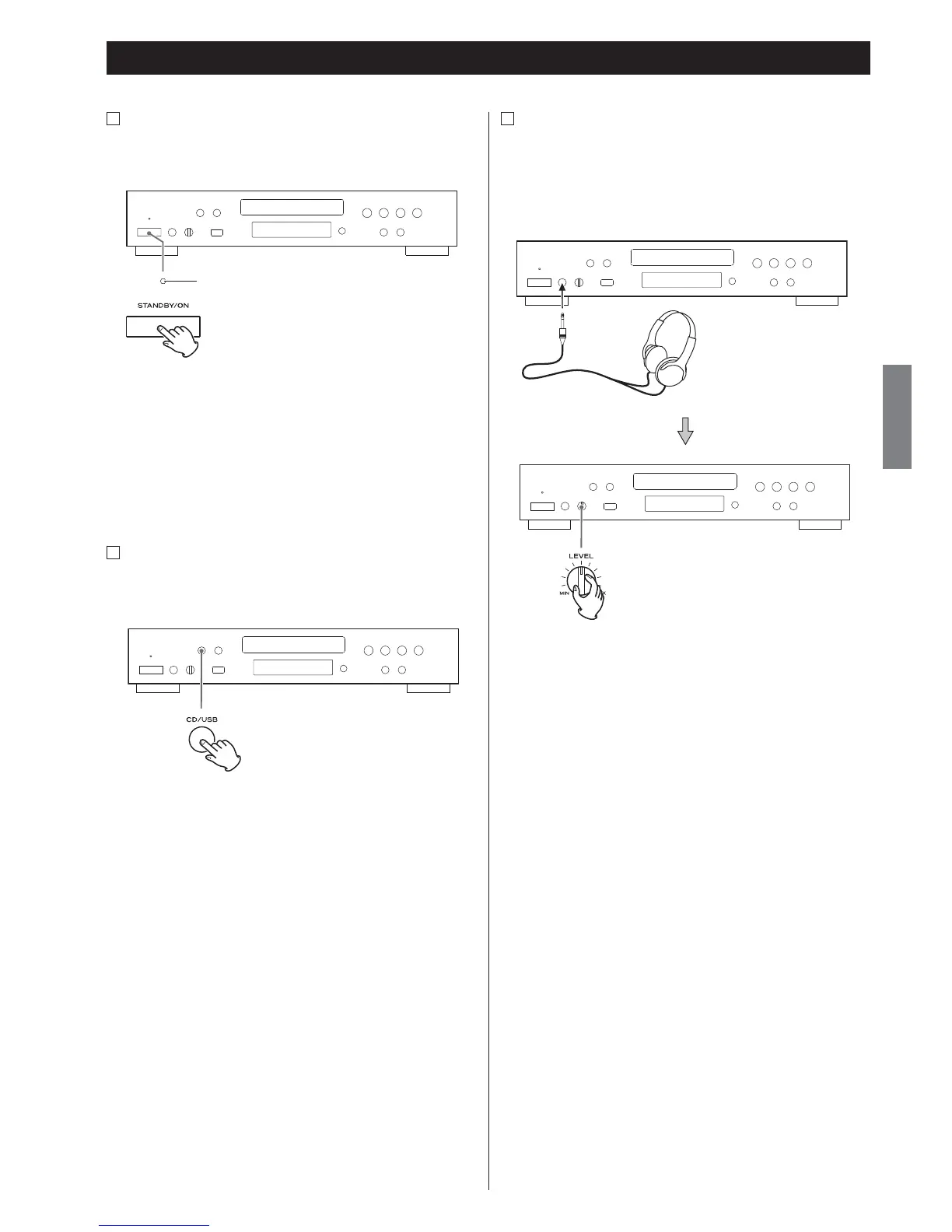
Press the STANDBY/ON button to turn the unit on or put it in the
standby mode.
Standby/On indicator
The Standby/On indicator goes out when the unit is turned on.
The Standby/On indicator lights red when the unit is in the
standby mode.
< If A-R650 and this unit are connected with the remote control cord
when you turn on the system, the source that was selected last
time will start playback automatically.
B
How to select CD or USB
Every time the CD/USB button is pressed, the mode is alternated
between CD and USB.
Basic Operation
C
Listening through headphones
Insert the headphone plug into the PHONES jack, and adjust the
volume.
< The sound from speakers will not be cut off.



 To Next Page