12
1
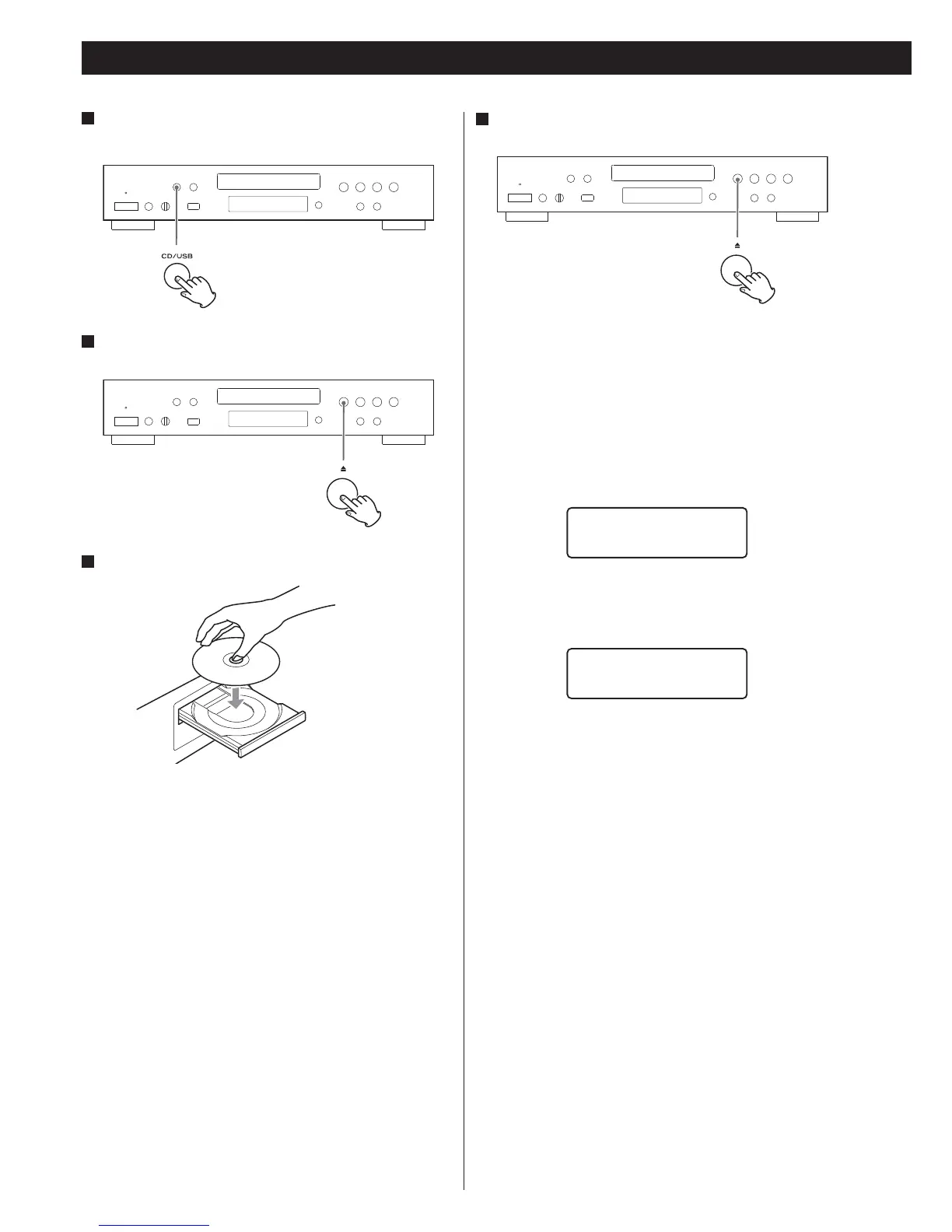
Press the CD/USB button to select “CD.”
2
Press the Open/close button (L).
3
Place a disc on the tray with the printed label facing up.
< The disc must be placed centrally into the disc tray. If the disc is
not placed correctly, it may not be possible to open the tray again
once it has closed.
< Never place more than one disc on the tray.
< Do not stick labels or tape on the disc.
< Do not use irregularly shaped discs.
Listening to a CD
4
Press the Open/close button (L) to close the tray.
< Be careful not to pinch your finger.
< It takes a few seconds for the unit to load a disc. No buttons will
work during loading. Wait until the total number of tracks/files and
the total play time of the disc are displayed.
Audio CD
The total number of tracks and total play time of the disc are
displayed.
CD/Stop
T016 72:00
MP3/WMA disc
The total number of files on the disc is displayed.
CD/Stop
Total file 010



 To Next Page