24
Recording to a USB Storage Device
1
Set the number of recorded songs to “1 song” or “CD ALL”.
(See page 23)
2
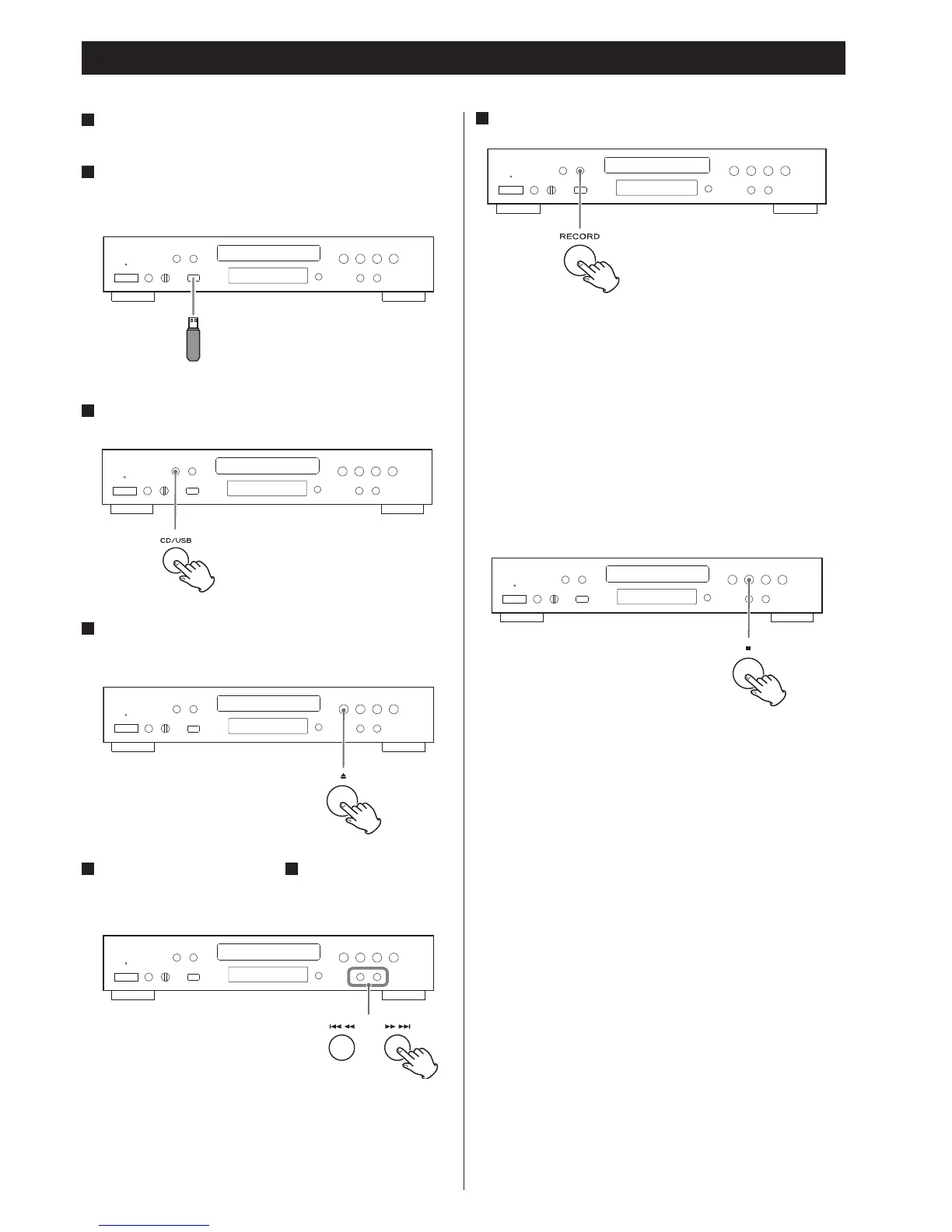
Connect the external USB storage device to the USB port of
CD-P650.
3
Press the CD/USB button repeatedly to select “CD”.
4
Open the disc tray and place the audio CD to be recorded.
Then close the disc tray.
5
If “1 song” is selected in step
1
select a track using the
Skip/search buttons (.m/,/).
6
Press the RECORD button.
Depending on the selected setting, the selected song will be
recorded or recording starts from the beginning of the first song
on the CD.
Recording will stop automatically when playback of the single song
or of the final song on the CD has finished.
< When the recording speed is “x2”, no signal is output from the
audio outputs.
To stop recording
Press the Stop button (H).



 To Next Page