25
ENGLISH
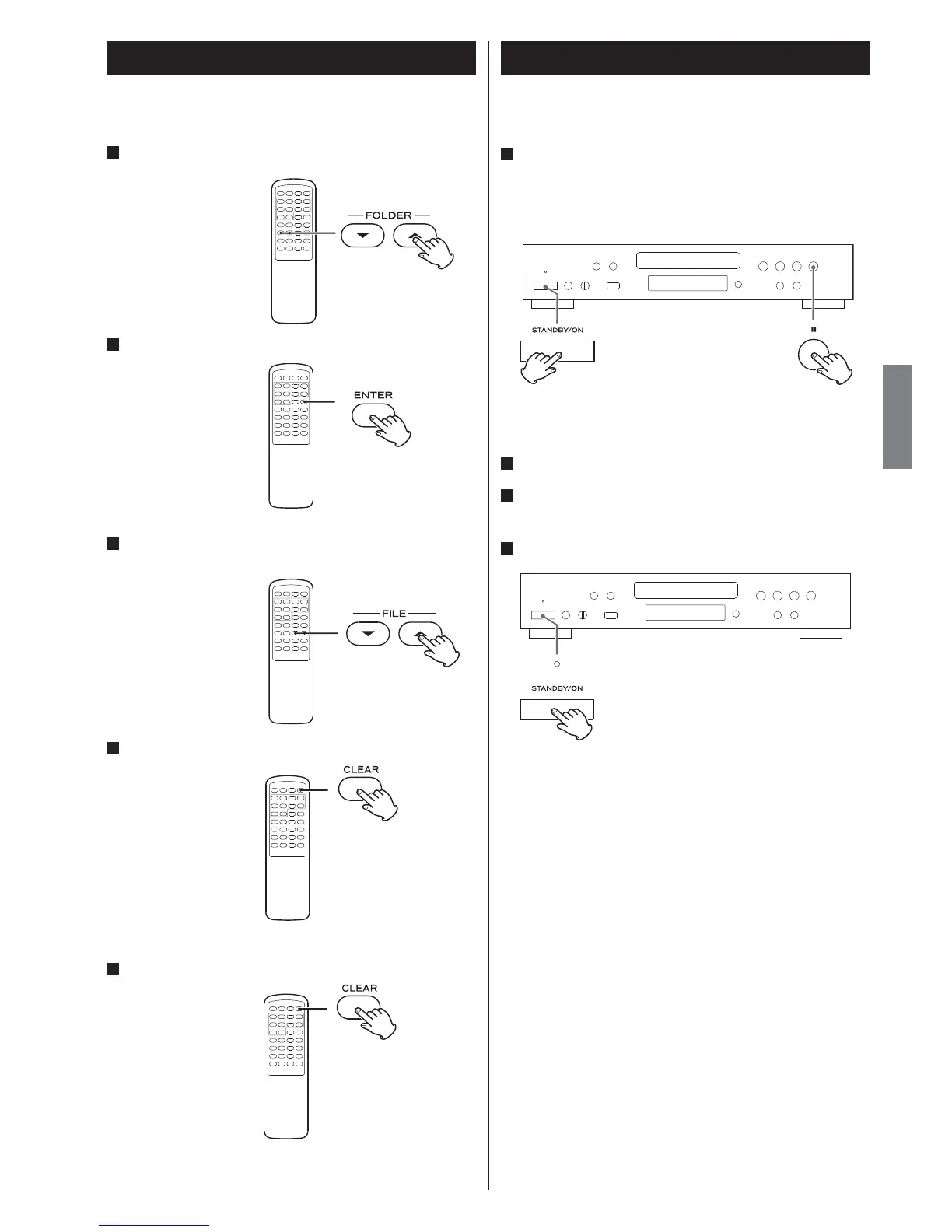
Deleting a file from a USB Storage Device
You can delete a file on the external USB storage device.
1
In the stop mode, use the FOLDER buttons (¥/˙) to select a
folder.
2
Press the ENTER button.
3
Use the FILE buttons (¥/˙) to select the file which you want
to delete from the USB storage device.
4
Hold down the CLEAR button for more than 4 seconds.
“Delete?” is displayed.
5
Within 3 seconds, press the CLEAR button again.
< The delete mode will be cancelled if you do not press the CLEAR
button within 3 seconds.
You can restore to factory setting.
1
While in the standby mode, hold down the Pause button
(J) and STANDBY/ON button simultaneously for more than
3 seconds.
The version will appear on the display
2
Unplug the AC power cord from the AC wall socket.
3
Wait a moment and plug the AC power cord to the AC wall
socket again.
4
Press the STANDBY/ON button to turn the unit on.
All the settings are reset to the factory settings.
Restoring factory settings



 To Next Page