Basic Operation
3
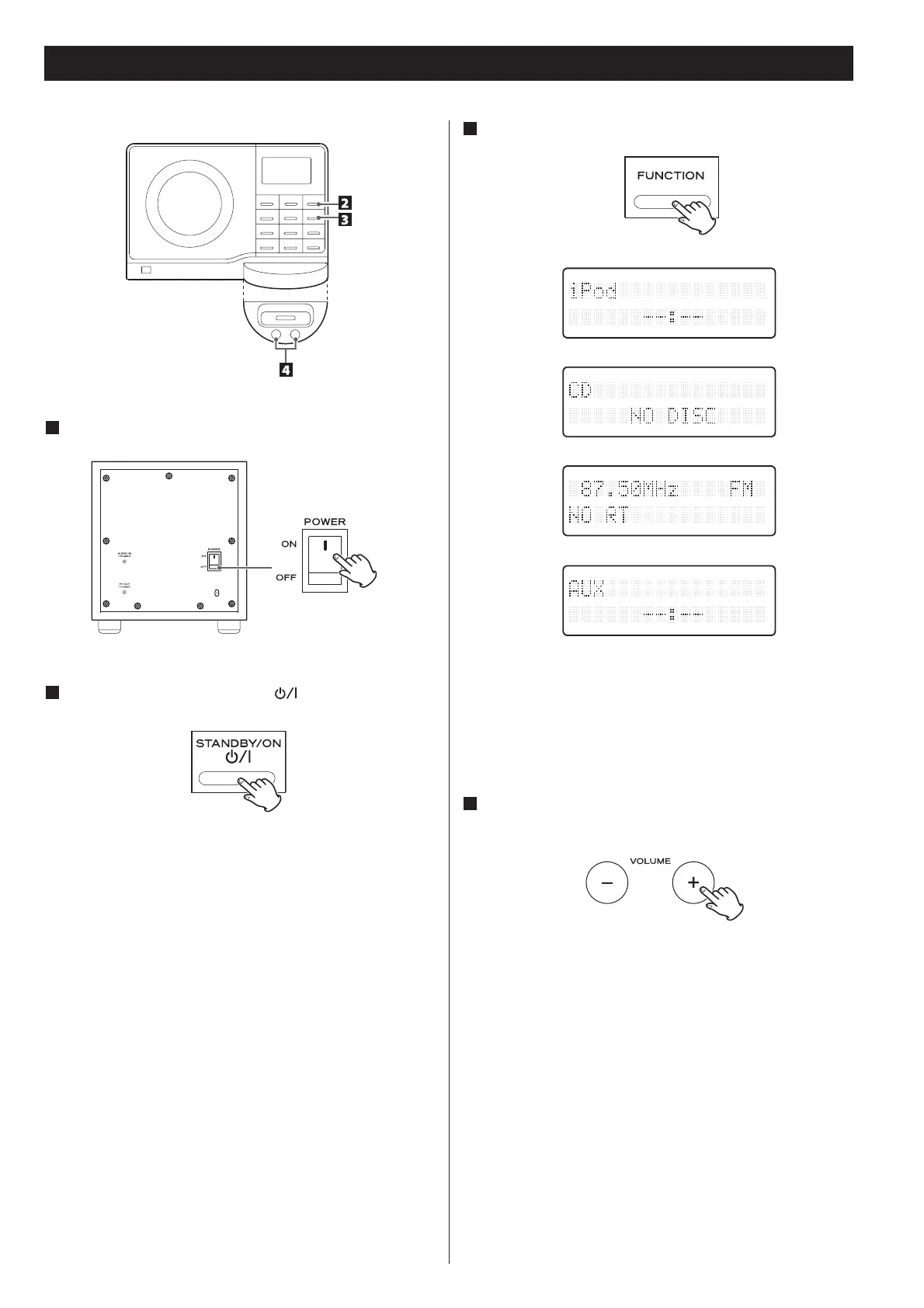
Select a source by pressing the FUNCTION button.
To listen to an external source connected to the AUX IN jack,
select AUX.
In iPod and AUX modes, the display always shows the clock.
4
Play the source and adjust the volume using the
VOLUME buttons.
1
Turn on the subwoofer.
2
Press the STANDBY/ON button ( ) on the main unit.
Press the Standby/ON button to standby mode, the LCD lamp
of subwoofer unit will turn blue color to orange color slowly.


 To Next Page