34
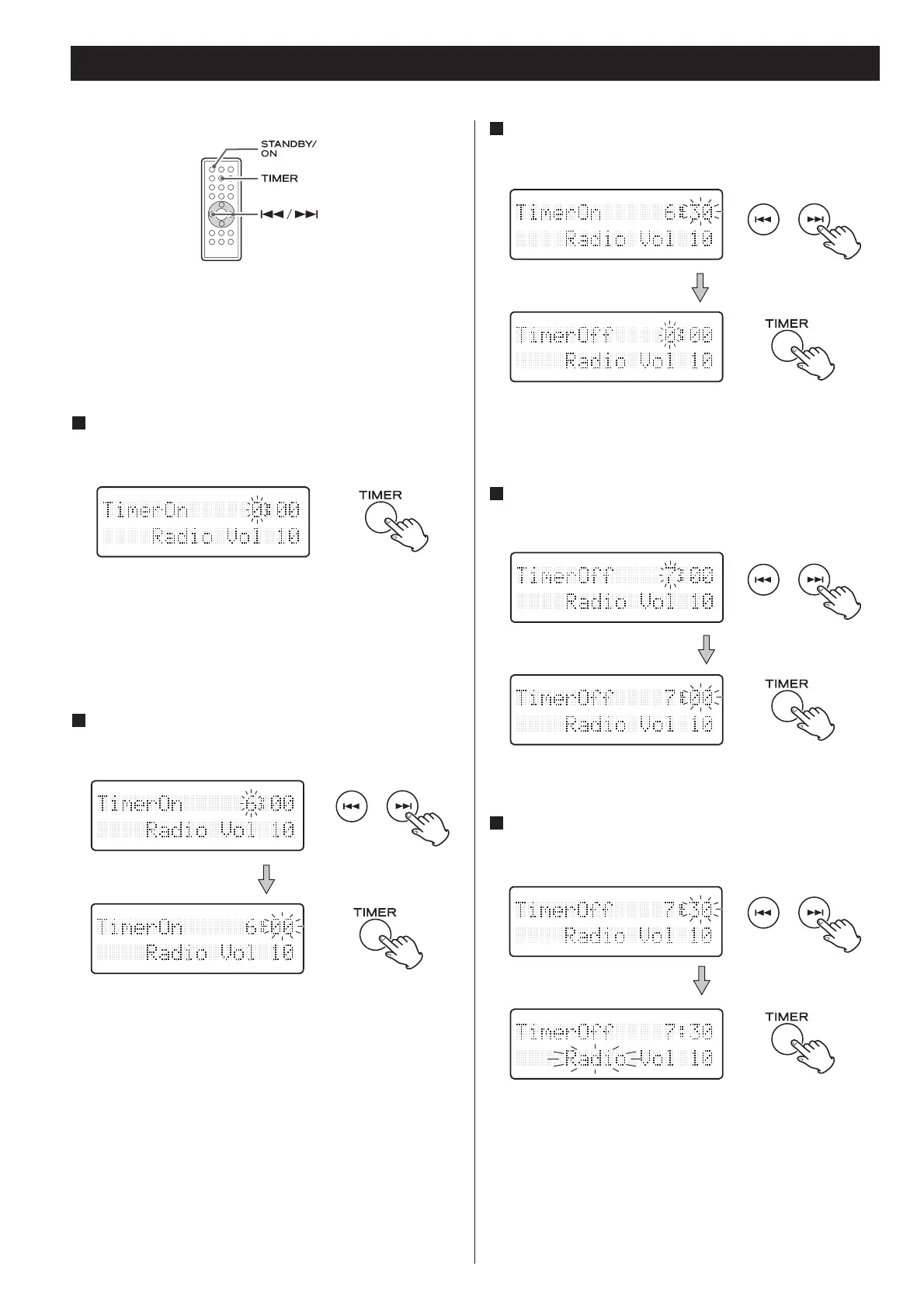
Setting the Timer 1
The unit can be programmed to turn on and off at a specified
time.
Adjust the clock before setting the timer.
1
Press and hold the TIMER button until ‘TimerOn’
appears on the display.
The “hour” value starts flashing.
When no button is pressed for 10 seconds, the timer setting
mode will be cancelled.
The “minutes” value starts flashing.
3
Press the SKIP button (/) to set the start time
(minute), and then press the TIMER button.
“TimerOff“ appears on the display and the “hour“ value
starts flashing.
2
Press the SKIP button (/) to set the start time
(hour), and then press the TIMER button.
5
Press the SKIP button (/) to set the stop time
(minute), and then press the TIMER button.
The “minutes” value starts flashing.
4
Press the SKIP button (/) to set the stop time
(hour), and then press the TIMER button.


 To Next Page