4 5
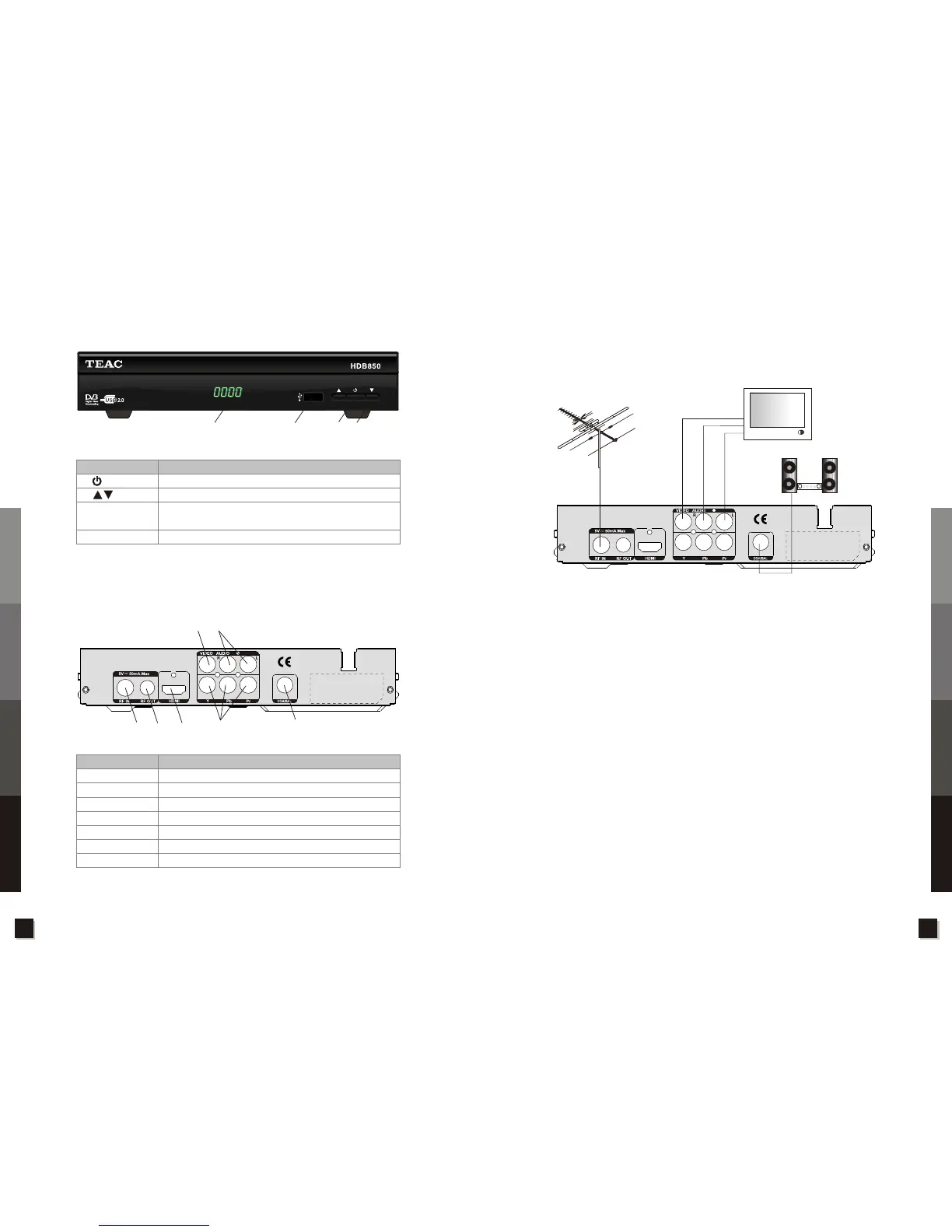
2.3 Rear Panel
FUNCTION
Connect to terrestrial antenna
RF signal loop out
Connect to the TV’s CVBS port
Connect to the TV’s audio port
Connect to TV's Y/Pr/Pb ports
Connect to TV’s HDMI port
Connect to the TV for digital audio output
CONNECTOR
1.RF IN
2.RF OUT
3.VIDEO
4.AUDIO R/L
5.Y/Pb/Pr
6.HDMI
7.COAXIAL
2.4 Installation of receiver
The receiver can be connected using the example in the figure below. Possible connections from the
unit to your TV are: AV, Composite, HDMI. When connecting external equipment to the unit, please
refer to the documentation relevant to the external equipment for information on correct installation.
2.5 Main Features
! Fully compliant with DVB-T standard
! Green Power(Standby<0.5W or <1W) supported
! 1080p/1080i/720p/570p/480p/576i/480i YPbPr/RGB component output supported
! HDMI 1.3 transmitter output interface with embedded or external HDCP key
! Resolution up to 1080p@60Hz
! PVR function supported,recording TV and playback media files with external storage devices (USB
stick / USB HDD)
! Supporting pictures with JPEG,BMP,PNG
! Supporting music files with WMA、MP3、AAC (.wma, .mp3, m4a)
! Supporting movie files with MPEG1/MPEG2/H.264/VC-1/Motion JPEG
(.flv/.rm/.rmvb/.avi/.mpg/.dat/.vob/.mov/.mkv/.mjpeg/.ts/.trp)
! Capable of playing picture and music at the same time
TV Aerial
Television
Amplifier
2.2 Front Panel
KEY
FUNCTION
Turn on/off receiver
Channel change(Up/Down)
Connect a compatible USB memory device for
recording and playback
Displays the time or other relevant information
USB port
LED display
1.
2.
3.
4.
1
2
3
4
1
2 6
3
7
4
5
Specifications
Troubleshooting
Unit Operation
Control and Functions
Specifications
Troubleshooting
Unit Operation
Control and Functions



 To Next Page