OSD Menu
OSD Menu
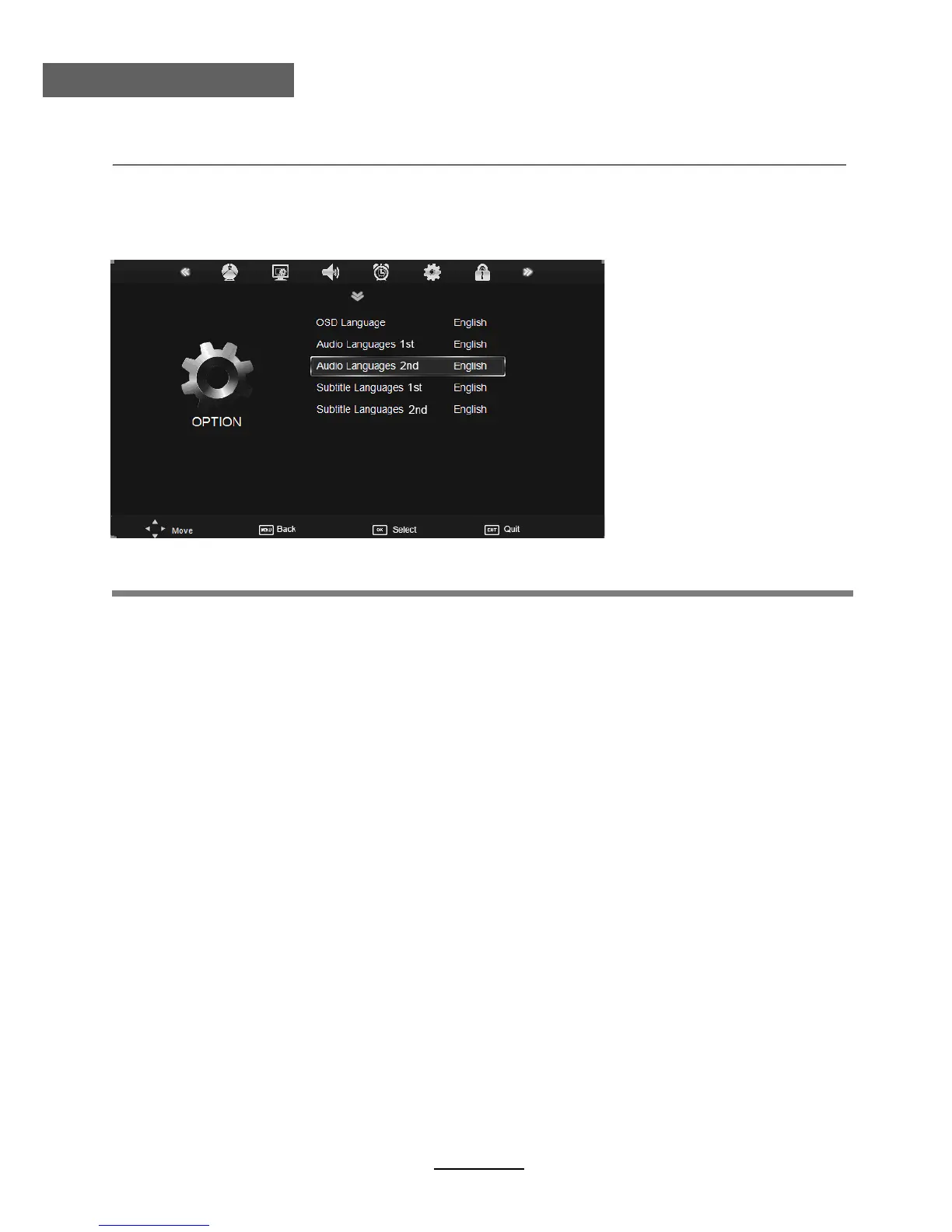
OSD Menu Language: Allows the user to select the language option for the OSD menu.
Audio Language 1st/2nd (can be selected in DTV mode): Allows you to select first and
second audio language.
Subtitle Language 1st/2nd (can be selected in DTV mode): Allows you to select first and
second subtitle language.
OSD Duration: Allows you to set the time of the menu display on screen for the following time
durations: 5s, 10s, 15s, 20s, 25s, 30s, 35s, 40s.
Country:
Blue Screen: Turn on/off the blue screen.
Displays currently selected country. It can be adjusted when you do Auto Tuning.
Restore Factory Default: Press OK button to restore factory default settings.
Note: Restore Factory Default will erase all channels and user settings.
5. OPTION menu
Description
Country Australia
Blue Screen Off
OSD Duration 10s
The option settings allow the user to make alterations to the language settings.
19



 To Next Page