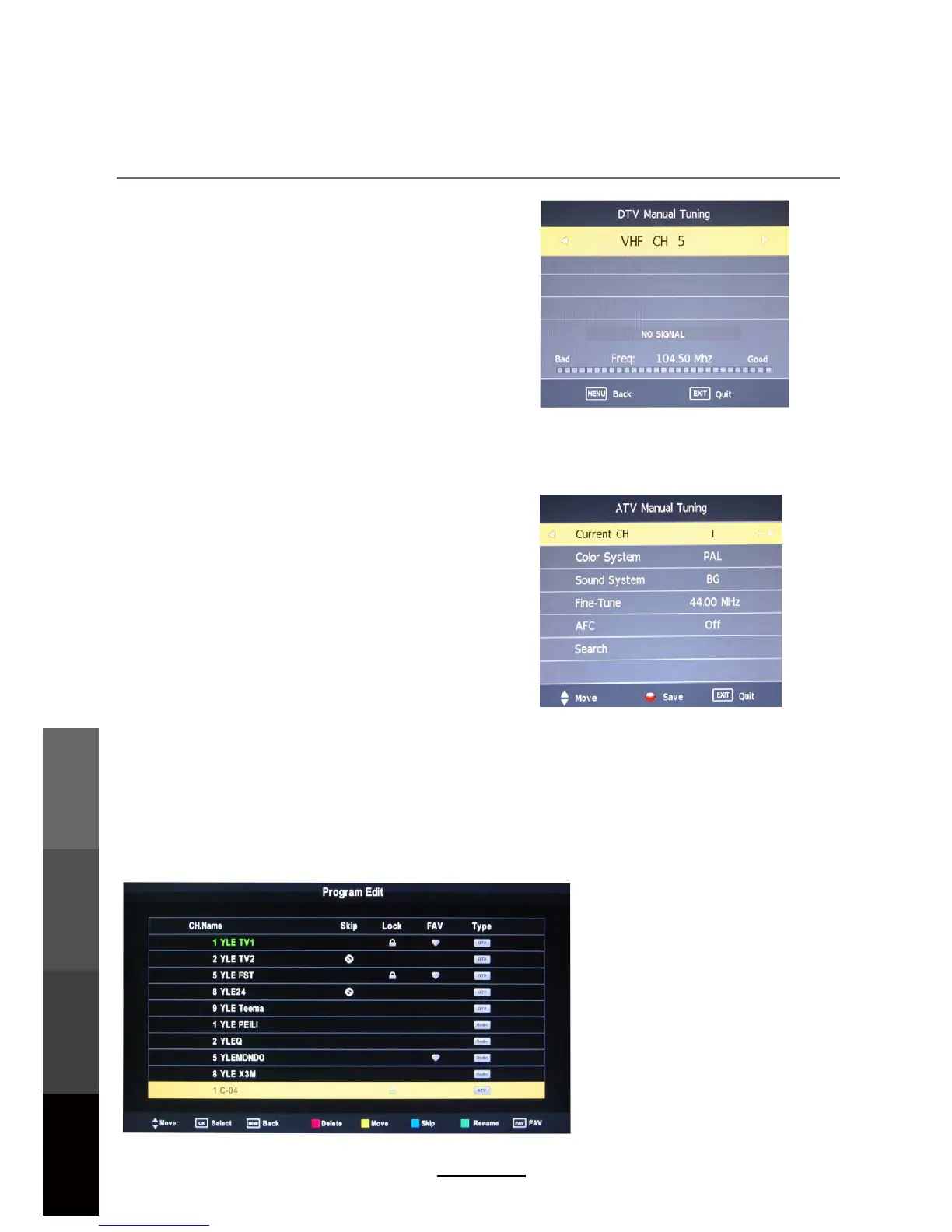
DTV Manual Tuning
Press the OK button to enter the DTV Manual Tuning
menu.
Select a DTV channel, and press OK to start
searching.
ATV Manual Tuning
Press the OK button to enter the ATV Manual Tuning
menu.
NOTE:
Press the RED button to save any changes to the settings.
Program Edit
OSD Menu
Color/Sound System : Select a TV system for
searching.
Current CH : Select the channel you want to tune.
Search : Press < / > button to manual search.
Fine- Tune: Press < / > button to fine-tune a channel.
Frequency : Display the current frequency.
The Program Edit menu offers the user to make personal changes to the program listings.
Various options are subjective to Analog TV and Digital TV programs. Press the OK button
to enter the Program Edit menu from the CHANNEL menu as shown below.
14
OSD Menu
Multimedia
Operation
Recording
Operation
Maintenance
and Service
AFC:
Turn on/off the auto frequency control function.



 To Next Page