LCDV3253HD
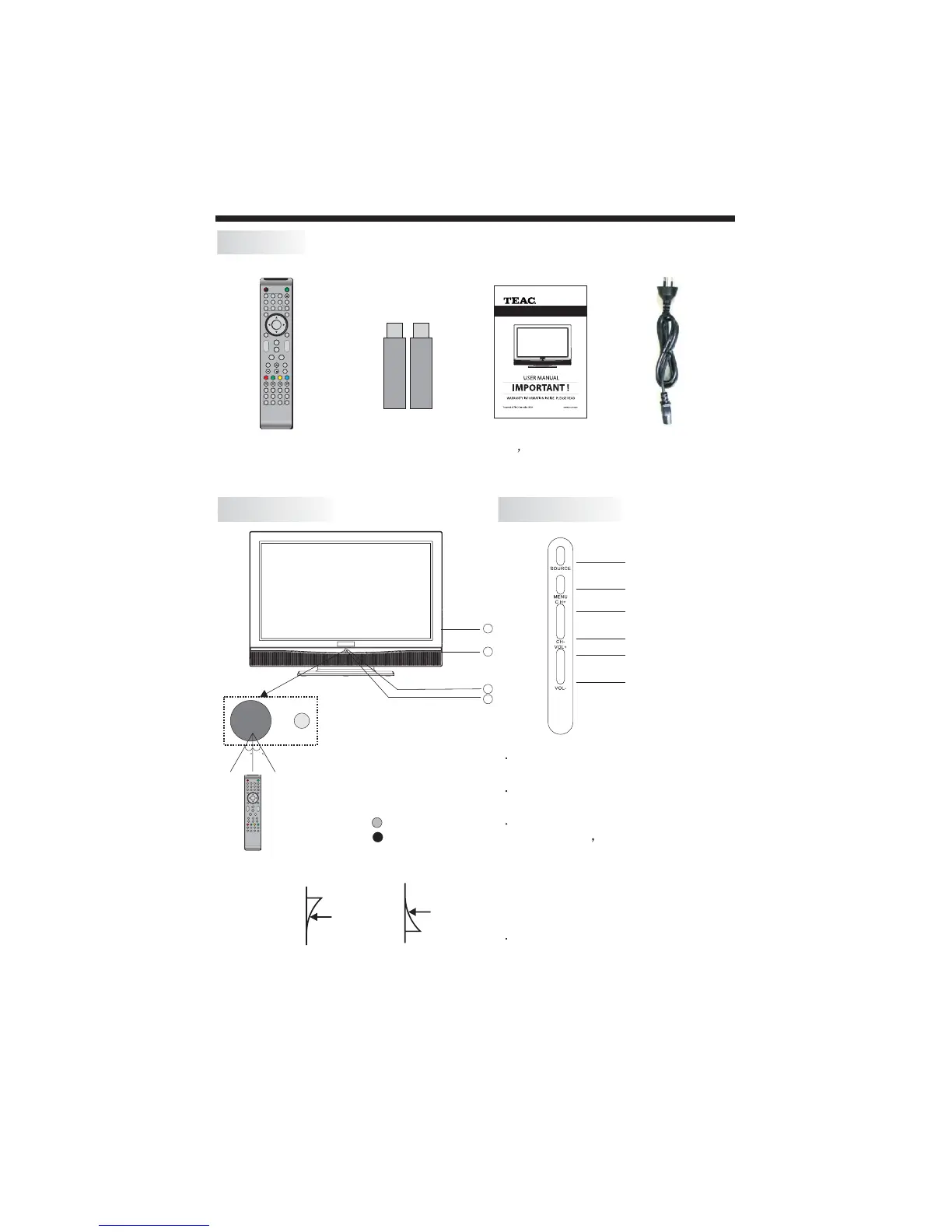
FRONT PANEL
Remote Control x1
Battery(AAA) x 2
ACCESSORIES
INTSTALLATION
1
ENTER
2 3
4 5 6
7 8 9 0
+
CH
_
+
_
VOL
POWER
MUTE
NICAM
RECALL
TVMENU INPUT
DVBMENU
SOUND
EXIT
PIC
SLEEP ASPECT
TEXTDISPLAYSOURCE
INFO FAV EPG
REVEAL
HOLD LIST
INDEX
SUBPAGE SIZE AUDIO SUBTITLE
1: Remote control sensor.
2: Indicator LED:
GREEN POWER ON.
RED STANDBY.
3:
4: AC power switch.
Front control panel
30
30
2
1
3
4
ON: OFF:
-6-
Front control panel(Right)
SOURCE
MENU
CH+
CH-
VOL+
VOL-
1 SOURCE
To display the input source menu.
2MENU
To display main MENU.
3 CH+/CH-
In TV mode to change the channel
up and down.
In MENU mode, to select the menu
items .
In standby mode, it can turn on the
TV.
4 VOL+/VOL-
To adjust sound level.
In MENU mode, to select the menu
items.
1
OK
2 3
4 5 6
7 8 9 0
+
CH
_
+
_
VOL
POWER MUTE
TVAUDIO
RECALL/GOTO
TVMENU SOURCE
DVDMENU SOUND EXIT
PIC
SLEEP ASPECT
TEXTTV/RADIODVDSETUP
EPG FAV IN FO
DISPLAY
DVDAUDIO
ANGLE
PBCDVD/USB TITLE
SUBPAGE SIZE MIX
REVEAL
HOLD
LIST
INDEX
RETURN
SUBTITLE
FREEZE
User s Manual x1
AC Power Cord x1



 To Next Page