User Guidance Information
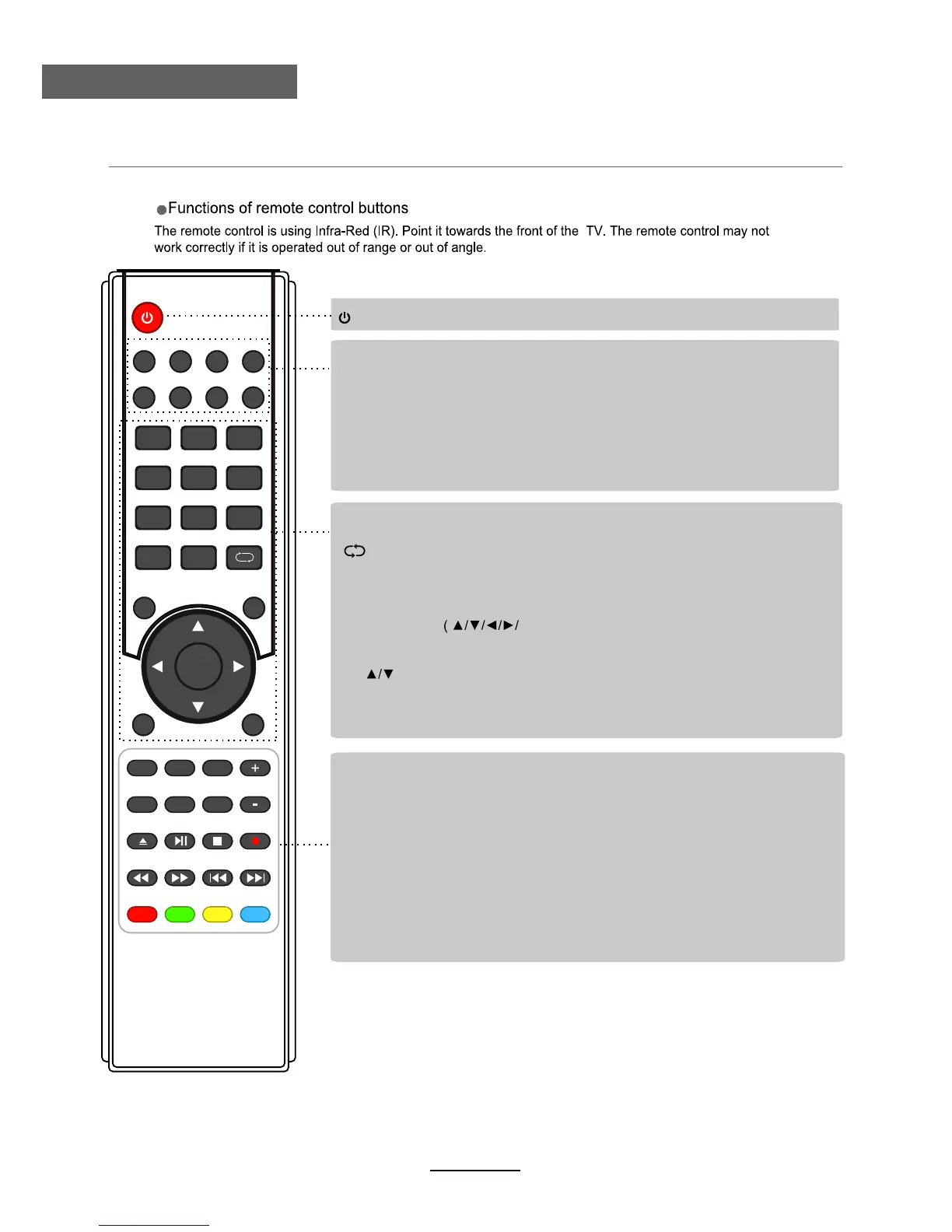
Remote Control
(POWER) : Turn the TV on/standby.
: Return to the previous channel viewed.
NUMBER BUTTONS: Choose channel directly. Press number buttons to view
the channel.
AUDIO
MUTE: Press to mute the sound, press again or press VOL+ to unmute.
: Select different audio languages, subject to availability from broadcaster.
SLEEP
ASPECT Adjust picture size.:
: Repeatedly press to scroll to preferred off time.
MENU: Press to display the OSD menu.
INPUT
DTV/USB: Switch to DTV/USB.
: Display the input source menu.
EXIT
DISPLAY: Press to display the current mode’s information.
: Press to exit the OSD menu.
PICTURE: Press repeatedly to cycle through the available video picture modes.
SOUND: Press to cycle through the different sound settings.
CH
92/ŻŹ
: Channel/Program+/- .
Volume +/-.
CURSOR KEYS
OK)
Allows you to navigate through the on-screen menus and adjust the system settings
to your preference.
CH.FAV: Displays Channel List, and the Favourite Program List.
EPG: To show the Electronic Program Guide.
123
456
789
0
OK
CH.FAV
AUDIO MUTE
DTV/USB INPUT
PICTURE
SOUND
ASPECT
SLEEP
EXIT
DISPLAY
CH
CH
VOL
VOL
HOLD
D.MENU D.TITLE
VOL
TV/TXT CANCEL REVEAL REPEAT
D.SETUP
SUBTITLE A-B GOTO
SIZE SUBPAGE INDEX
DELETE REC.LIST SCH.LIST SCREEN
MENU
EPG
REC.LIST:
Record List.
DELETE:
Delete REC program.
SUBTITLE:
Select DVD disc subtitle.
D.SETUP
: DVD system setup.
D.MENU
: DVD play list/Disc menu.
GOTO
A-B:
Select and play the preferable paragraph of DVD program by pressing this
key twice at the beginning and end of it.
: Play your facourite title/chapter/track.
SCREEN
: Turn on/off the screen.
D.TITLE
: DVD title.
REPEAT
: Repeat playing the title or chapter.
9
VOL+/-: Volume +/-.



 To Next Page