OSD Menu
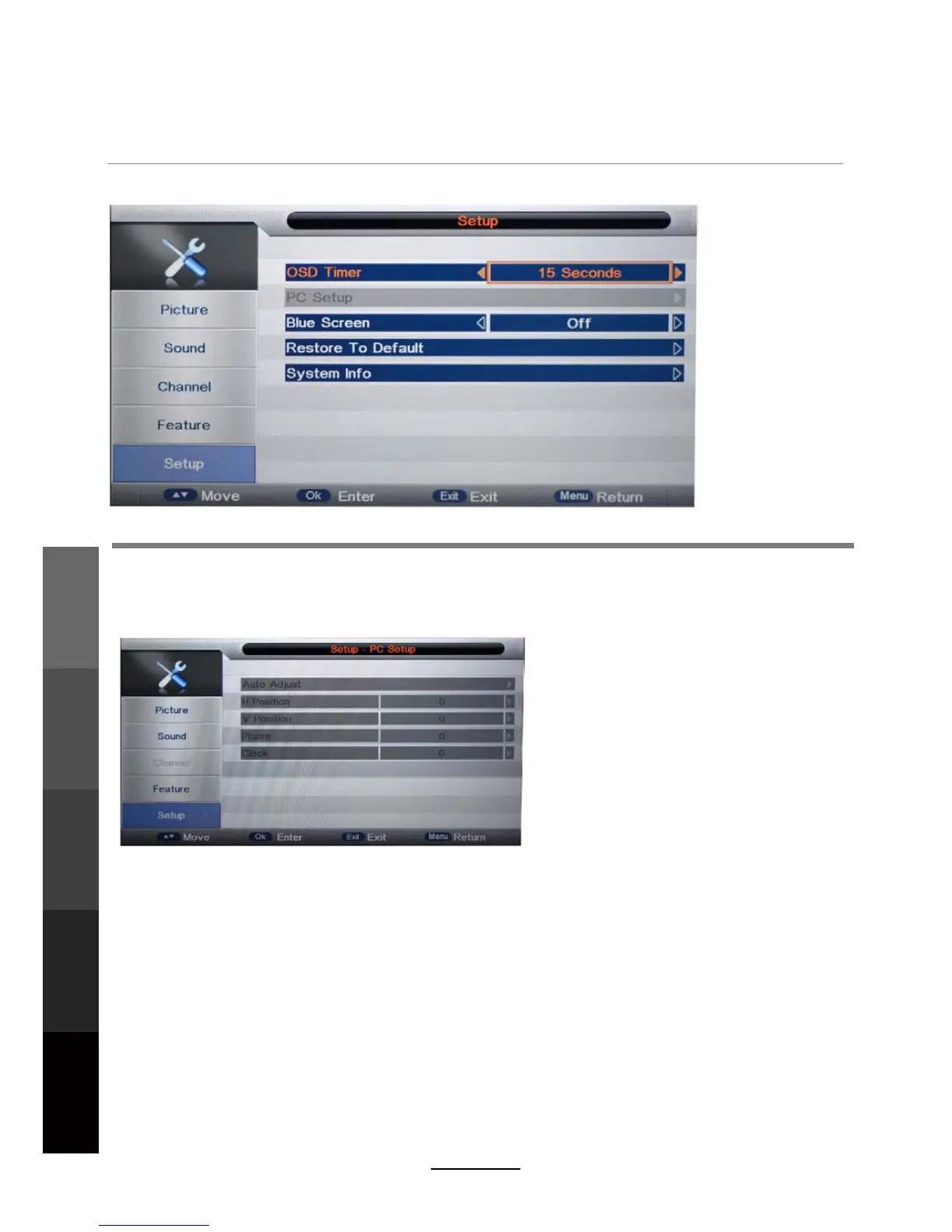
OSD Timer: Lets you adjust the amount of time the On Screen Menu stays on the screen
before disappearing.
Blue Screen: Changes the background colour when there is no input between clear and a blue
background (Not available in some input modes like ATV).
Restore To Default: This clears all the TV settings for the television. Password input required.
System Info: Display the TV system information and customer support information.
5. SETUP menu
Description
PC Setup: Change the PC Settings in PC mode.
A
uto Adjust: Adjust the parameter of the screen automatically.
H/V-Position: Adjust the horizontal/vertical position of the screen.
Ph
ase: Adjust the phase of the ADC sampling clock relative to the sync signal, until a
stable image is obtained.
Cl
ock: Adjust the pixel clock frequency, until the image size is maximized for the screen.
20
Maintenance
and Service
OSD Menu
Multimedia
Operation
Recording
Operation
Maintenance
and Service
DVD Operation



 To Next Page