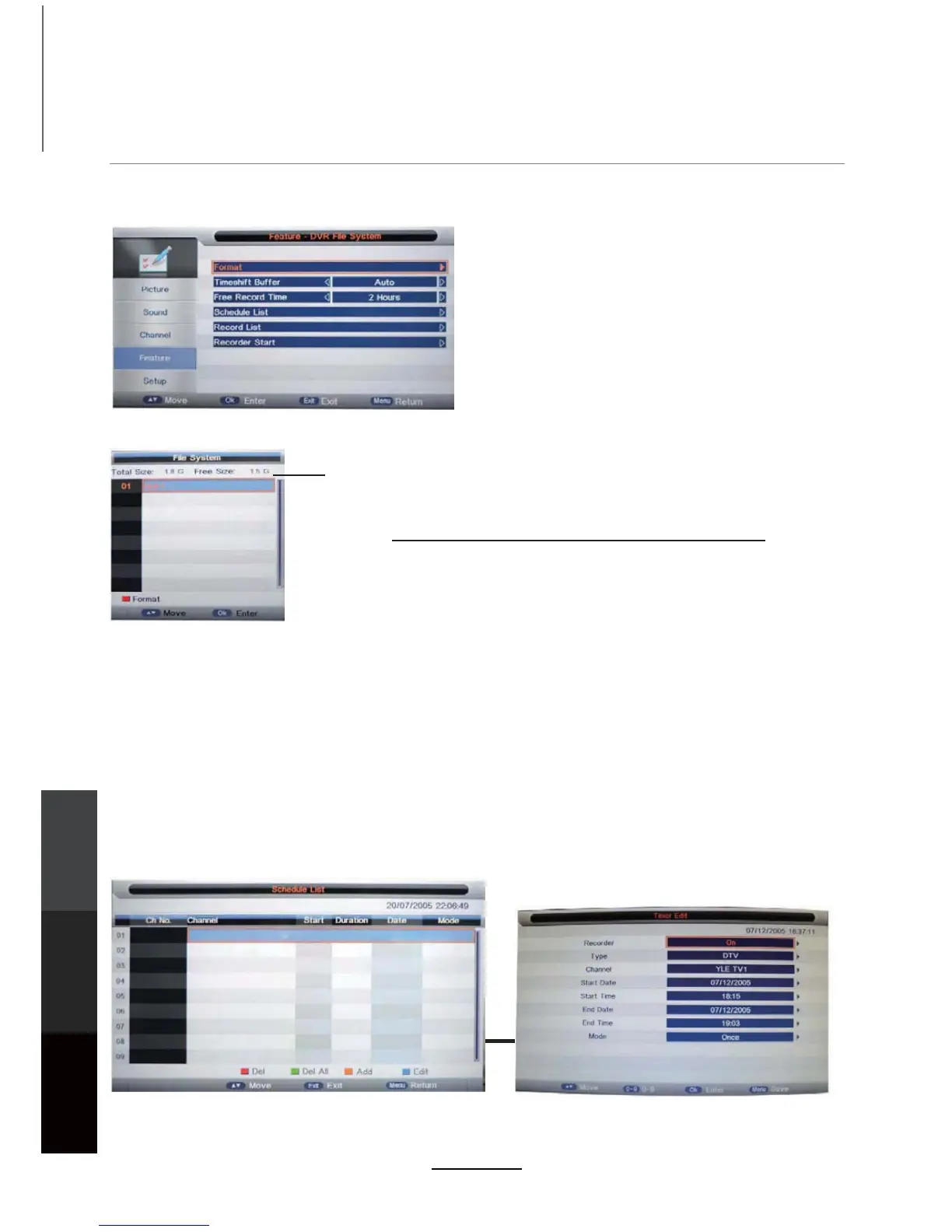
DVR settings
Press the MENU button, then select Feature > DVR File System. Press OK to enter the menu below.
The USB storage device will need to be formatted before being used for recording functions, to
CAUTION: Formatting will wipe all data from the USB device.
Please back up existing data before formatting. TEAC is not
responsible for lost data.
USB flash drives, or an external hard disk using its own power
supply is recommended for recording and playback.
ensure that it is formatted in the FAT32 file system, and that there is sufficient storage space
available for recording programs.
USB device information
Format
Format: Press the RED button to format the selected USB device.
Recording Operation
Set Timeshift Buffer mode: Auto, 30Mins, 1hr, 2hr.
Select recording time limit from 1 hour to 4 hours.
Timeshift Buffer
Enter the Schedule List to setup and manage the timer recording schedule.
Schedule List
Free Record Time
Press the YELLOW button to schedule a new recording. Follow the button hints on the screen.
24
Recording
Operation
Maintenance
and Service
DVD Operation



 To Next Page