OSD Menu
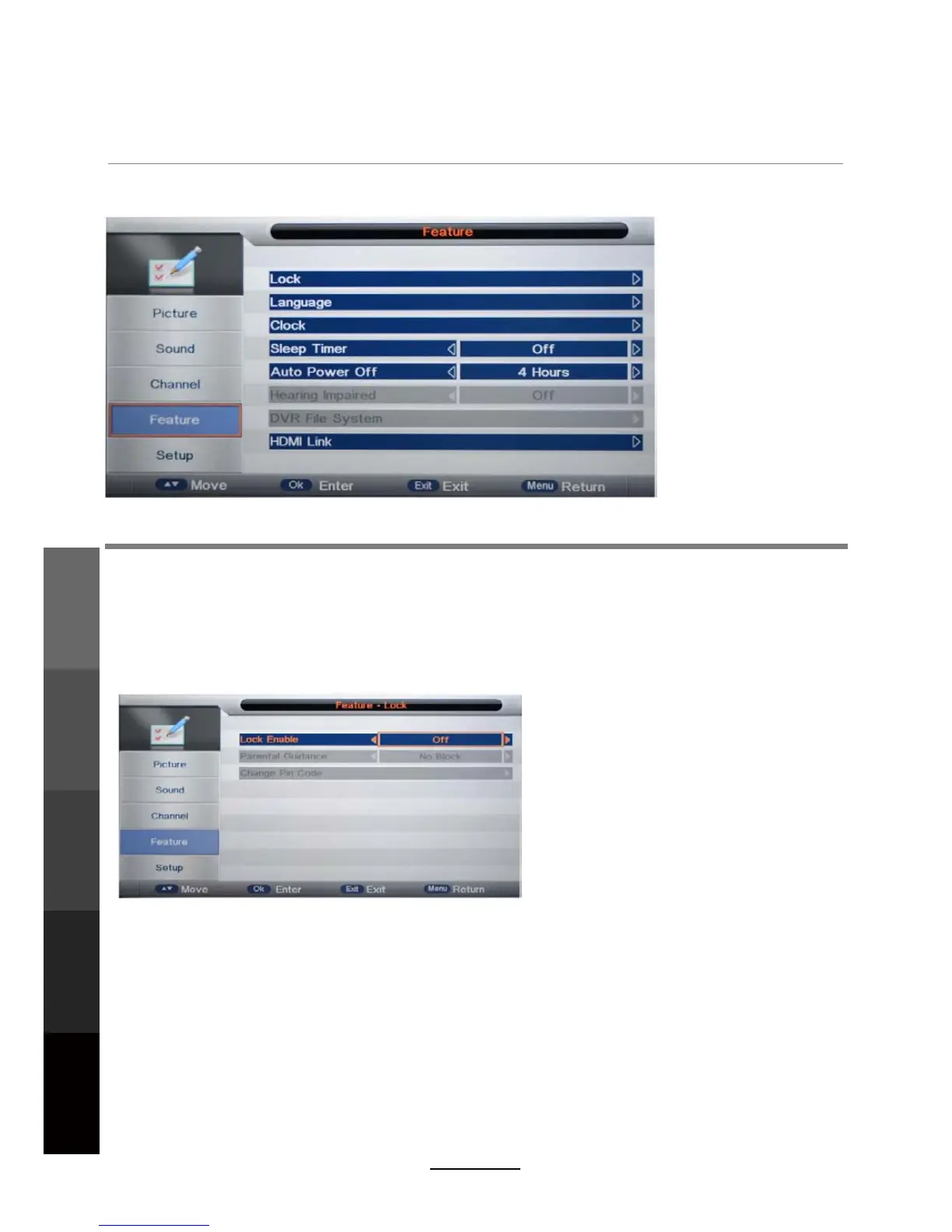
4. Feature menu
Description
Lock: This menu allows you to lock certain features of the television so that they can not be used
or viewed. For example, setting a program rating lock for children, locking specific channels, and
preventing unauthorised channel deletion or channel retuning.
Every time you enter the Lock menu you will be asked for a password. The default is 0000. You
are recommended to change the password to your own and keep it in a safe place.
L
ock Enable
- Turn on/off the Lock function.
Parental Guidance
Lock Enable
- Adjust Parental Guidance settings or turn it off (No Block).
NOTE: When it is turned on, the Parental Guidance and Change Pin Code settings become
active. Channel Lock/Delete (in Channel Management), Auto Search, DTV Manual Search,
ATV Manual Search (in the Channel menu) will also require password access.
Change Pin Code – Press the OK button to start. First enter the current password, then
enter the new password twice to confirm.
18
Maintenance
and Service
OSD Menu
Multimedia
Operation
Recording
Operation
Maintenance
and Service
DVD Operation



 To Next Page