20
Programmed Playback
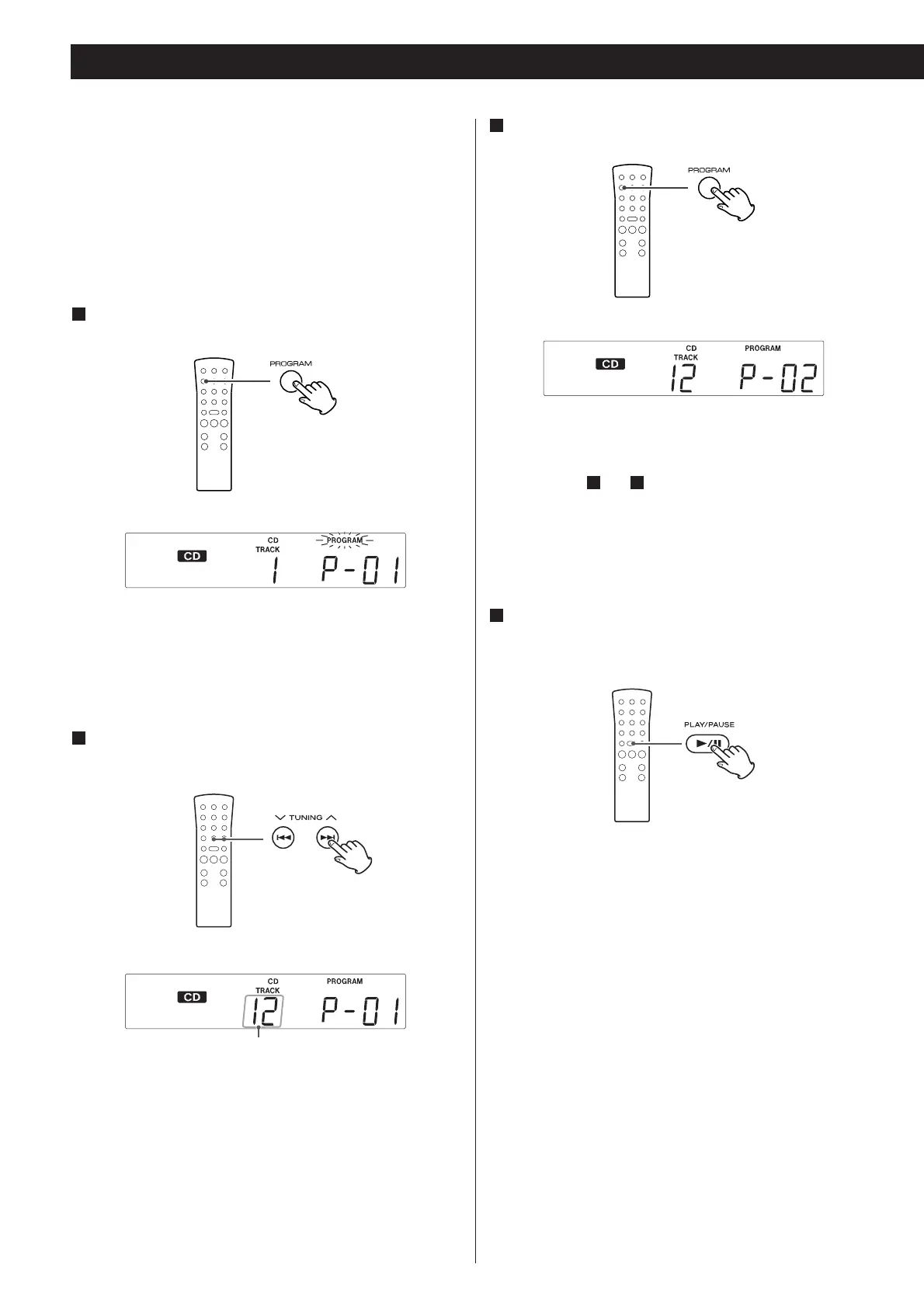
The track is programmed, and “P-02” is displayed.
Repeat steps and to program more tracks.
< You can program up to 32 tracks.
< To cancel the program mode, press the STOP button (H).
When the selection of track numbers has been finished,
press the PLAY/PAUSE button (y/J) to start program
playback.
4
32
Up to 32 tracks can be programmed in the desired order.
< Insert a disc and select “CD” before beginning programming.
< Shuffle playback does not work during programmed
playback.
< Programmed playback works with finalized discs only.
Press the PROGRAM button in the stop mode.
1
“PROGRAM” indicator blinks, and “P-01” appears on the
display.
Press the . or / button to select a track.
2
Press the PROGRAM button.
3
track number


 To Next Page