22
Recording
When the MANUAL/AUTO REC button is pressed once, the
current mode is displayed. Press the MANUAL/AUTO REC
button repeatedly to select any other mode.
– – (MANUAL)
The unit doesn’t divide tracks.
Use the TRACK INCREMENT button to divide tracks.
MANUAL is recommended for recording an analog source
such as a record.
–20db, –30db or –40db (AUTO REC)
The unit will automatically insert a track division in the
recorded material when the sound level has dropped below
the threshold for more than 2 seconds, and sound has re-
started.
“–20db” takes a louder signal to trigger the track increment.
“–40db” means that a relatively quiet signal will trigger the
track increment. “–40db” is suitable for recording a noiseless
source such as a CD.
< AUTO REC may not work properly with analog sources that
contain low-level noises.
< The AUTO indicator lights when –20dB, –30dB or –40dB is
selected.
< The default setting is MANUAL (off). When the unit is turned
on, the setting is automatically reset to MANUAL (off).
< The MANUAL/AUTO REC button doesn’t work during
recording or in the record pause mode.
Press the RECORD button.
4
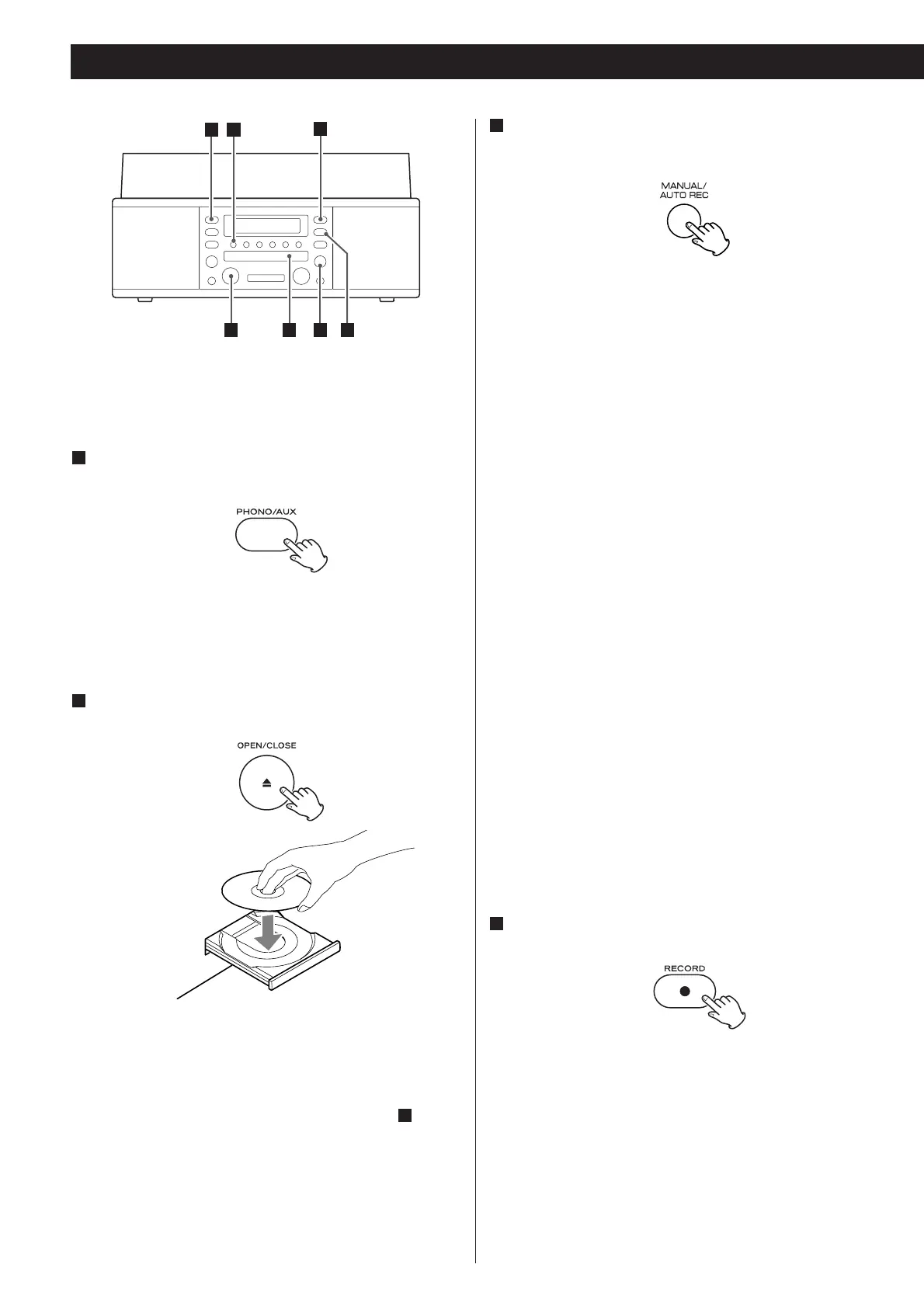
Audio from the PHONO or AUX sources can be recorded on
the CD recorder.
Press the PHONO/AUX button once or twice to select
the source to be recorded.
1
To record a record, select PHONO.
To record an external source connected to the AUX IN jacks,
select AUX.
Load a recordable CD-R or CD-RW disc into the unit.
2
Press the OPEN/CLOSE button (L), place a disc on the disc
tray with the printed label side up, and then press the
OPEN/CLOSE button (L) to close the disc tray.
Make sure “NO TOC” and “CD-R” (or “CD-RW”) indicators
light on the display, or the RECORD button in step will not
work.
4
Select the mode of track number assignment using the
MANUAL/AUTO REC button.
3
The red indicator on the RECORD button blinks.
The unit enters record pause mode.
In record pause mode, “REC” indicator blinks and the J
indicator lights on the display.
< No button will work while “bUSY” is displayed. Wait a few
seconds until “bUSY” disappears from the display.
< If the red indicator on the RECORD button doesn’t light,
reload a recordable disc, wait a few seconds until “NO TOC”
and “CD-R” (or “CD-RW”) indicators light on the display, and
press the RECORD button again.


 To Next Page