15
CAUTION
All delete features are PERMANENT and CANNOT BE UNDONE!
You can quit the deleting process before you confirm and start the deletion
by pressing the STOP button to exit the delete function. .
5. Repeat steps 3-4 to continue programming. You can add up to 20 tracks into the list.
6. To remove a track from the playlist during programming, simply press the DELETE
button. You can only delete from the end of the list. If playback is in progress, press
STOP ( ) button, then press the MEMORY/MODE button to enter Program Mode.
Then press the DELETE button to start deleting tracks from the end of the list.
7. After you finish programming, press PLAY/PAUSE ( ) button to start playback.
Stopping Programmed Playback or Exiting Program Mode
To stop playback, press the STOP ( ) button.
The 'PROGRAM' indicator remains on the
display to show that the playlist function is still active.
To cancel the Program function completely and exit Program Mode, press the STOP ( )
button twice. The 'PROGRAM' indicator on the display will disappear.
To view tracks in the program list, press the STOP ( ) button to enter the stop state in
Program Mode, then keep pressing the MEMORY/MODE button.
Delete Function
Delete files and folders from USB/CARD devices.
1. Press the STOP ( ) button to stop any music playback.
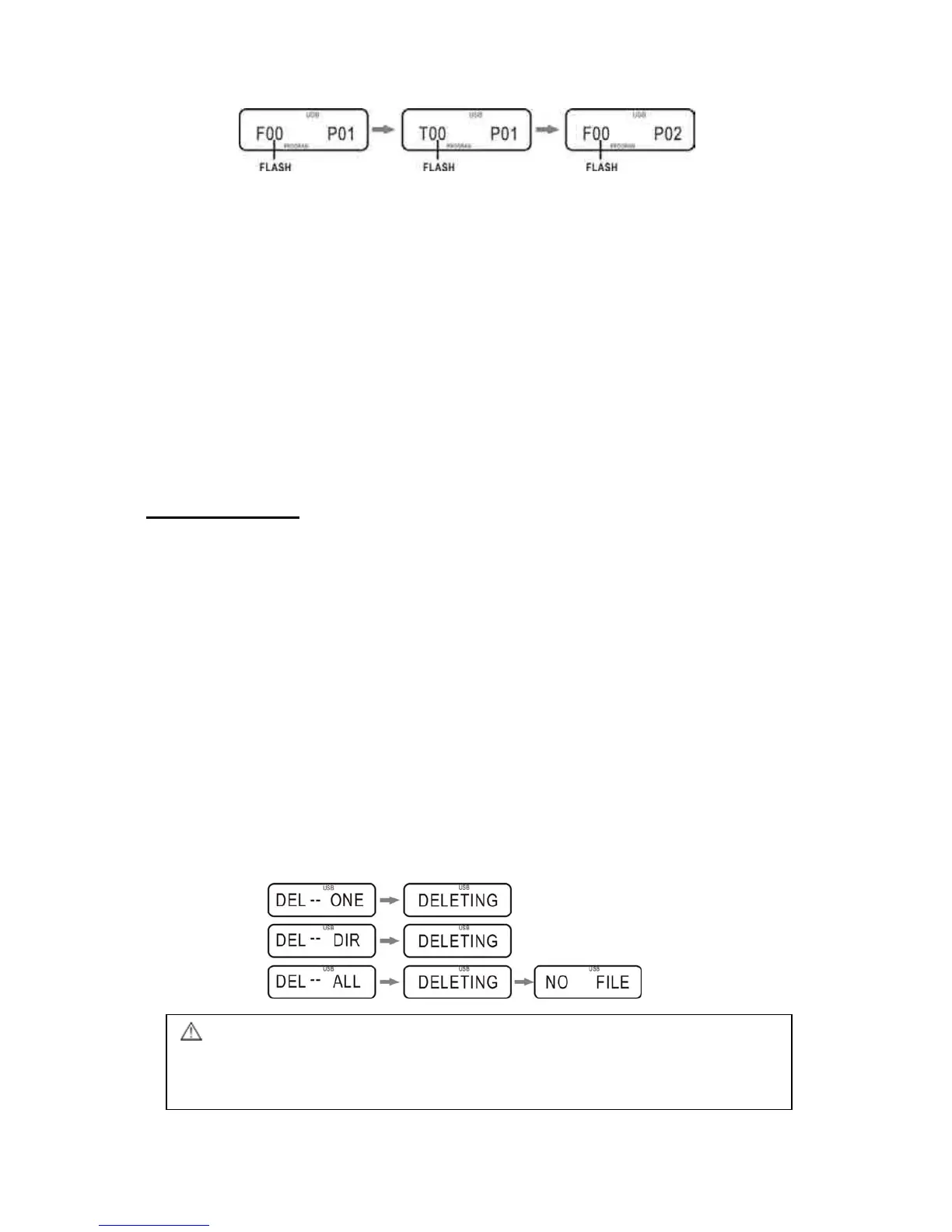
2. Press and hold the DELETE button until the display shows DEL – ONE.
3. Press and to cycle through the following options, described below:
DELETE ONE:
i. Press and to navigate thr
ough your folders to find the file to be deleted.
ii. When the desired file is selected, press the DELETE button. 'DEL ONE' will
be shown on the display.
iii. Press DELETE again to confirm your choice and delete the selected track.
DELETE DIR:
i. If you wish to delete a cer
tain folder in your device, press and to
navigate to and select the folder to be deleted.
ii. Next, press the DELETE button and use and to select ‘DEL DIR’.
iii. Press the DELETE button again to delete the folder.
DELETE ALL:
i. P
ress the DELETE button a
nd use and to select DEL ALL.
ii. Press the DELETE button to delete all the files in your USB/CARD device.



 To Next Page