276
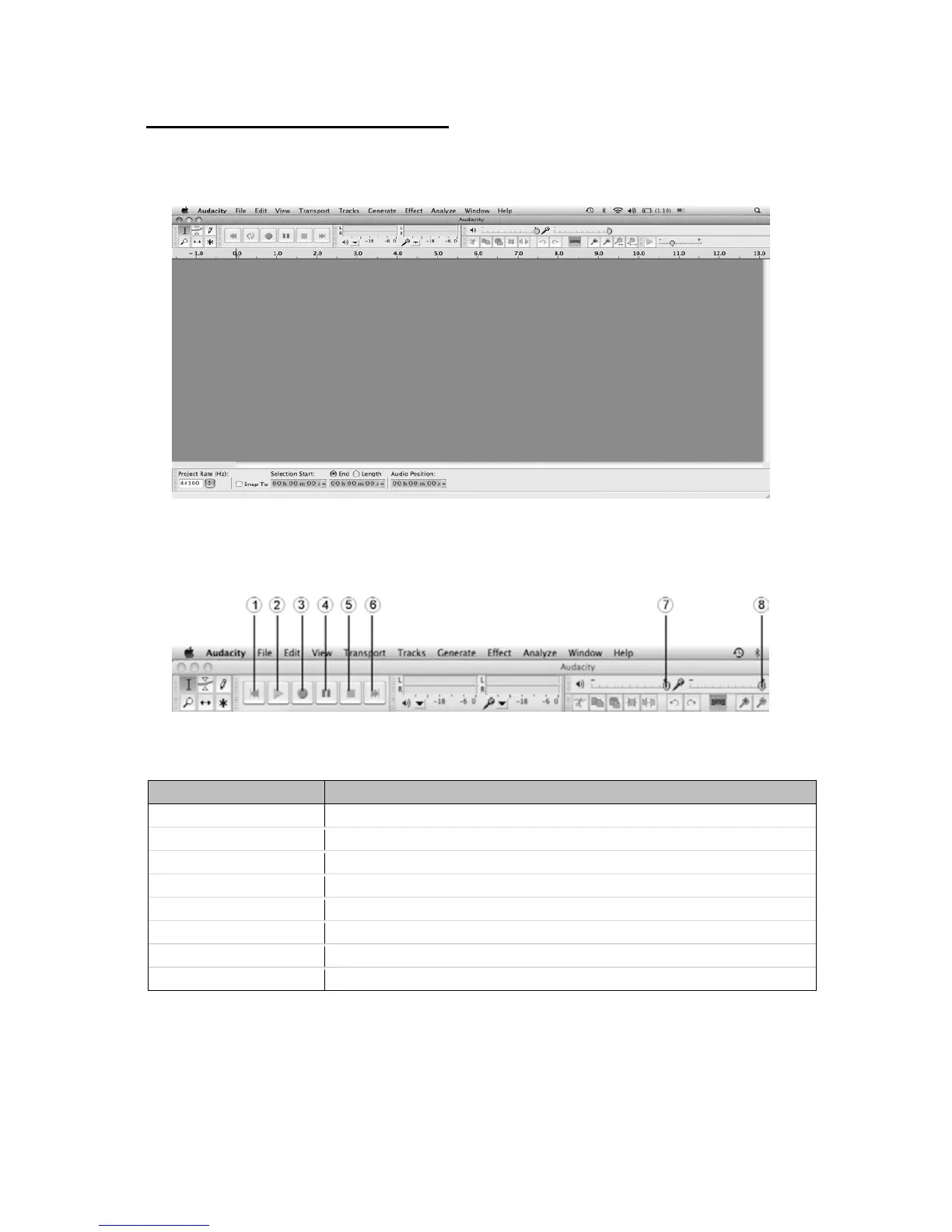
Basic Audacity Controls (MAC)
Use the File, Edit, View, Generate, Effect and Analyse drop-down menus to Save, Export,
and edit the music.
Use the large control buttons at the top of the screen to control music playback and
recording.
Part Description
1. Skip Back Skip to the start of the current project.
2. Play Play the current project.
3. Record Record audio from a designated input source set in Preferences.
4. Pause Pause recording or playback of the current project.
5. Stop Stop recording or playback of the current project.
6. Skip Forward Skip to the end of the current project.
7. Output Volume Adjust the output volume.
8. Input Volume Adjust the input volume.



 To Next Page