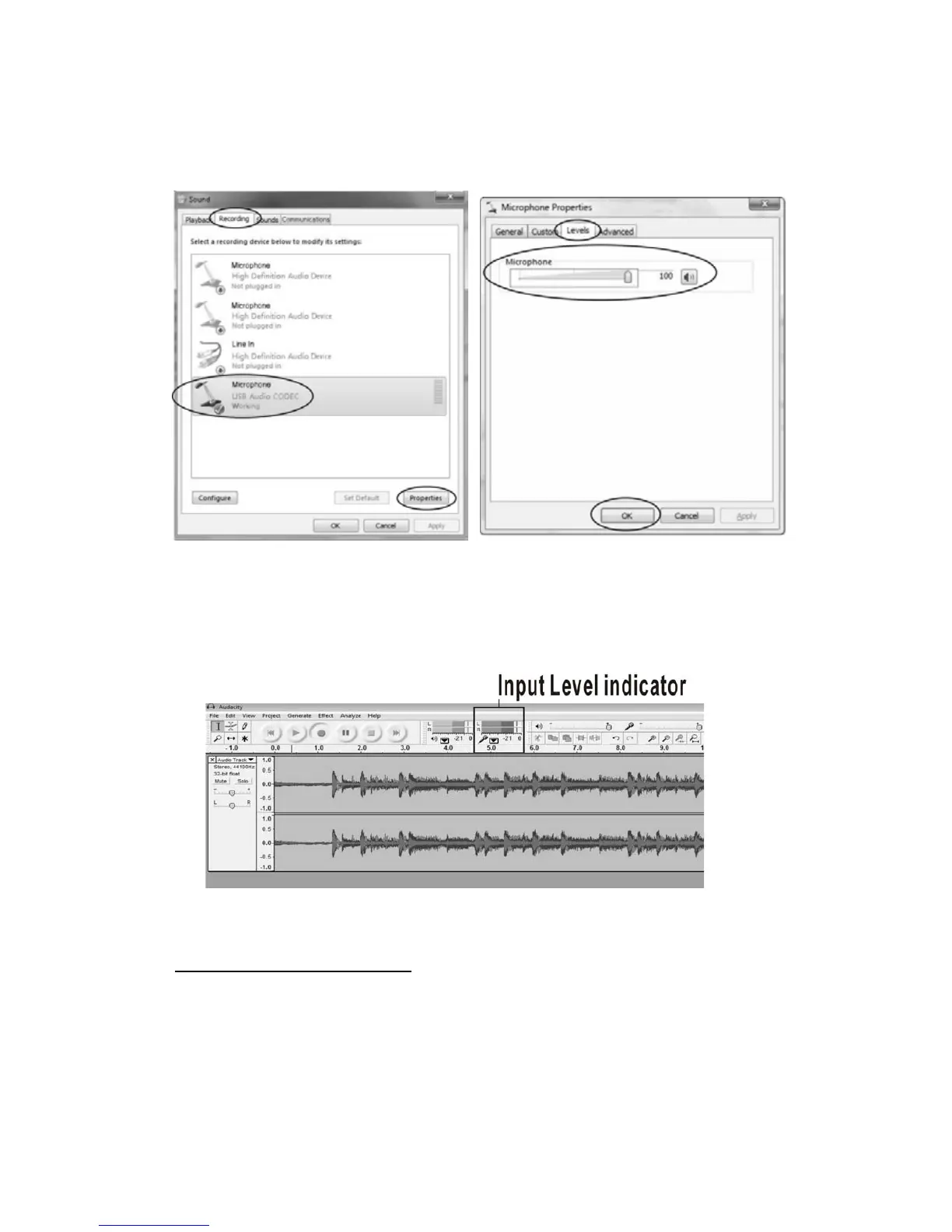
In the Sound interface, select the Recording tab. Select “USB Audio Codec” for
Microphone, then click the Properties button at the bottom right.
Select the Levels tab in the pop-up window, adjust the input volume as required,
then click the OK button to save the changes.
You may watch the Met
er Toolbar in the Audacity window to check the input level
for the audio that is being recorded. The input (recording) meter is the one on the
right. By default, the meter is active during recording. To use it outside of recording,
Enable “Monitor Input” using the drop-down menu by clicking on the arrow beside
the microphone icon.
For the complete Audacity user manual, please visit the Audacity website at
http://audacity.sourceforge.net
. Please contact the Audacity developers if you
encounter issues with installing or using Audacity.
321



 To Next Page