English – 15 | MP-470
Basic Operation
Function Operation
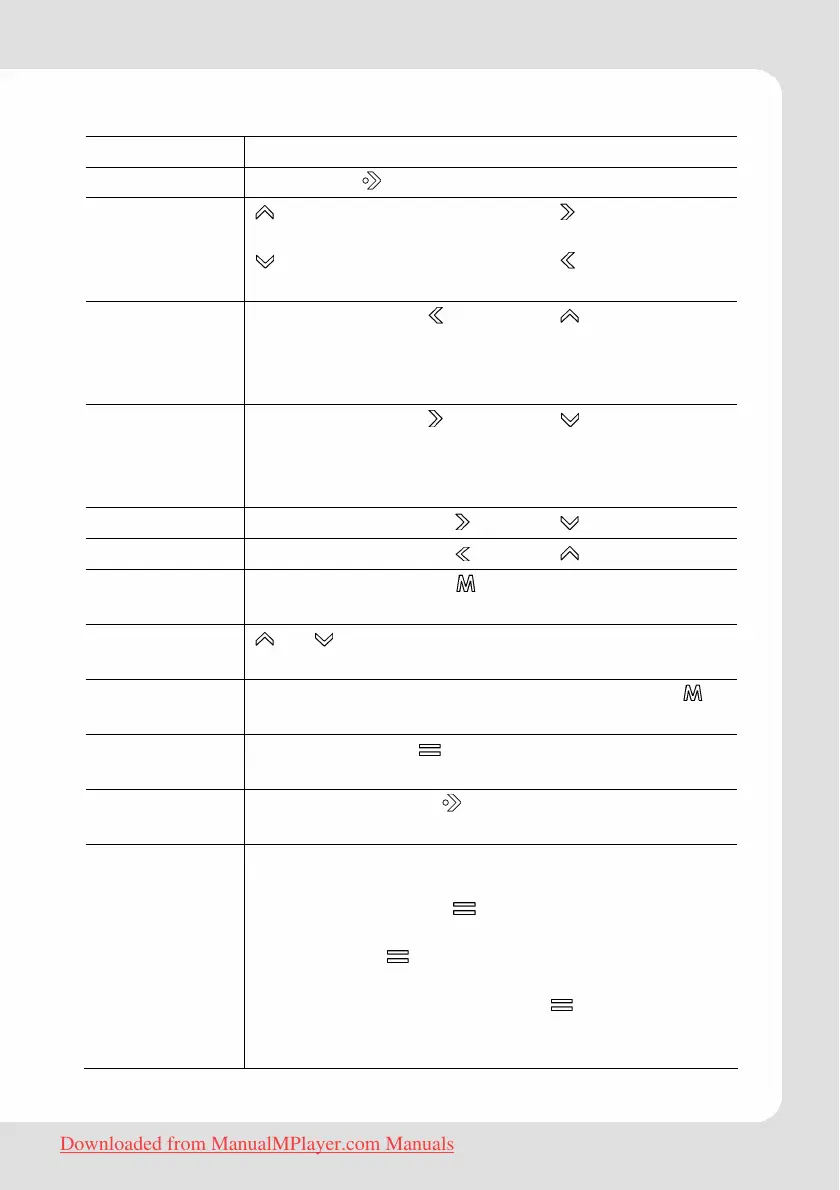
Play/Pause Touch the button to play or pause.
Adjust volume
(Music,
Movie, and
Radio mode)
: Touch: increase volume ( in movie mode)
Touch and hold: increase volume continuously
: Touch: decrease volume ( in movie mode)
Touch and hold: decrease volume continuously
Previous (title,
picture,
video, main
menu option)
Shortly touch the button. ( in movie mode)
Next (title,
picture,
video, main
menu option)
Shortly touch the button. ( in movie mode)
Fast Forward Touch and hold the button. ( in movie mode)
Rewind Touch and hold the button. ( in movie mode)
Move to main
menu
Touch and hold the button to display the
main menu
Explorer
navigation
or allow to select an object, a folder or a
file.
Return to
explorer
To return to explorer from any mode, touch
shortly. (Musik, Photo and E-Book mode only)
Call Quick
Option menu
Touch and hold to access the quick option
menus.
Confirm
selection
Touch play button to confirm and enter the
selected item.
A-B Repeat To repeat a specified section of a track during
playing:
1. Shortly touch the
button to select the start
point (A-).
2. Touch the
button again to select the end
point (A-B).
To stop A-B repeat, touch the
button.
Note: The A-B repeat function can only be used
within the same track.
Downloaded from ManualMPlayer.com Manuals



 To Next Page