English – 29 | MP-470
Customized Settings
To customize the player settings:
1. In the main menu, select the “Setup” item and touch to enter
the system settings mode.
2. Touch or to select setting item. Confirm with . Touching
the key
brings you one level up into the next menu.
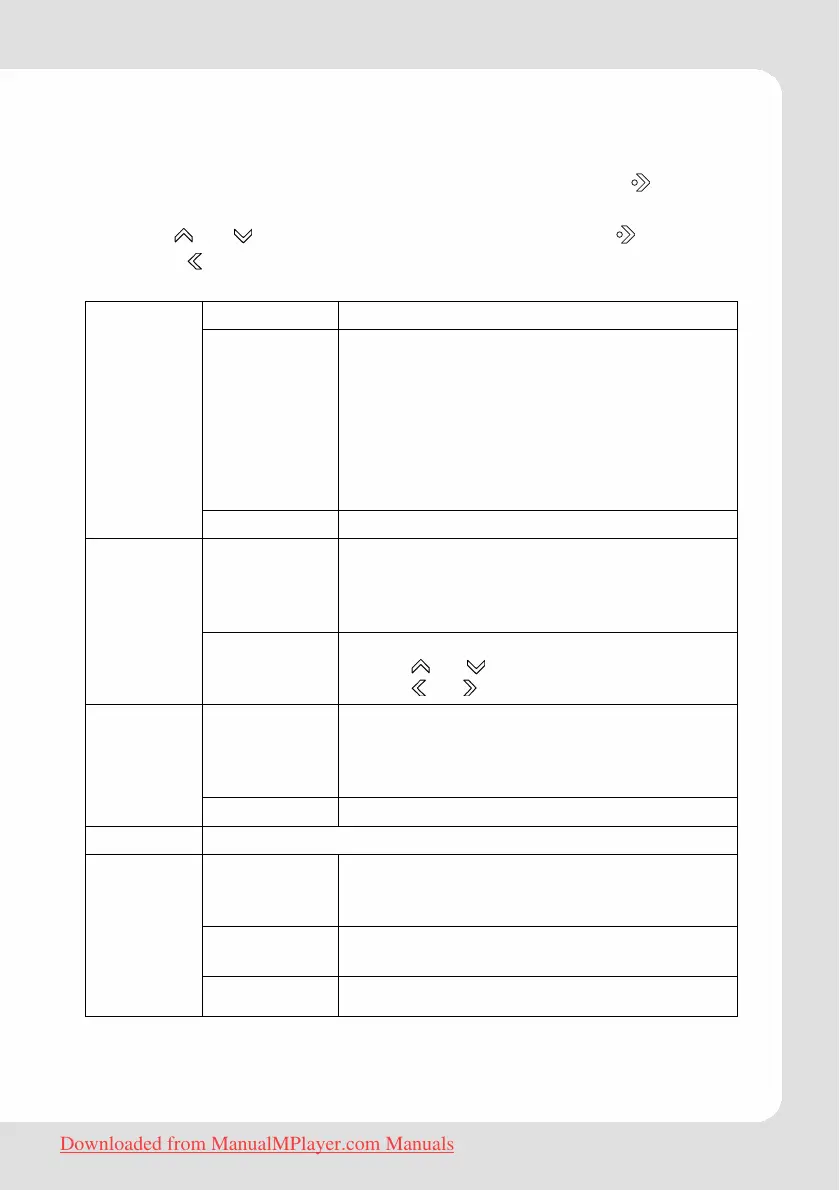
Equalizer Normal, Classic, Jazz, Rock, Pop, Bass, SRS
Repeat Normal: Play all saved music files in order
once.
Repeat One: Play the current or selected
file repeatedly.
Repeat All: Play all the music files in order
repeatedly.
Random: Play all the files in random
repeatedly.
Sound
Lyric On, Off
Sleep Set the duration of time (in minutes) that
the player will remain on when it is idle. The
settng of "OFF" will disable the Power
Saving feature.
Time
Date &
Clock
Set the internal clock of the player.
Touch
or to select a field to adjust.
Touch
or to adjust the selected field.
Backlight Adjust the duration of time (in seconds)
that the backlight will remain on after a
key touch. A setting of “Always On” will
keep the backlight on continuously.
Display
Brightness Adjust the brightness of the display.
Language Select language in which the on-screen text is displayed
Music Auto
Play
When Auto Play is set to ON, you player will
automatically resume playback when it
wakes from standby.
Default Restore all of the player's settings to their
factory-default state.
System
Information Information about the product
Downloaded from ManualMPlayer.com Manuals



 To Next Page