English – 19 | MP-470
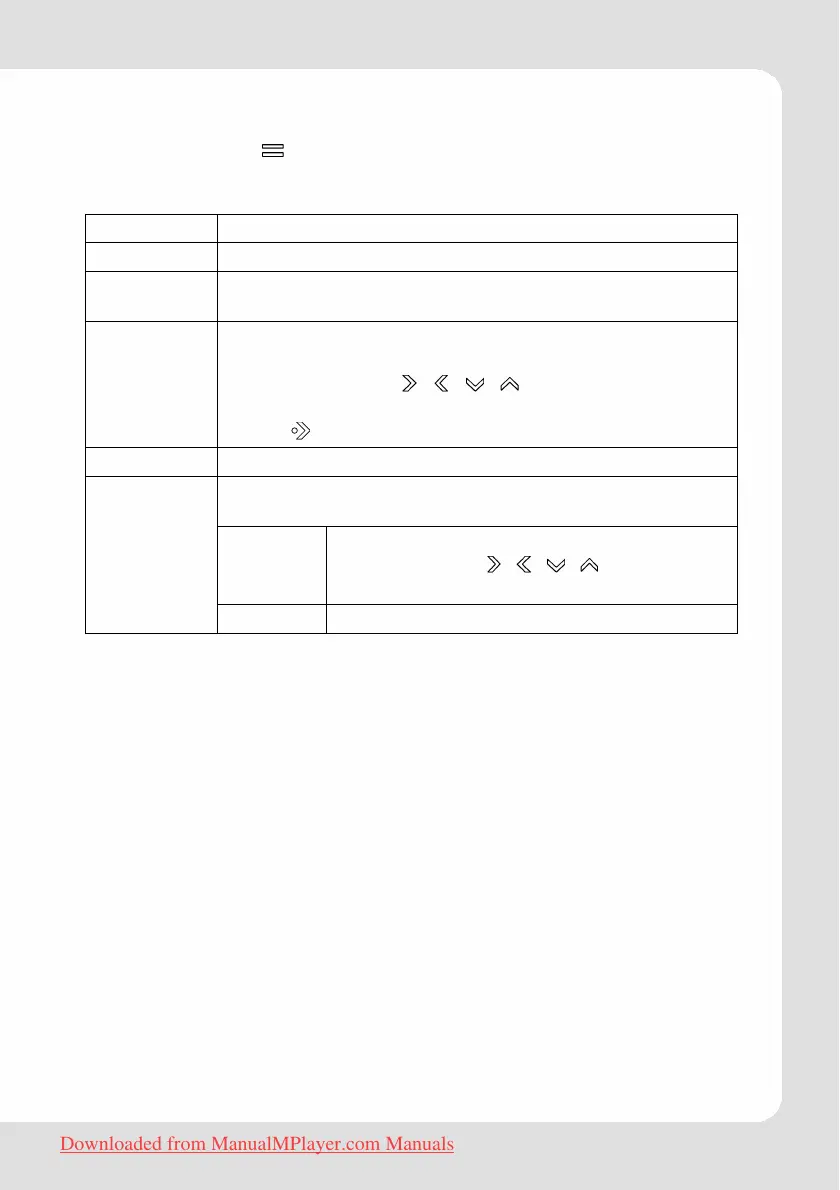
Quick Option Menu Picture (Photo)
Touch and hold to access the Quick Option menu while a
picture is displayed.
Brightness Allows to adjust brightness in five steps.
Slideshow Turn slideshow mode on.
Show Timer Set interval between the previous and the next slide in
auto slide show mode.
Zoom
Magnify the picture (Zoom In or Zoom Out).
While the picture is magnified:
Use the arrow keys (
, , , ) to pan around the
magnified picture.
Touch
to return to Normal (100%) magnification.
Rotate Rotates pictures selctable by 90°, 180° or 270°.
Adjust the orientation of the player during picture
display:
Horizontal
Hold the player horizontally. The direction of
the control keys ( , , , ) will change
in this mode.
View Mode
Auto Hold the player vertically.
To use the keys please proceed as described in the paragraph
“Hints According to User Interface/Quick Option Menu Key
Functions”.
Downloaded from ManualMPlayer.com Manuals



 To Next Page